Payers and rates
The insurance payers you bill, the codes that price each kind of work, and a client’s own rates.
6 parts · 2 minBillingFor the office
The lesson plays on a sample agency, so nothing you do in it changes anything. Open any item in the lesson's panel to read about it, and press See how to watch it done.
What this lesson covers
Everything the lesson says, part by part.
- 1
On the way: Settings is in the sidebar.
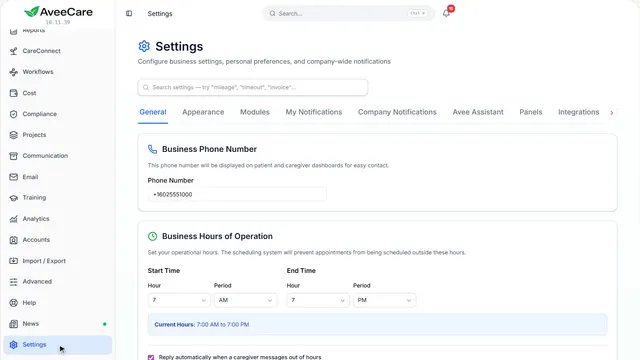
This is Settings
How your agency works: billing, payroll, your connections to other services. Each area has its own tab.
In the sidebar under Settings.
On this page
Your insurance payersOn the Clearinghouse & Claims tab
The payers you send claims to are kept with your clearinghouse connection.
See how jumps ahead to part 2: Your insurance payers.
Pay and bill codesOn the Payroll tab
The same codes that price a visit for the client set what the caregiver earns for it.
See how plays the lesson Pay rates.
- 2
On the way: Payers are on the claims tab.
Your insurance payers
The payers you send claims to, each with the payer ID your clearinghouse uses for them.
Settings, then Clearinghouse & Claims, under Insurance payers.
On this page
Add your payersImport, upload, or start with the common ones
Import the payer list from your clearinghouse, upload one, or add the starter payers and edit them. A payer ID belongs to a clearinghouse, so use the IDs yours gives you.
See how shows:
- Insurance payers A wrong payer ID sends a claim nowhere, so check each one.
Your clearinghouseWhere your claims are sent
At the top of this tab is the connection to your clearinghouse, and below it the agency details every claim carries.
See how shows:
- Clearinghouse Connection Test Connection checks it before you send anything.
- 3
On the way: Billing is in the sidebar.
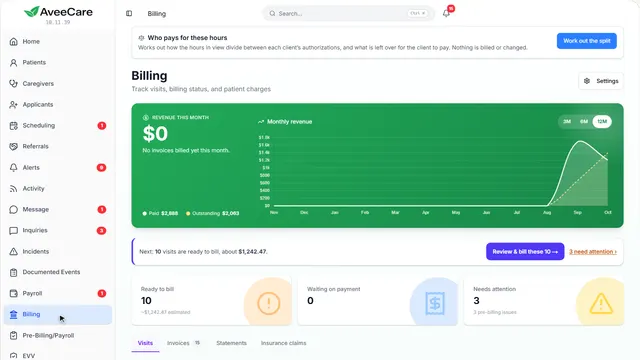
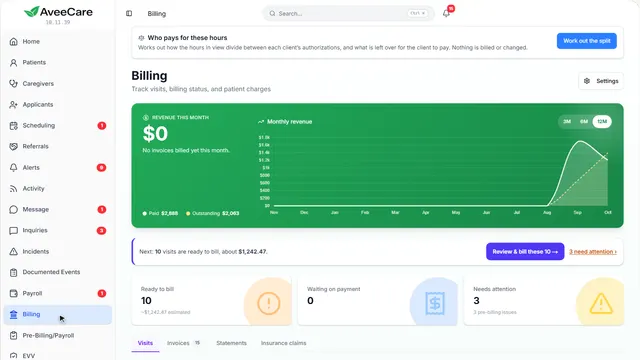
This is Billing
Every finished visit with what it charges, what is ready to bill, and what is still waiting on payment.
In the sidebar under Billing.
On this page
Bill codesOne for each kind of work you charge
A code for each kind of work you charge differently: a weekend day, a bath visit, on-call. Start with a common set adds ten common codes, three of them for pay only, with no rates yet, so you fill in what your contracts pay. Editing a rate re-prices the visits on the list.
Read the guideSee how shows:
- Bill codes When you schedule a visit you pick its code; weekend codes are picked for you.
A client’s own ratesOn their record
A client can be charged their own rate for each kind of work, set on the Billing tab of their record.
See how jumps ahead to part 4: Your Patients page.
Read the guide - 4
On the way: A client’s rates are on their record.
Your Patients page
Each client’s own rates are on the Billing tab of their record.
In the sidebar under Patients.
On this page
Open the clientClick their row
Their record opens with its tabs along the top.
See how jumps ahead to part 5: This is a client’s record.
Find someone fastSearch from any page
Search at the top of the sidebar finds anyone by name, from anywhere in AveeCare.
See how shows:
- Search Type a name from any page.
- 5
This is a client’s record
Billing is one of the tabs along the top.
Patients, then click the client.
On this page
The Billing tabTheir rates, balance and invoices
What this client is charged, what they owe, and every invoice sent to them.
See how jumps ahead to part 6: A client’s own rates.
Who pays for their careOn Overview
Their insurance and the payer that is billed are on Overview.
Read the guideSee how shows:
- Insurance Information Shown once their insurance is entered.
- 6
A client’s own rates
What this client is charged for each kind of work, their balance, and their invoices.
The client’s record, then the Billing tab.
On this page
Rates for this client onlyTheir price for each kind of work
Billing rates by type of work sets what this one client is charged. A blank rate uses the agency’s.
Read the guideSee how shows:
- Billing rates by type of work Their rate wins over the agency’s.
Their balance and invoicesWhat they owe and what was sent
The top shows what they owe. Their invoices are listed below, and Send Statement emails a summary of the balance.
See how shows:
- Outstanding Balance Statements go to the billing contact on file.
At the end
Now you know where to find your payers and rates
Watch next