Pay rates
Pay codes for each kind of work, overtime and holiday pay, and a caregiver’s own rates.
5 parts · 2 minPayrollFor the office
The lesson plays on a sample agency, so nothing you do in it changes anything. Open any item in the lesson's panel to read about it, and press See how to watch it done.
What this lesson covers
Everything the lesson says, part by part.
- 1
On the way: Settings is in the sidebar.
This is Settings
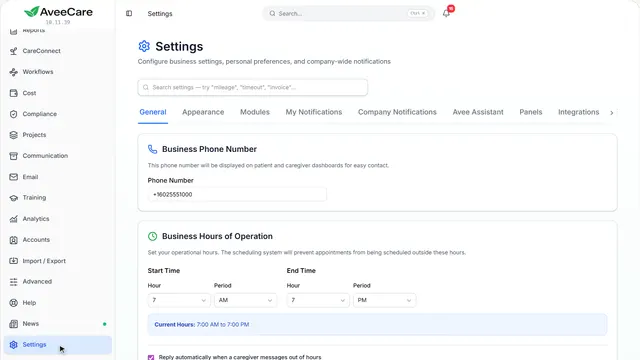
How your agency works: billing, payroll, your connections to other services. Each area has its own tab.
In the sidebar under Settings.
On this page
Pay settingsOn the Payroll tab
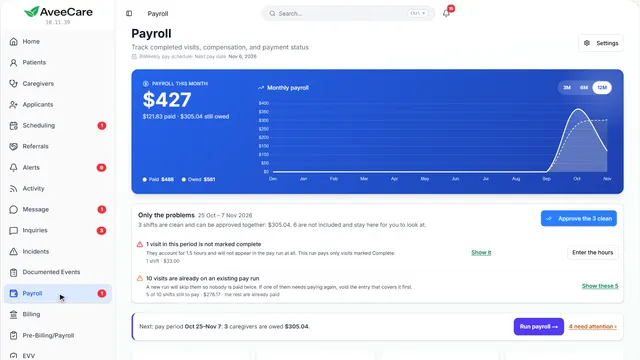
How often you pay, your codes, holiday pay and overtime are on the Payroll tab.
See how jumps ahead to part 2: Pay settings.
A caregiver’s own ratesOn their record
A caregiver can earn their own rate for each kind of work, on the Payroll tab of their record.
See how jumps ahead to part 3: Your Caregivers page.
Read the guide - 2
On the way: Pay settings have their own tab.
Pay settings
How often you pay, your pay and bill codes, holiday pay, and the overtime rules you follow.
Settings, then the Payroll tab.
On this page
Pay and bill codesOne for each kind of work
A code for each kind of work you pay differently: weekends, a bath visit, on-call. Start with a common set, then fill in your rates.
Read the guideSee how shows:
- Pay & Bill Codes The codes arrive without rates; you add yours.
Overtime rulesFederal, California and others
Choose the overtime rule you follow: the federal 40 hours, California’s daily rules, or another. Payroll works overtime out for you.
See how shows:
- Overtime Pick the one your state requires.
Holiday payA multiplier and a calendar
Set the holiday pay multiplier, and list the holidays it applies to.
See how shows:
- Holiday Pay The calendar is just below it.
A caregiver’s own ratesOn their record
A caregiver can earn their own rate for each kind of work, set on the Payroll tab of their record.
See how jumps ahead to part 3: Your Caregivers page.
Read the guide - 3
On the way: A caregiver’s rates are on their record.
Your Caregivers page
Each caregiver’s own rates are on the Payroll tab of their record.
In the sidebar under Caregivers.
On this page
Open the caregiverClick their row
Their record opens with its tabs along the top.
See how jumps ahead to part 4: This is a caregiver’s record.
Find someone fastSearch from any page
Search at the top of the sidebar finds anyone by name, from anywhere in AveeCare.
See how shows:
- Search Type a name from any page.
- 4
This is a caregiver’s record
Payroll is one of the tabs along the top.
Caregivers, then click the caregiver.
On this page
The Payroll tabHow they are paid
Their pay profile, their rate for each kind of work, and their pay history.
See how jumps ahead to part 5: A caregiver’s pay.
Everything else about themCertifications, schedule, documents
Each tab along the top holds one part of their file.
See how shows:
- Their tabs Payroll is one of them.
- 5
A caregiver’s pay
How this caregiver is paid, their rate for each kind of work, and their pay history.
The caregiver’s record, then the Payroll tab.
On this page
How they are paidHourly, per visit or salary, and the rate
The payroll profile sets how they are paid and their standard rate. Edit changes it.
Read the guideSee how shows:
- Payroll Profile This is the rate used when nothing more specific applies.
Their rate for each kind of workBlank uses the agency rate
Rates by type of work sets what this caregiver earns for each code. Leave one blank and they get the agency’s rate for it.
See how shows:
- Rates by type of work Their own rate wins over the agency’s.
At the end
Now you know where pay rates are set