Run payroll
Clear the problems in the pay period, then run payroll for the caregivers who are owed.
2 parts · 1 minPayrollFor the office
The lesson plays on a sample agency, so nothing you do in it changes anything. Open any item in the lesson's panel to read about it, and press See how to watch it done.
What this lesson covers
Everything the lesson says, part by part.
- 1
On the way: Payroll is in the sidebar.
This is Payroll
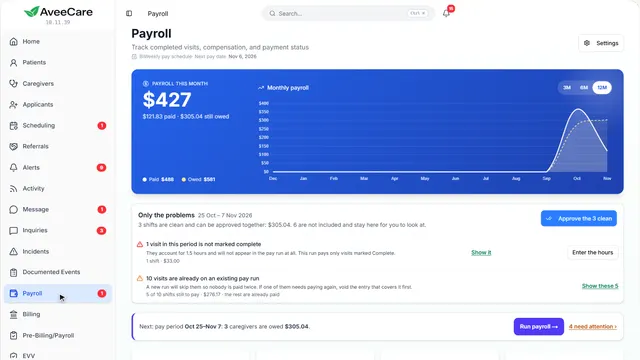
The current pay period: who is owed, the shifts that need a look first, and every visit with its pay.
In the sidebar under Payroll.
On this page
Only the problemsClean shifts, and the ones to fix
Only the problems shows the shifts that need you: missing hours, a missed clock-out. The clean ones can be approved together.
See how shows:
- Only the problems Fix these, then approve the rest at once.
Who is owedReady to pay, sent, paid
The cards count the caregivers ready to pay, the pay runs sent and waiting to be confirmed, and what was paid.
Read the guideSee how shows:
- Ready to pay The line above says what to do next.
Run payrollFor the whole pay period
Run payroll gathers every caregiver with payable hours in the period.
See how jumps ahead to part 2: Run payroll for the period.
Read the guideWhat each kind of work paysPay codes and caregiver rates
Pay comes from the caregiver’s own rate, a pay code, or their standard rate.
See how plays the lesson Pay rates.
- 2
On the way: Run payroll is above the list.
Run payroll for the period
The period, each caregiver with payable hours and what they are owed. Nothing is paid until you press the button at the bottom.
Payroll, then Run payroll.
On this page
The pay periodFrom your pay schedule
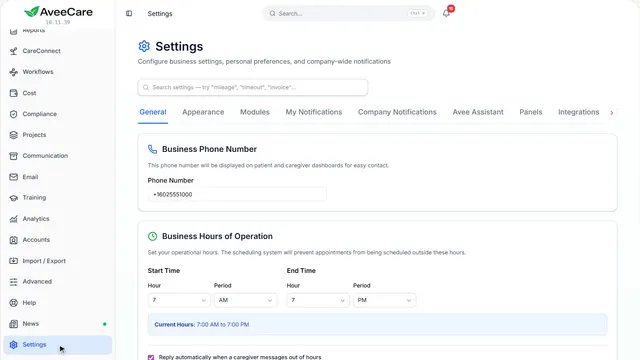
The dates come from your pay schedule in Settings. Visits already in a pay run are left out, so nobody is paid twice.
Read the guideSee how shows:
- Period start Change the dates to run a different period.
Who is paid, and how muchEach caregiver, their visits and pay
Each caregiver with payable hours is listed with their visits, regular and overtime hours, and pay. Approved expenses are paid back on top and are not taxed as pay. Untick anyone to leave them out.
See how shows:
- Their visits Press it to see the visits behind the total.
Pay through your providerADP, Gusto, Viventium, Paychex
Send the hours to the payroll company that pays your caregivers.
See how plays the lesson Export to your payroll provider.
At the end
Now you can run payroll