OASIS-E2, checked as you type.
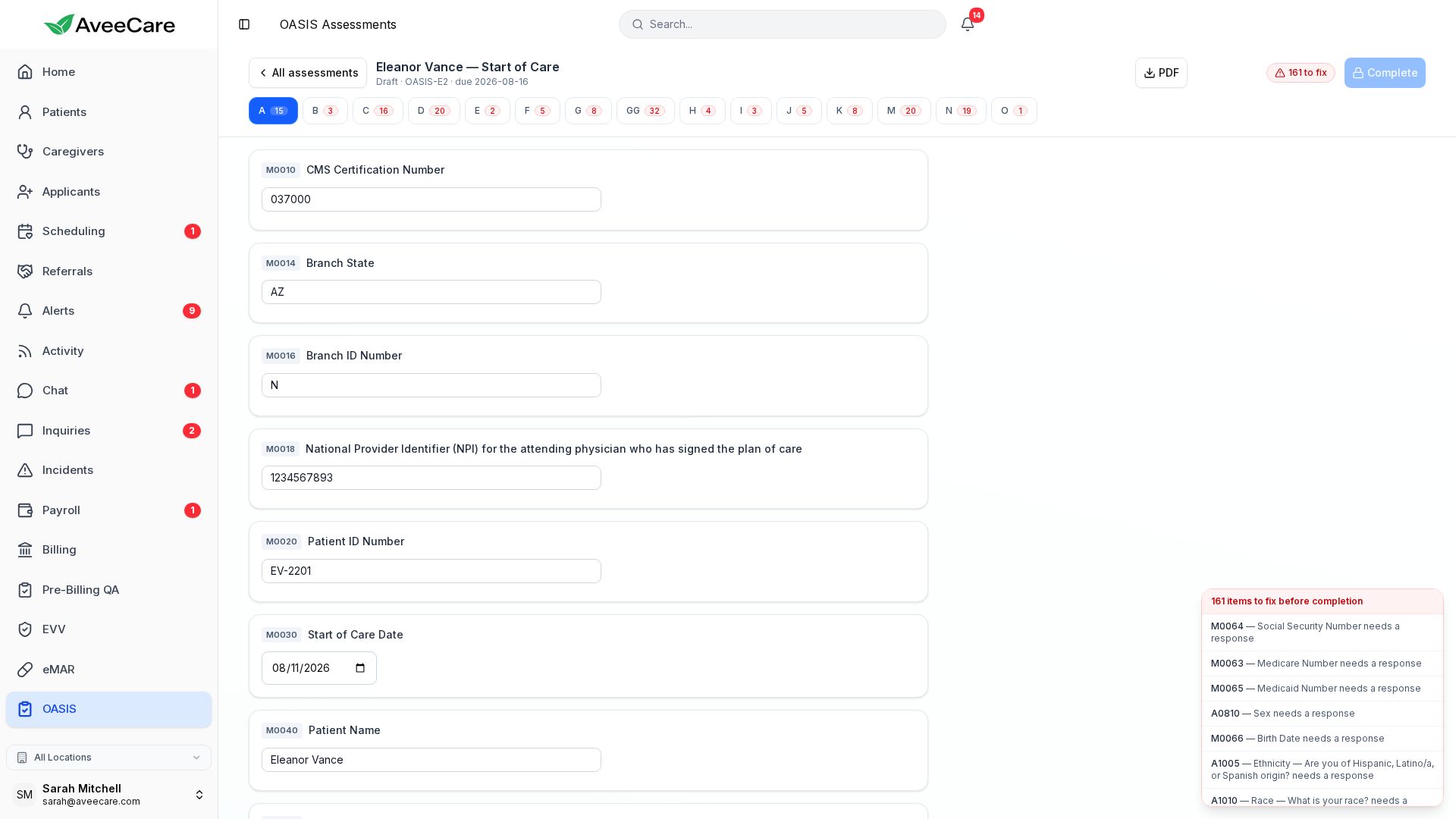
Every one of the 106 items, validated while your clinician is still in the chart. Problems get named and linked, not counted. By the time an assessment reaches Complete, every blocking issue the scrubber found has already been cleared.
AveeCare builds the submission file. Your agency stays the submitter of record.
We generate CMS-conformant OASIS-E2 XML, and your team uploads it to iQIES under your own HARP credentials. AveeCare never submits on your behalf and makes no claim of CMS certification — there is no vendor-certification program for iQIES to be certified under.
What the OASIS workspace does
All 106 items, checked as you type
The full OASIS-E2 instrument with skip logic applied. Problems surface in a panel beside the form with a jump link to the exact item, instead of at the end.
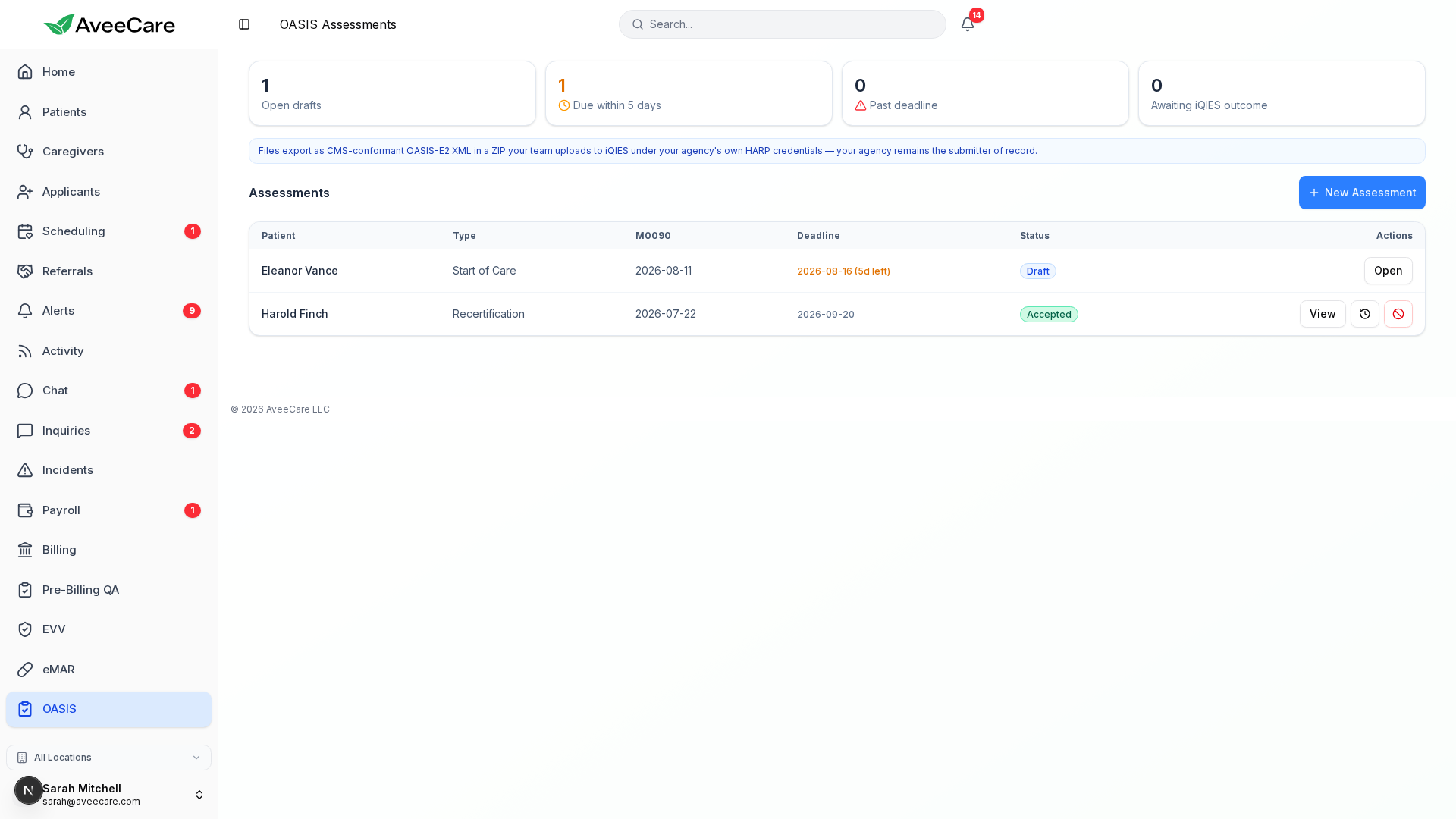
Deadlines by timepoint
Start of Care, Resumption of Care, Recertification, Transfer, Discharge, and Death at Home each get their own due date, calculated from the assessment date.
CMS-conformant export
One click produces the OASIS-E2 XML in a ZIP, built to the CMS submission spec, ready for your team to upload to iQIES.
Corrections that keep the history
A completed assessment is never edited in place. Corrections and inactivations are new records linked to the original, so the chain stays auditable.
The lifecycle
Draft to outcome, tracked
Every assessment moves through the same four states, and the workspace tells you which ones are stuck. Nothing advances on its own, and nothing is submitted without a person deciding to submit it.
Draft
Clinicians answer items with autosave. The validation panel updates live and counts open issues per section.
Completed
Complete unlocks only when there are zero blocking issues. The same checks run again server-side at that moment.
Exported
Download the XML/ZIP and upload it to iQIES yourself. AveeCare stamps what was exported and when.
Accepted or Rejected
Record the outcome from your iQIES Final Validation Report. Rejected assessments reopen for correction.
Built into the platform
The same chart, one fewer system
Assessments sit alongside the patient record your team already keeps, so a clinician is not re-keying demographics into a separate OASIS tool and hoping the two agree.
A chart copy whenever you need one
Print or save any assessment as a PDF at any point in its life. Drafts print with a working-draft banner so an unfinished assessment can never be mistaken for a filed one.
Medicare-certified? Let's talk.
OASIS is for Medicare-certified home health agencies, and those agencies get a conversation with us before they start rather than a self-serve signup. Tell us about your agency and we will get you set up.