The OASIS page keeps track of what is due, what is late and what iQIES has not answered yet. Each assessment also offers three estimates: a payment group, a plan-of-care draft and outcome figures. They are labelled as estimates and never change an answer.
Quick answer
The tiles at the top of the OASIS page count open drafts, assessments due within 5 days, past deadline and awaiting the iQIES outcome. Open Episodes to see each patient's 60-day periods and press Start recert when a window opens.
1. Read the deadline tiles and the Deadline column
Read the four tiles.
Open drafts (with how many are waiting for review), Due within 5 days, Past deadline and Awaiting iQIES outcome.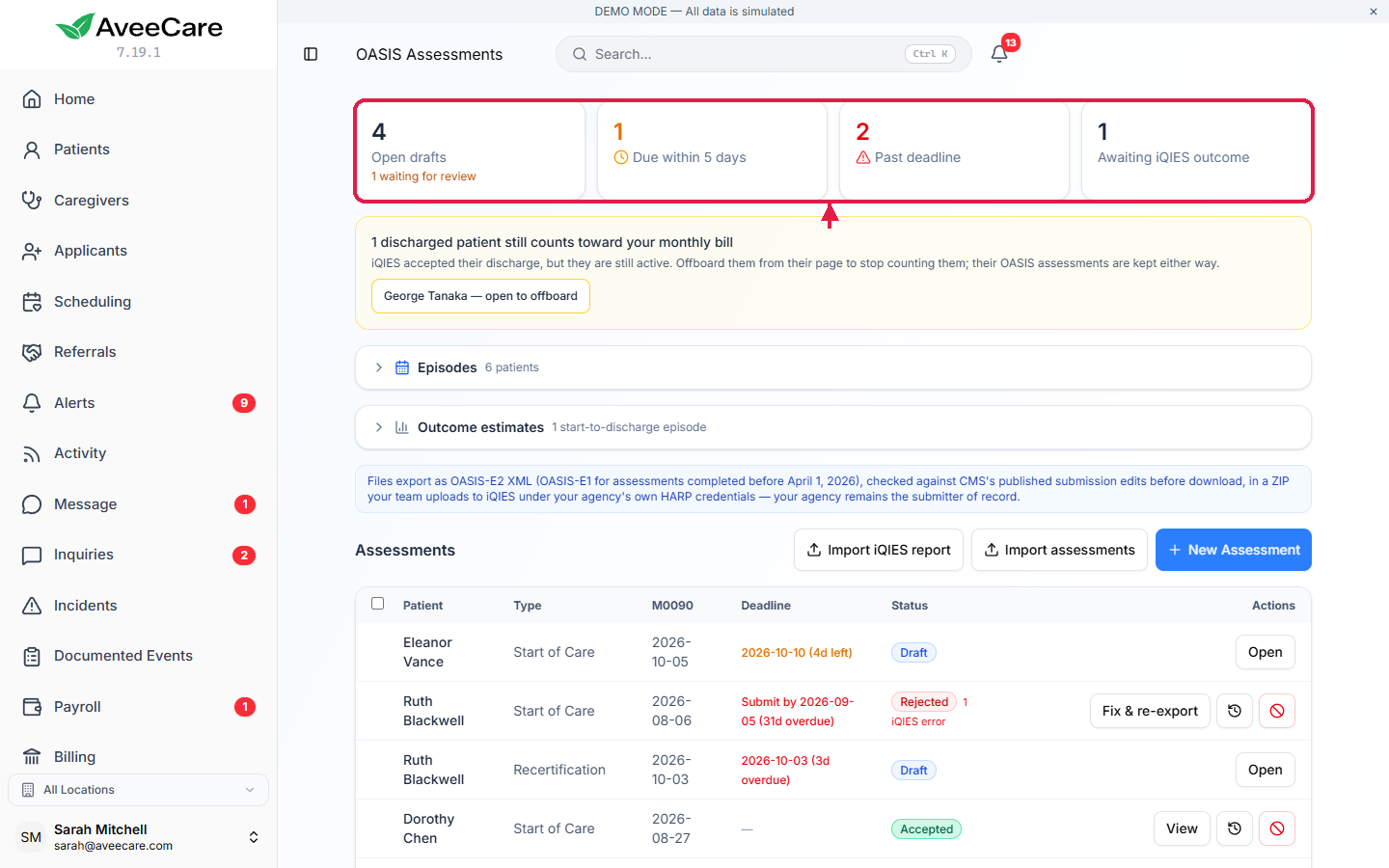
Read the Deadline column in the table.
A draft shows its complete-by date: 5 days from the start of care, 2 days after a resumption of care, transfer, discharge or death at home, and the last 5 days of the 60-day period for a recertification. A completed or rejected assessment shows Submit by, 30 days from its M0090 date. Each date says how many days are left or how many overdue.
2. Start a recertification from the episode timeline
Open Episodes.
Each patient has a timeline of 60-day periods from their latest start of care, with each assessment marked on it and the recertification window shaded. Episodes ended by a transfer or discharge say so.Press Start recert.
It opens New Assessment for a recertification with the period's start date filled in. The row also shows when the next recertification window opens.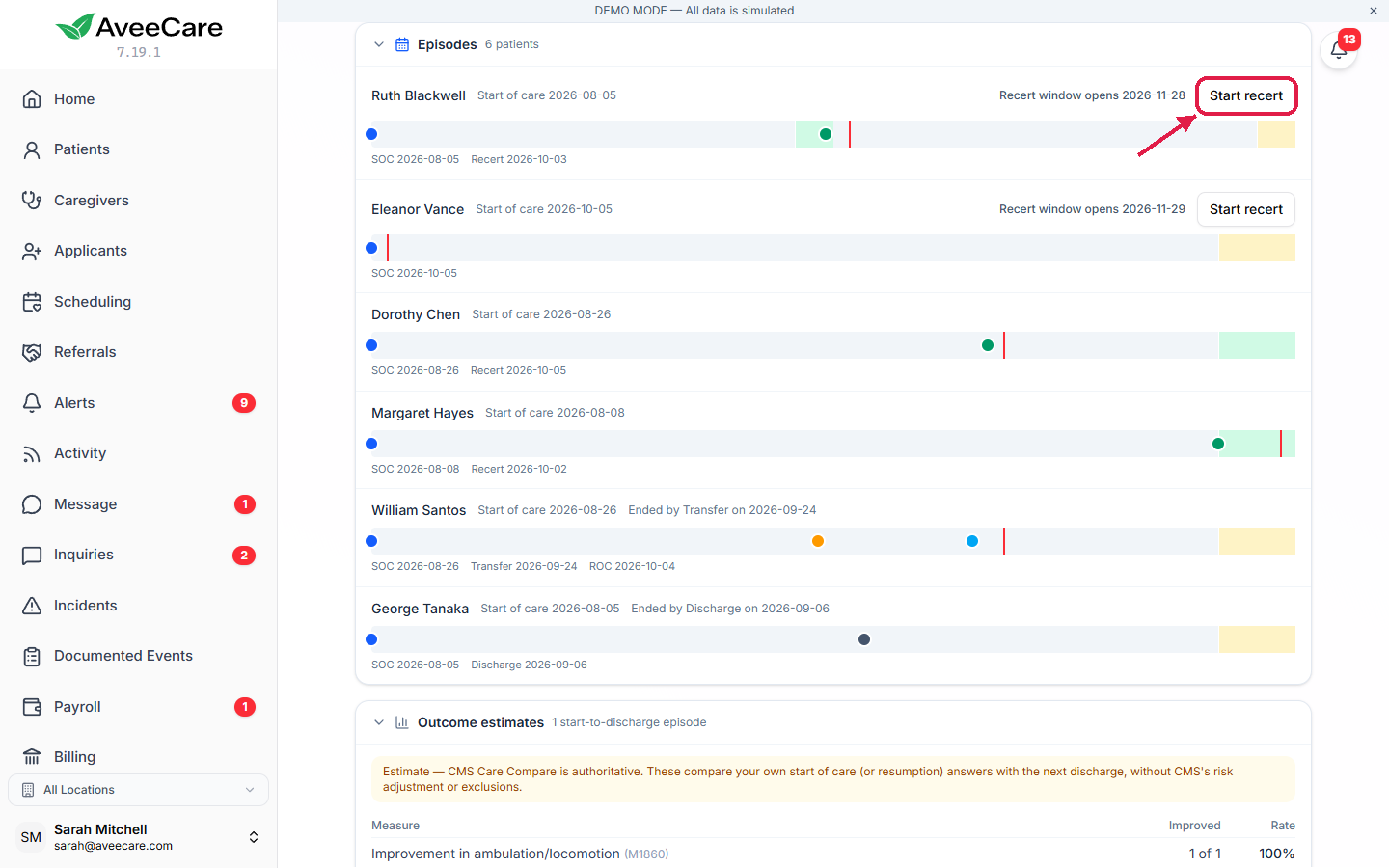
3. Act on the daily OASIS alert
Check the Alerts page each day.
A daily OASIS alert flags assessments due within 5 days or past their deadline, including completed assessments not yet submitted. Clicking it opens the assessment.
4. Check the payment group preview
Press Payment preview on an assessment.
It shows the PDGM clinical group, functional impairment level, comorbidity adjustment, and the HIPPS code and case-mix weight for each admission source and timing, from CMS's published grouper tables. It is informational only and never suggests an answer; the grouper on the claim is authoritative.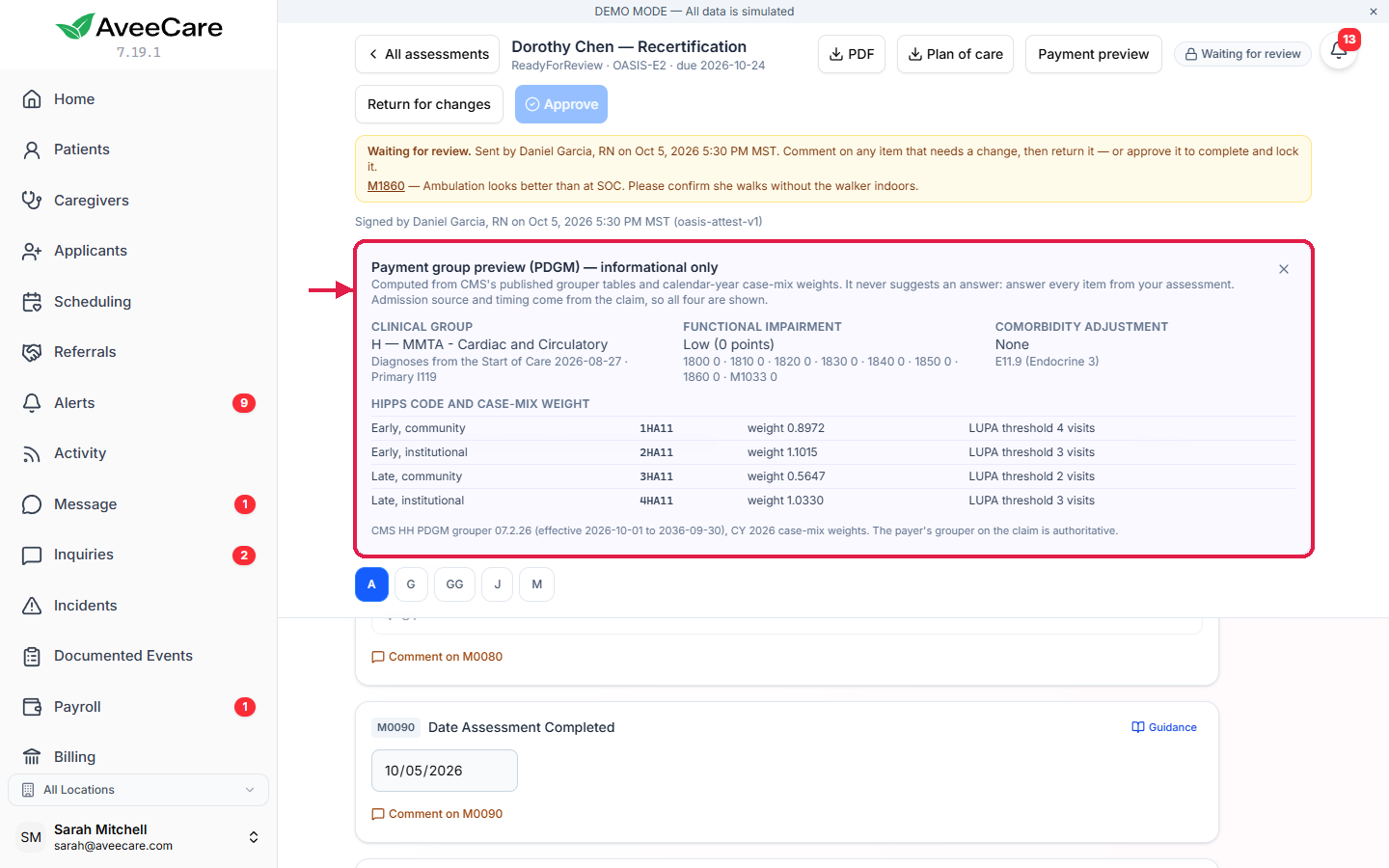
5. Download a plan-of-care draft
Press Plan of care on an assessment.
AveeCare downloads a 485-style draft PDF with the 60-day certification period, diagnoses, medications, allergies and functional limits from the assessment and the patient record. Anything it was missing is listed as a gap. Review it and send it to the physician, who signs it outside AveeCare.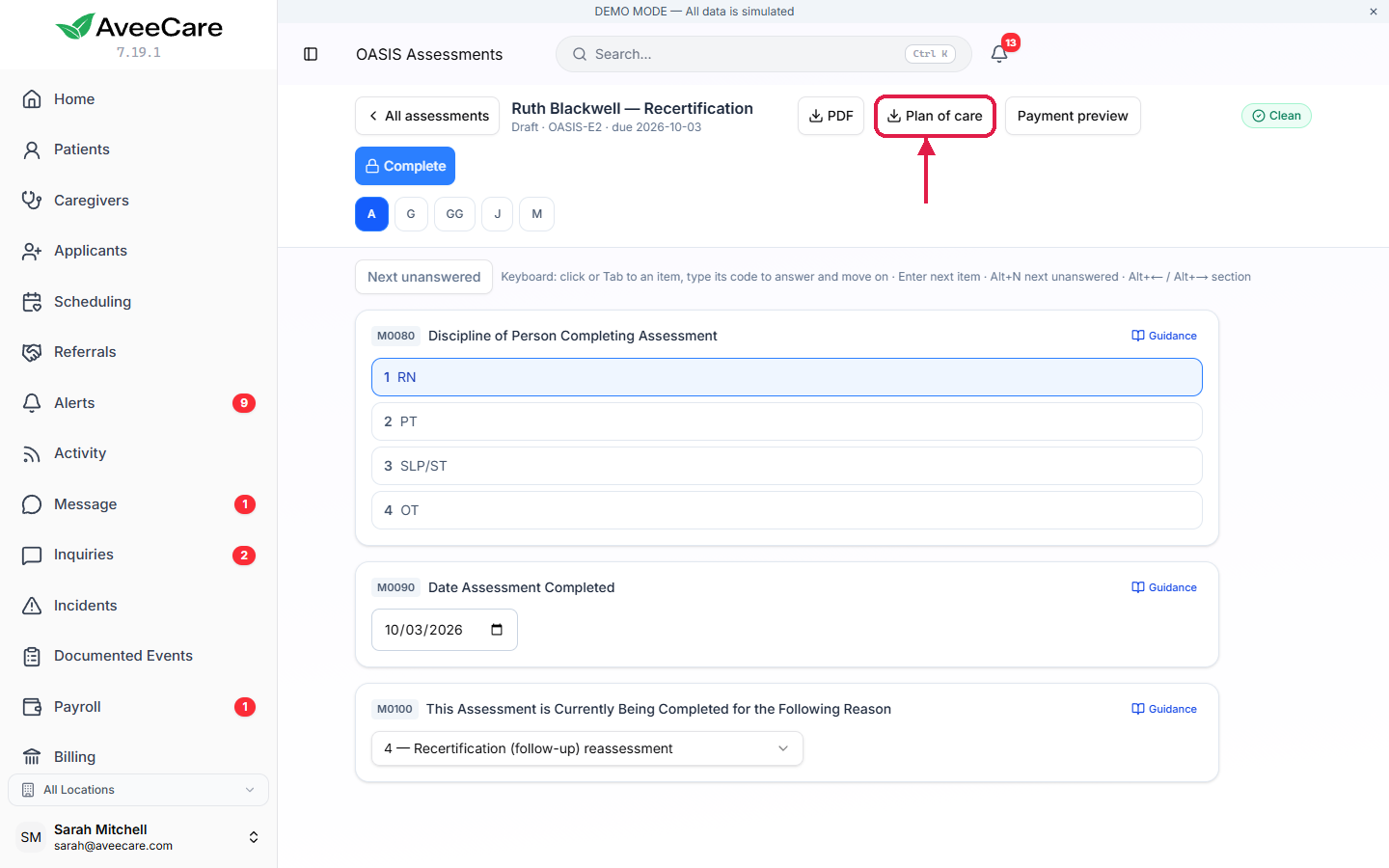
6. Read the outcome estimates
Open Outcome estimates on the OASIS page.
Each start of care or resumption of care is paired with the next discharge, and five improvement measures show how many patients improved. They are estimates without CMS's risk adjustment or exclusions; CMS Care Compare is authoritative.
Common pitfalls
- Forgetting the submission deadline. Completing an assessment is not the end. It must be submitted within 30 days of M0090, and the Deadline column switches to Submit by.
- Starting a recertification by hand. Use Start recert so the period's start date is right.
- Quoting the payment preview as revenue. It is an estimate; the claim's grouper decides.
- Reporting outcome estimates as CMS scores. They are your own comparison, not risk-adjusted, and not CMS star ratings.
Related
- Complete an OASIS assessment
- Export OASIS to iQIES: meet the submission deadline.
- Set up AveeCare for OASIS submission
- OASIS feature overview
Frequently asked questions
Start of care: 5 days from the start of care. Resumption of care: 2 days after the return. Recertification: within the last 5 days of the 60-day period. Transfer, discharge and death at home: 2 days after the event. Once completed, an assessment must be submitted within 30 days of its M0090 date.
Due within 5 days. Past deadline means the date has gone by. Inactivation records have no deadline.
From the patient’s latest start of care. Start recert creates the recertification for that period, with the period’s start date filled in.
No. It is an estimate from CMS’s published grouper tables and case-mix weights, and it matched CMS’s own grouper on every case in our test set. The grouper on the claim is authoritative, and admission source and timing come from the claim, so all four combinations are shown.
The physician, outside AveeCare. AveeCare builds a 485-style draft from the patient record and the assessment, and lists anything it was missing.
No. They compare your own start of care or resumption of care answers with the next discharge on five improvement measures, without CMS’s risk adjustment or exclusions. They are not CMS star ratings or official outcome measures; CMS Care Compare is the official source.