Certifications and expirations
Add a caregiver’s certifications with their expiry dates, and see every certification that has run out or is about to in one place.
5 parts · 2 minCaregiversFor the office
The lesson plays on a sample agency, so nothing you do in it changes anything. Open any item in the lesson's panel to read about it, and press See how to watch it done.
What this lesson covers
Everything the lesson says, part by part.
- 1
Your Caregivers page
Each caregiver’s certifications are on their record.
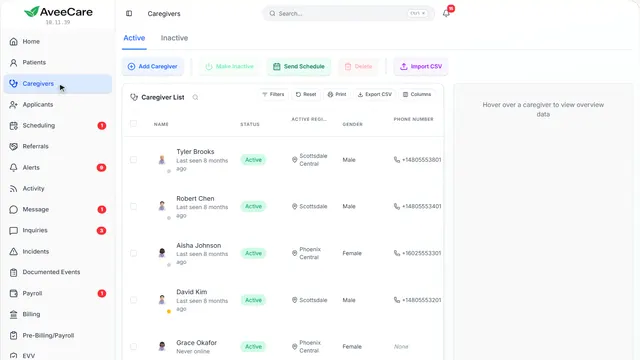
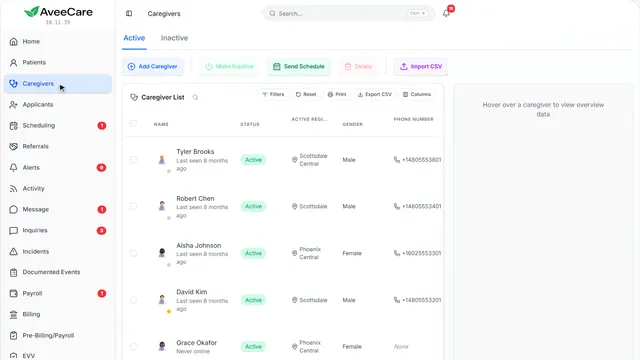
In the sidebar under Caregivers.
On this page
Open the caregiverClick their row
Certifications has its own tab on their record.
See how jumps ahead to part 2: This is a caregiver’s record.
Everyone’s expirations at onceOn your Compliance page
Compliance lists every certification that has run out or runs out within 90 days, across all your caregivers.
See how jumps ahead to part 5: Your risk today, on Compliance.
Read the guide - 2
This is a caregiver’s record
Certifications is one of the tabs along the top.
Caregivers, then click the caregiver.
On this page
The Certifications tabTheir certifications and background checks
Each certification with when it was obtained and when it expires.
See how jumps ahead to part 3: Certifications.
Export their documentationFor an audit or a file request
Export Documentation gathers their records, certifications included, into a file you can hand over.
See how shows:
- Export Documentation Their records, in one file.
- 3
Certifications
Their certifications with obtained and expiry dates, and the background checks on file.
The caregiver’s record, then the Certifications tab.
On this page
Add a certificationWith the date it expires
Pick or type the certification, then the date they got it and the date it expires.
See how jumps ahead to part 4: Add Certification.
Read the guideRecord a background checkFrom any state or agency
Record each background check they have had, with its result and date.
See how shows:
- Record a background check Any state or agency.
- 4
Add Certification
What it is, when they got it and when it expires. The expiry date is what warns you in time.
The caregiver’s Certifications tab, then Add Certification.
On this page
Which certificationPick it, or type your own
Pick from the common ones, like CPR or CNA, or type the name your agency uses.
See how shows:
- The certification Pick one, or type your own.
When they got itThe date it was issued
The date on their card or certificate.
See how shows:
- Obtained The date it was issued.
When it expiresSo it shows before it runs out
With an expiry date, the certification shows on your Compliance page 90 days before it runs out, marked This week in its last 14 days.
See how shows:
- Expires What puts it on your Compliance page.
- 5
On the way: Everyone’s expirations are on Compliance.
Your risk today, on Compliance
Every certification that has run out or runs out within 90 days, for every caregiver, at the top of your Compliance page.
In the sidebar under Compliance.
On this page
What is stopping workExpired first, then the ones running out
Expired certifications come first, marked Stopping work, with the caregiver and how long ago each ran out. Ones running out soon follow with the days they have left.
Read the guideSee how shows:
- Your risk today Each one names the caregiver.
Who is being chasedReminders that go out on their own
When something is missing, reminders can go out on their own. This shows who is being reminded and how far along it is.
See how shows:
- Who is being chased The reminders going out now.
Produce a records binderFor an audit or a survey
Gathers your records into one binder to hand to an auditor.
Read the guideSee how shows:
- Produce a records binder Your records, ready for an auditor.
At the end
Now you know how to track certifications
Watch next