Make a caregiver inactive
Take someone who left off your schedule without losing a thing, and bring them back later if they return.
3 parts · 1 minCaregiversFor the office
The lesson plays on a sample agency, so nothing you do in it changes anything. Open any item in the lesson's panel to read about it, and press See how to watch it done.
What this lesson covers
Everything the lesson says, part by part.
- 1
Your Caregivers page
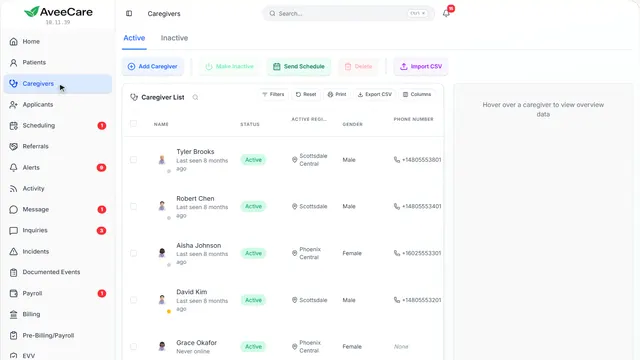
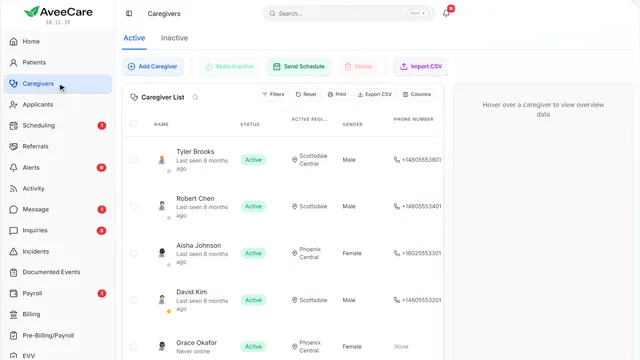
Make one caregiver inactive from their record, or several at once from this list.
In the sidebar under Caregivers.
On this page
One caregiverFrom their record
Open their record and Make Inactive is along the top.
See how jumps ahead to part 2: This is a caregiver’s record.
Several at onceTick them in the list
Tick the caregivers in the list, then Make Inactive. The button counts how many you ticked.
See how shows:
- Tick them, then Make Inactive On the Inactive tab the same button reads Make Active.
- 2
This is a caregiver’s record
Make Inactive is the first button along the top.
Caregivers, then click the caregiver.
On this page
Make InactiveIt asks before it does anything
You see exactly what changes before you confirm.
See how jumps ahead to part 3: Make Caregiver Inactive.
Leaving for good?Offboard Caregiver
Offboard Caregiver is for someone who is leaving for good, beyond taking them off the schedule.
Read the guideSee how shows:
- Offboard Caregiver For someone leaving for good.
- 3
Make Caregiver Inactive
They move to the Inactive tab, and their visits come off the calendar and out of your hours and capacity numbers. Nothing is deleted.
The caregiver’s record, then Make Inactive.
On this page
What is keptEverything
Completed visits stay exactly where they are for billing and payroll. Nothing about them is deleted.
See how shows:
- Make Inactive Their finished visits stay for billing and payroll.
Bringing them backMake Active
On the Inactive tab, open them and Make Active. That puts everything back.
See how shows:
- The Inactive tab Open them from here, then Make Active.
At the end
Now you know how to make a caregiver inactive
Watch next