When a client passes away, moves to hospice or stops service, or a caregiver leaves, Offboard takes them off the schedule, records why, and starts a retention clock. Nothing is deleted on the day. Their record is removed only when the date you chose arrives, and you can reinstate them any time before that.
Quick answer
Open the person’s profile and press Offboard Client or Offboard Caregiver. Work through four steps: Why, Schedule, Record and Confirm. To bring them back, press Reinstate on their profile.
1. Say why they are leaving
Press Offboard Client or Offboard Caregiver on the profile, and pick a reason.
For a client: passed away, services ended, moved out of the service area, transferred to another agency, moved to hospice or a facility, funding ended, non-payment, or something else. For a caregiver: resigned, let go, stopped showing up, moved away, left home care, credential lapsed, passed away, or something else. Add a note if it helps.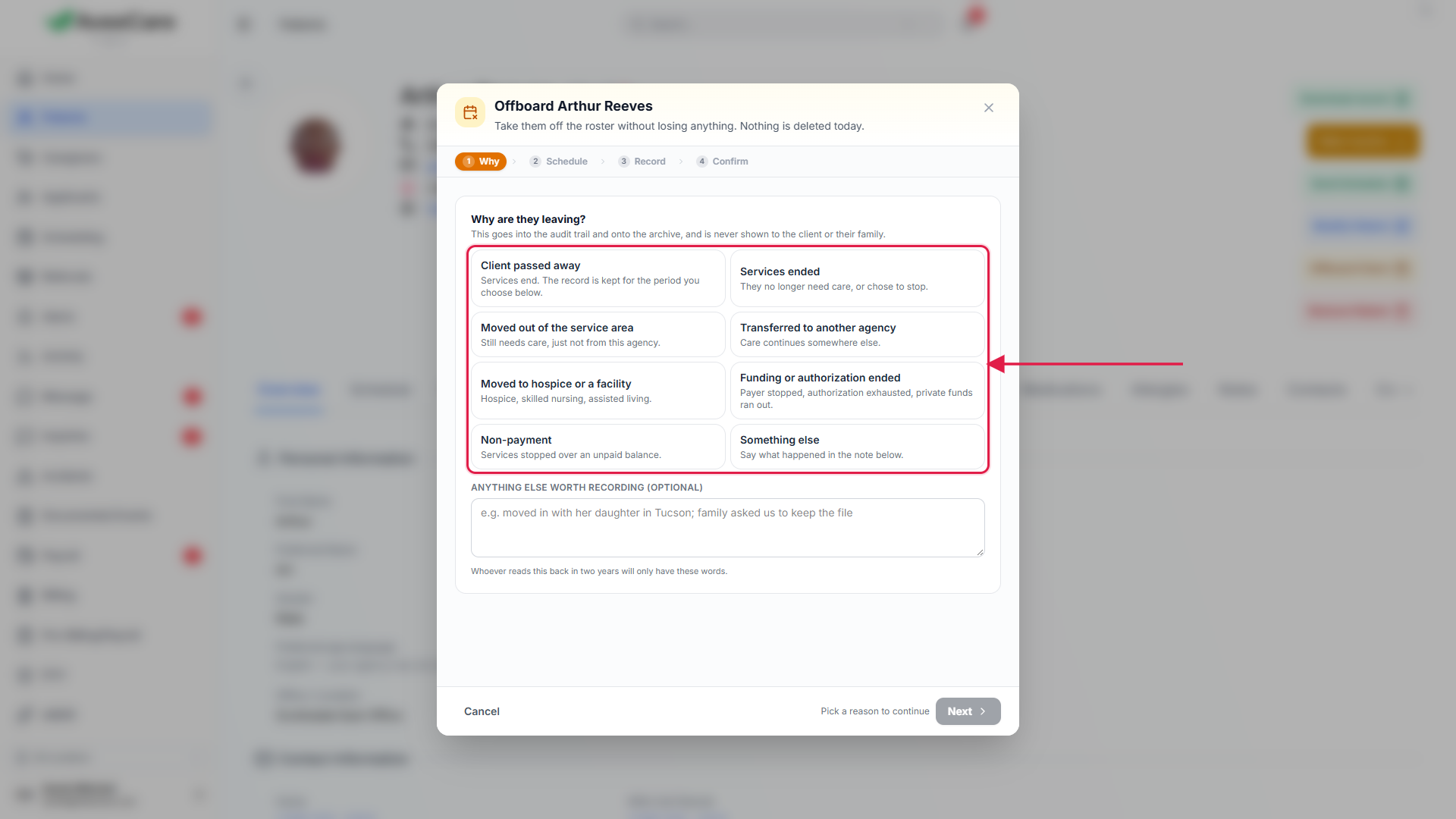
2. Decide what happens to the schedule
Review What this does to the schedule.
Every visit that has not finished is listed. For a client the default is to cancel them; for a caregiver it is to unassign them so you can restaff. Change any one visit, or use Apply to all. A visit happening now is left as it is.Note the caregivers who will need a call.
When a client leaves, the window lists the caregivers losing hours. A prepaid visit is named with its amount, and you can leave those as they are.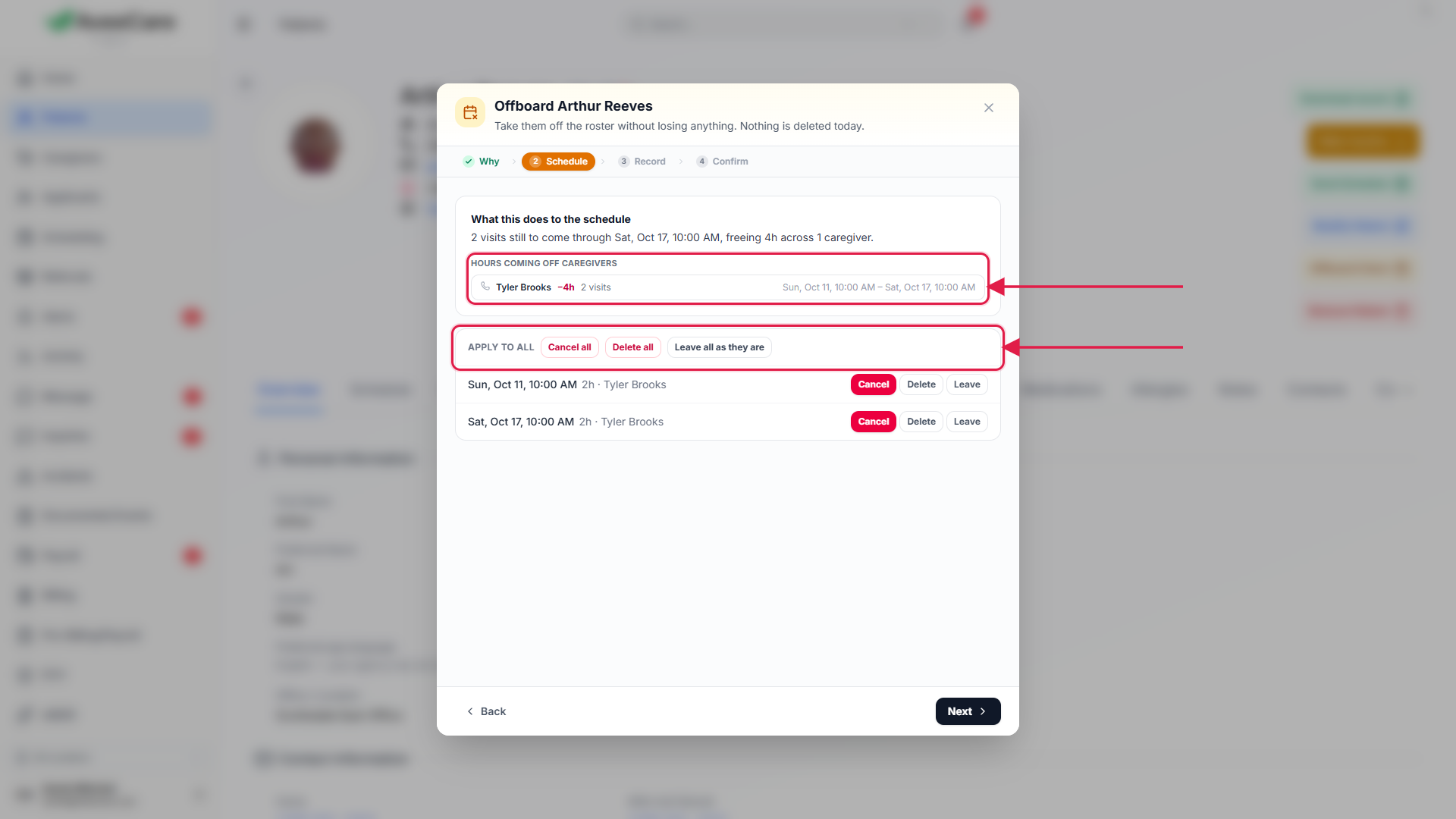
3. Take a copy and choose how long to keep it
Under Take a copy of their record, press Download archive if you want one.
You get a ZIP of plain CSV files, a calendar file, every uploaded file and a README. It is optional and does not hold anything up.Answer How long do we keep their record?
Pick 90 days, 1 year, 3 years, 6 years, 7 years or Keep indefinitely. The list under Always kept shows what is never deleted: visits, money, payroll, claims, incidents and the audit log. If a balance is outstanding you are asked to acknowledge it here.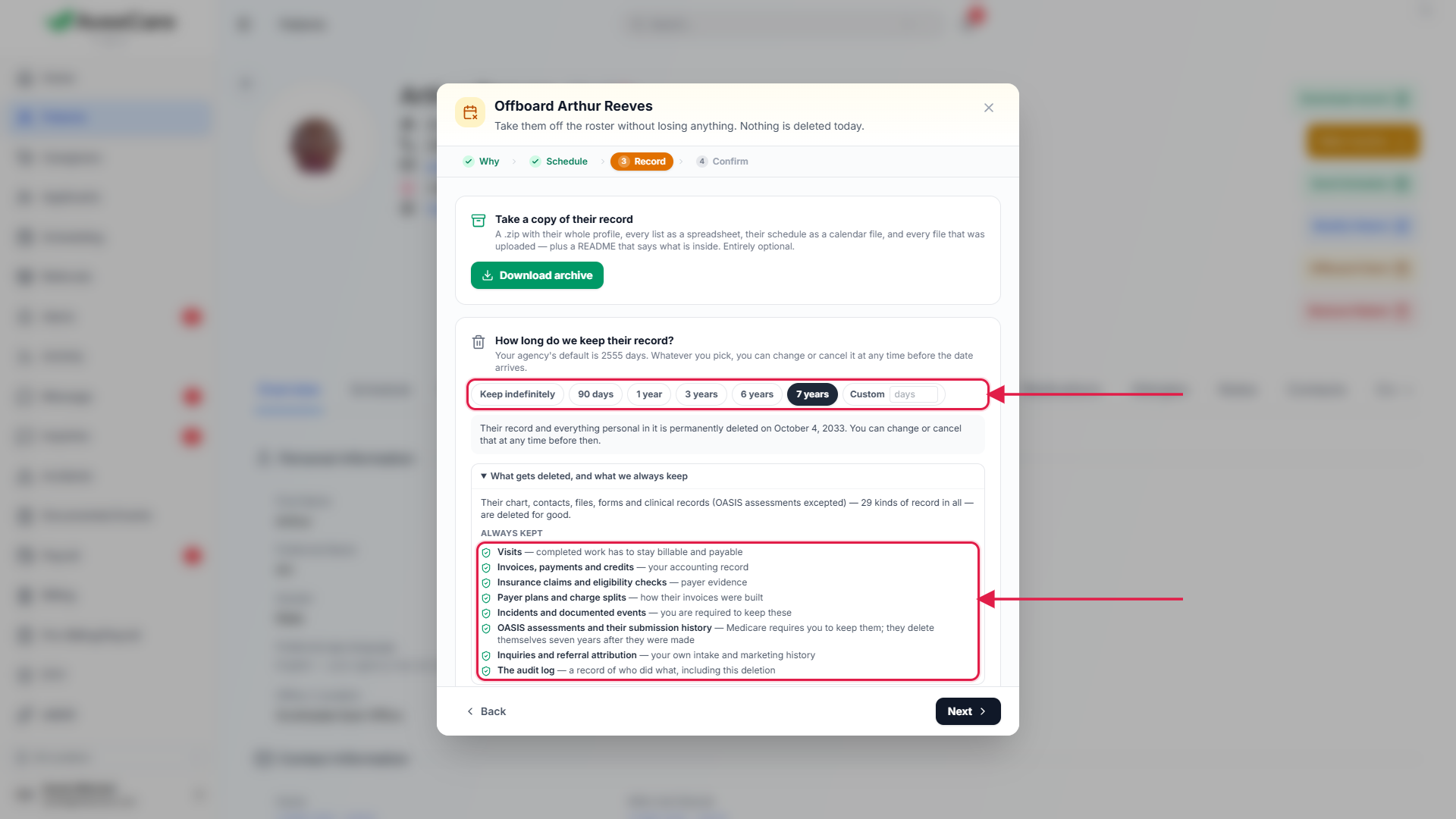
4. Confirm, or reinstate later
Read Here is what will happen, then confirm.
The person becomes inactive and drops off the calendar and the caregiver app. Their profile shows a banner with the deletion date. Their own pages keep their history, and a client still sees care already booked in the family portal until you restaff or cancel it.To bring them back, press Reinstate on their profile.
Every offboarding detail is cleared, including the deletion date, so nothing is deleted later.
5. Set your agency’s default retention
In Business Settings, find Offboarding & record retention.
Set how many days to keep clients and caregivers by default. Leave a box blank for seven years; the maximum is 25 years. This is only the date proposed when someone offboards: whoever does it can change it, or choose Keep indefinitely.
Common pitfalls
- Making someone inactive by hand instead of offboarding. No reason, no visit decisions and no retention date are recorded. Use Offboard.
- Ignoring an unpaid balance. The deletion is held on the date and your office is alerted until it is acknowledged.
- Choosing a short retention period without checking your state. Most state home-care rules and agency counsel land on seven years.