A caregiver’s record
Everything about one caregiver on one screen: their details, the buttons along the top, and a tab for each part of their work.
2 parts · 1 minCaregiversFor the office
The lesson plays on a sample agency, so nothing you do in it changes anything. Open any item in the lesson's panel to read about it, and press See how to watch it done.
What this lesson covers
Everything the lesson says, part by part.
- 1
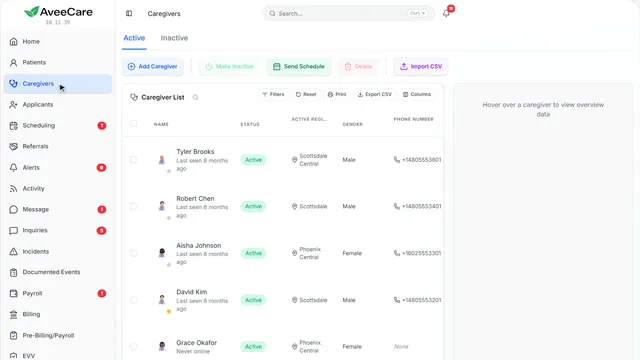
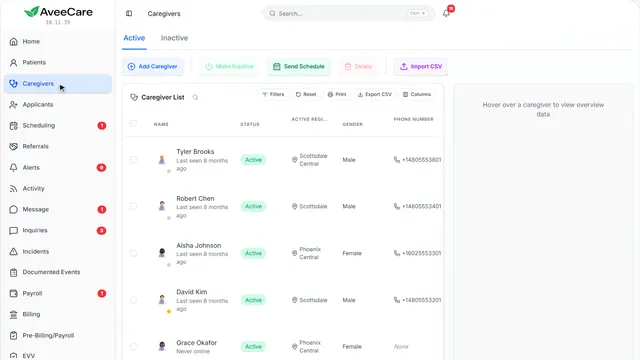
Your Caregivers page
Click anyone to open their record.
In the sidebar under Caregivers.
On this page
Open a caregiver’s recordClick their row
Their record holds everything about them, with a tab for each part of their work.
See how jumps ahead to part 2: This is a caregiver’s record.
Read the guideAdd a caregiverOne at a time, or by link
Add Caregiver is at the top of the list.
See how plays the lesson Add a caregiver.
- 2
This is a caregiver’s record
Their details are on Overview. Each tab holds one part of their work, and the buttons above it act on the whole record.
Caregivers, then click the caregiver.
On this page
CertificationsWith their expiry dates
Their certifications and background checks, each with the date it expires.
See how plays the lesson Certifications and expirations.
Read the guideSend their scheduleTheir upcoming visits, as a PDF
Send Schedule makes a PDF of their own upcoming visits, to download or email to them.
See how shows:
- Send Schedule Only their own visits.
Change their detailsModify Caregiver
Modify Caregiver opens everything about them to change, from their address to their credentials.
See how shows:
- Modify Caregiver Everything about them, in one form.
Export their documentationFor an audit or a file request
Export Documentation gathers their records into a file you can hand over.
See how shows:
- Export Documentation Their records, in one file.
Make them inactiveFor someone who left
Make Inactive takes them off the schedule. Nothing is deleted, and Make Active puts everything back.
See how plays the lesson Make a caregiver inactive.
At the end
Now you know your way around a caregiver’s record
Watch next