Record payments and remittances
Record a check or cash a client paid you, and apply an insurance payer’s payment file to the claims it pays.
5 parts · 2 minBillingFor the office
The lesson plays on a sample agency, so nothing you do in it changes anything. Open any item in the lesson's panel to read about it, and press See how to watch it done.
What this lesson covers
Everything the lesson says, part by part.
- 1
On the way: Billing is in the sidebar.
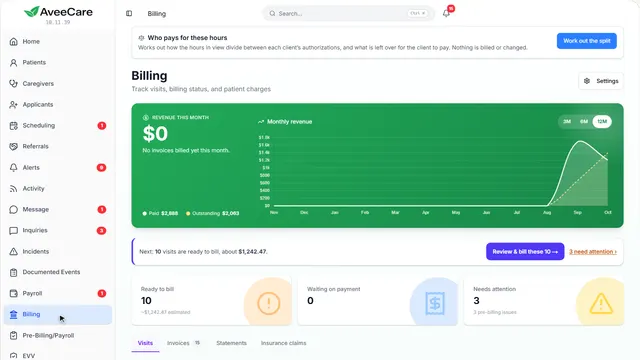
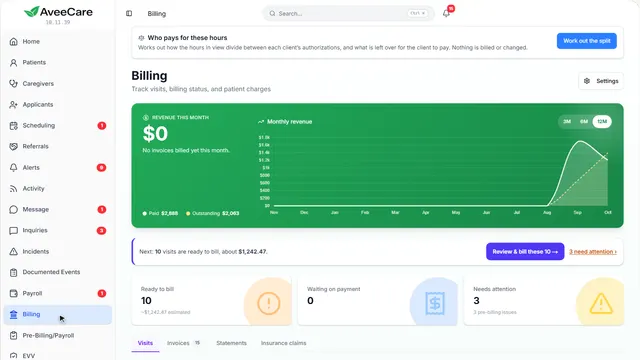
This is Billing
Every finished visit with what it charges, what is ready to bill, and what is still waiting on payment.
In the sidebar under Billing.
On this page
A payment from a clientOn the Invoices tab
A check, cash or transfer is recorded against the invoice it pays.
See how jumps ahead to part 2: Your invoices.
A payment from insuranceOn the Insurance claims tab
An insurance payer sends a payment file that pays many claims at once.
See how jumps ahead to part 4: Insurance claims.
Read the guide - 2
On the way: The invoices are on their own tab.
Your invoices
Each sent invoice has Record payment as its next step.
Billing, then the Invoices tab.
On this page
Record paymentOn the invoice it pays
Press Record payment on the invoice the money is for.
See how jumps ahead to part 3: Record a payment.
Read the guideWhat is still owedGrouped by how long it has been
Accounts Receivable Aging adds up the unpaid invoices by age, so you can see what to chase first.
See how shows:
- Accounts Receivable Aging Older money is harder to collect.
- 3
On the way: Record payment is on each sent invoice.
Record a payment
For money that reached you outside AveeCare: a check, cash, a bank transfer. Nothing is saved until you press Record Payment.
Billing, Invoices, then Record payment on the invoice.
On this page
How much, and howThe amount, the method, a reference
Enter what was paid and how. A smaller amount leaves the rest owing; the invoice shows as partly paid.
See how shows:
- Payment Amount The amount due is shown above it.
Keep a referenceThe check number, and the date
Add the check or transfer number and the date you received it, so the payment can be matched to your bank later.
See how shows:
- Reference Number The date defaults to today.
- 4
On the way: Insurance payments are on the claims tab.
Insurance claims
Record an insurance payment applies the payer’s payment file to the claims it pays.
Billing, then the Insurance claims tab.
On this page
Record an insurance paymentUpload the payer’s file
Upload the 835 file your clearinghouse or payer gives you.
See how jumps ahead to part 5: Record an insurance payment.
Read the guideClaims that were deniedListed with the payer’s reason
A claim the payer turned down waits under Denials to work, with the reason it gave.
See how shows:
- Denials to work Fix and resubmit, or mark it worked.
- 5
On the way: Record an insurance payment is at the top.
Record an insurance payment
Upload the payment file (an 835, or ERA) your payer sends back, and each payment is applied to the claim it pays.
Billing, Insurance claims, then Record an insurance payment.
On this page
Upload the payer’s fileThe 835 or ERA file
Choose the file or drag it into the box. Each payment in it is matched to its claim, and anything it cannot match is listed for you.
Read the guideSee how shows:
- Select 835 ERA File Your clearinghouse or payer portal gives you this file.
Partly paid or deniedWhat happens to the rest
A claim paid in part keeps the rest owing, and a denied one moves to Denials to work with the payer’s reason.
See how plays the lesson Medicaid and insurance claims.
Read the guide
At the end
Now you can record what you were paid
Watch next