Practice on sample data
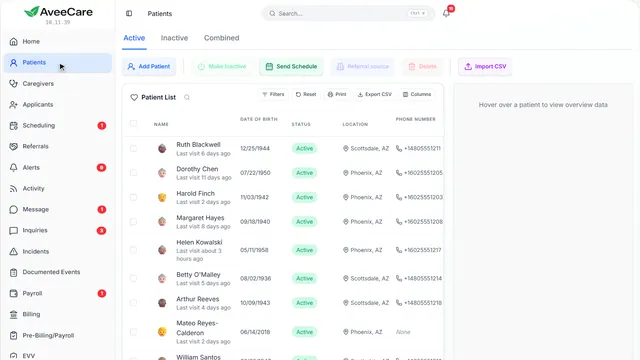
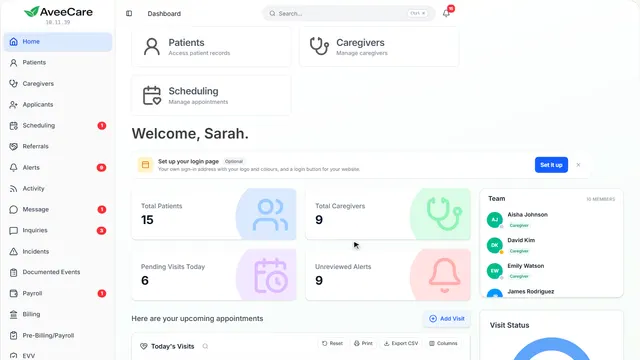
Try anything on a sample agency without touching your real records, on one page or all of them, and start fresh whenever you like.
2 parts · 1 minGetting startedFor the office
The lesson plays on a sample agency, so nothing you do in it changes anything. Open any item in the lesson's panel to read about it, and press See how to watch it done.
What this lesson covers
Everything the lesson says, part by part.
- 1
Practice mode
A sample agency with its own clients, caregivers and visits, so you can try anything. Nothing you do there reaches your real records.
Click your name at the bottom of the sidebar, then Practice mode.
On this page
Where to turn it onUnder your name
Click your name at the bottom of the sidebar and choose Practice mode. The page you are on is swapped for the same page with sample data, inside an amber frame.
See how shows:
- Practice mode Under your name, at the bottom of the sidebar.
- Click anywhere to close it
Nothing real is touchedA separate sample agency
Practice runs on a sample agency kept apart from yours. Add, change and delete as much as you like: your real clients, caregivers and visits are never touched.
See how jumps ahead to part 2: Try anything here.
One page or every pageIt can follow you around
Practice starts on the page you are on and ends when you leave it. Turn on practice on every page in the amber bar, and it follows you from page to page until you exit.
See how jumps ahead to part 2: Try anything here.
Start fresh, or exitIn the amber bar
Restart throws away what you changed and gives you fresh sample data. Exit takes you back to your real page.
See how jumps ahead to part 2: Try anything here.
- 2
On the way: This lesson is playing on sample data too.
Try anything here
This is the sample agency you practice on. Everything works as it does for real, so it is the safest way to learn a new page.
Any page, once practice mode is on.
On this page
Add a clientThe whole form, start to finish
Practice is a good place to try adding a client from start to finish, then see where they show up.
See how plays the lesson Add a client.
Add a caregiverIncluding a login for them
Add a caregiver and give them a login, without inviting a real person.
See how plays the lesson Add a caregiver.
Look aroundEvery page, on sample data
Every page in the sidebar works in practice, with its own sample records.
See how plays the lesson Find your way around.
At the end
Now you know how to practice
Watch next