Add a care plan
Start a client’s care plan from a ready-made plan, the one you already wrote, or a blank page.
4 parts · 2 minClientsFor the office
The lesson plays on a sample agency, so nothing you do in it changes anything. Open any item in the lesson's panel to read about it, and press See how to watch it done.
What this lesson covers
Everything the lesson says, part by part.
- 1
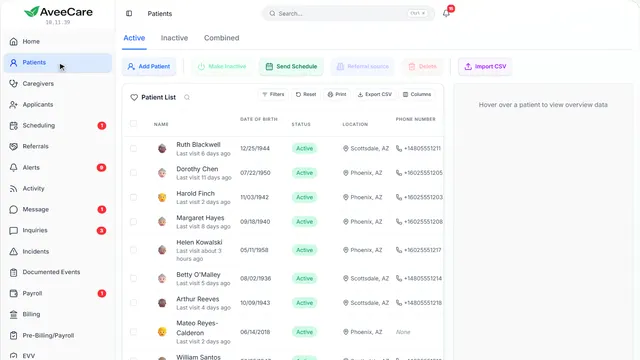
Your Patients page
Each client’s care plan is on their record.
In the sidebar under Patients.
On this page
Open the clientClick their row
Care Plans has its own tab on the client’s record.
See how jumps ahead to part 2: This is a client’s record.
Add the client firstA care plan belongs to one client
If they are not in AveeCare yet, add them, then come back to their record for the care plan.
See how plays the lesson Add a client.
- 2
This is a client’s record
Care Plans is one of the tabs along the top.
Patients, then click the client.
On this page
The Care Plans tabTheir plans, in use and in draft
Every care plan for this client, with the one in use first.
See how jumps ahead to part 3: Care Plans.
Their medicationsA tab of its own
Medications and allergies are kept on their own tab, beside the care plan.
See how plays the lesson Medications.
- 3
Care Plans
A care plan tells caregivers what to do on each visit and how this client likes it done. They see it on every visit.
The client’s record, then the Care Plans tab.
On this page
New care planSeveral ways to start
Start from a ready-made plan, paste the one you have, or begin with a blank page. Once they exist, you can also copy one of their plans or your agency’s own.
See how jumps ahead to part 4: Start a care plan.
Read the guideBuild it from an assessmentOnce their assessment is filled in
When a client has a finished assessment, Create from an assessment shows here and starts the plan from their answers.
See how shows:
- New care plan With a finished assessment, Create from an assessment shows here too.
- 4
Start a care plan
Pick a ready-made plan and change what you need, paste the plan you already have, or start blank.
The client’s Care Plans tab, then New care plan.
On this page
Ready-made plansPersonal care, memory care and more
Plans written for common kinds of care: personal care, memory care, recovery after a hospital stay, fall prevention and comfort care. Each is a starting point you change.
See how shows:
- Ready-made plans Pick the one closest to this client’s care.
Paste the plan you haveFrom Word or an email
Already wrote it in Word or an email? Paste it in, so you do not type it twice.
See how shows:
- Paste the plan you have From Word, an email, anywhere.
Blank planBuild it section by section
Start empty and add the sections and tasks you need.
See how shows:
- Blank plan Add sections and tasks yourself.
At the end
Now you know how to start a care plan
Watch next