Your own mailbox, inside AveeCare.
Connect the mailbox you already use and email clients, families and caregivers from your own address. Replies come back into AveeCare next to the person they are about, and every message lands on that person's record.
Reading your inbox is off until you turn it on.
When you do, the default keeps only mail involving people already in AveeCare. Everything else, your bank, your accountant, your personal mail, is never fetched. AveeCare never deletes or moves anything in your mailbox.
What connected email gives you
Mail from your address, not ours
Schedules, notes and replies go out from the mailbox you connect, so clients see your name and can write straight back to you.
You decide what is read
Nothing is read when you connect. Turn reading on and choose what AveeCare keeps: people in AveeCare, their replies, or the folders you pick.
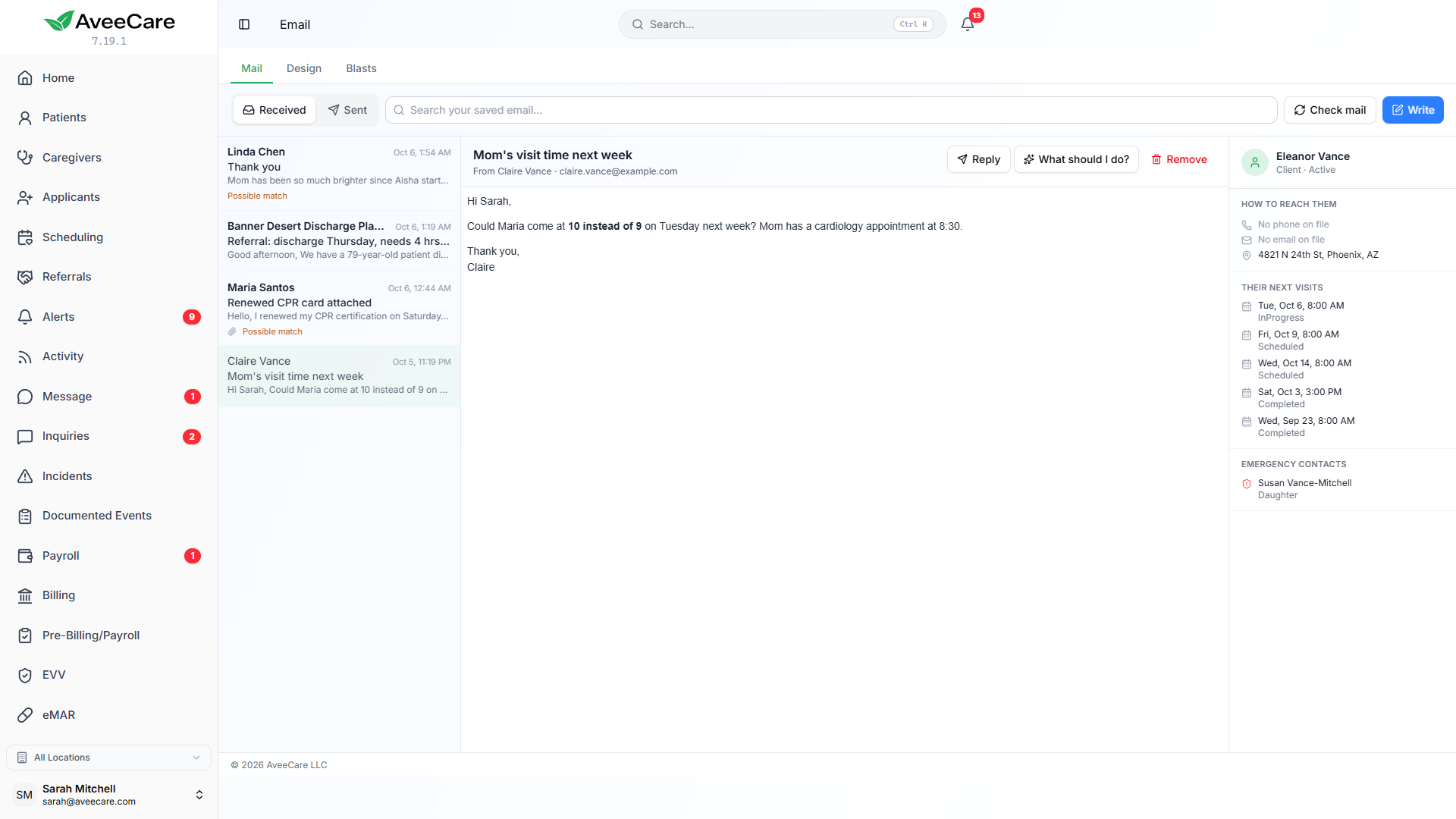
Read and reply with context
The Email page shows the message beside the person it is about: their next shifts or visits, their phone number and their emergency contacts.
One record of what was said
Every email sent and received appears on the Communication page and on each client’s and caregiver’s own Communication tab.
Setting it up
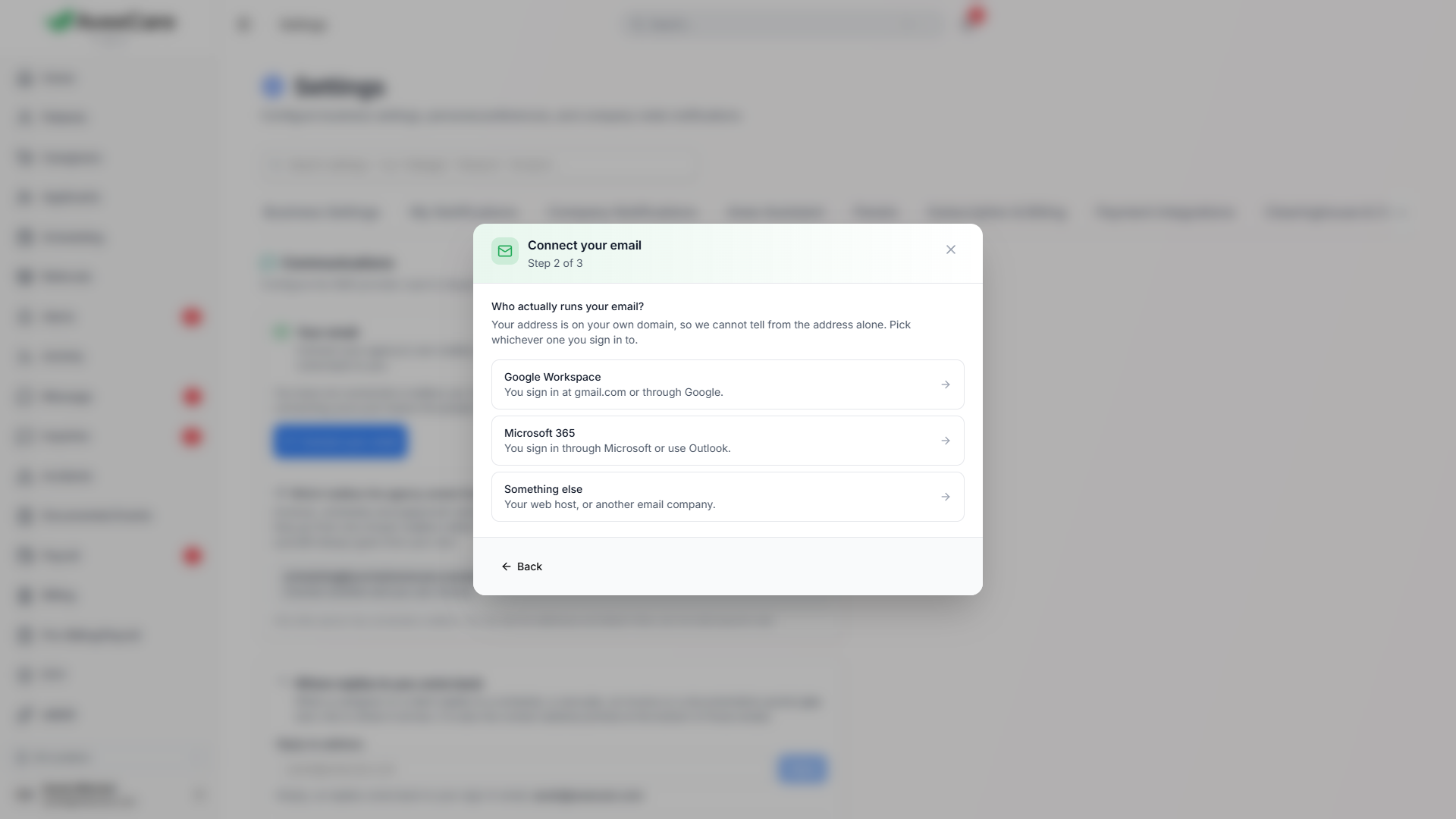
Type your address and the rest is filled in
Each person in the office connects their own mailbox from Settings, on the Communications tab under Your email. AveeCare recognises most providers from the address and fills in the server settings itself. If your address is on your own domain, it asks one question you can answer: who actually runs your email.
Microsoft 365, Outlook, Hotmail and Live addresses use Sign in with Microsoft, so you type your password to Microsoft and never to us. Gmail and Google Workspace connect with an app password you create in your Google account, and the setup walks you through it. Anything else connects over IMAP or POP3 with SMTP. The connection is tested before it is saved, and a failure says what to fix.
- A mailbox belongs to a person. The Email page shows each person their own mailbox, and colleagues cannot use it or see its sign-in details.
- Colleagues connect their own mailboxes at the same time, without touching yours.
- The account owner picks which one mailbox agency email such as invoices and schedules goes out from, or keeps it going out from AveeCare.
- Sign-in and password emails always come from AveeCare, so a broken mailbox can never block a password reset.
What AveeCare keeps
Three choices, each with its consequence spelled out
Reading your inbox stays off until you turn it on, either in Settings or on the Email page itself, where each choice says exactly what it will and will not read.
- Only people already in AveeCare: the default. Mail from anyone else is never fetched at all.
- The above, plus anyone replying to a message you sent from AveeCare, so a discharge planner who writes back is not lost.
- Everything that arrives in the folders you pick. Choose this only if you want that mail in AveeCare, because what is kept can be seen by your office staff.
- Optionally, also bring in what you send them from Outlook, Gmail or your phone. AveeCare asks you to confirm before it reads your Sent folder.
- Removing AveeCare’s copy of a message never touches the message in your own mailbox.
The Email page
Write once, to one person or to everyone
Read and reply without leaving AveeCare. A document that arrives by email can be opened in place and filed onto that person’s record in one press. On a message that came in, Avee can suggest what to do, quoting the words in the email each suggestion came from. It only suggests; it cannot send anything.
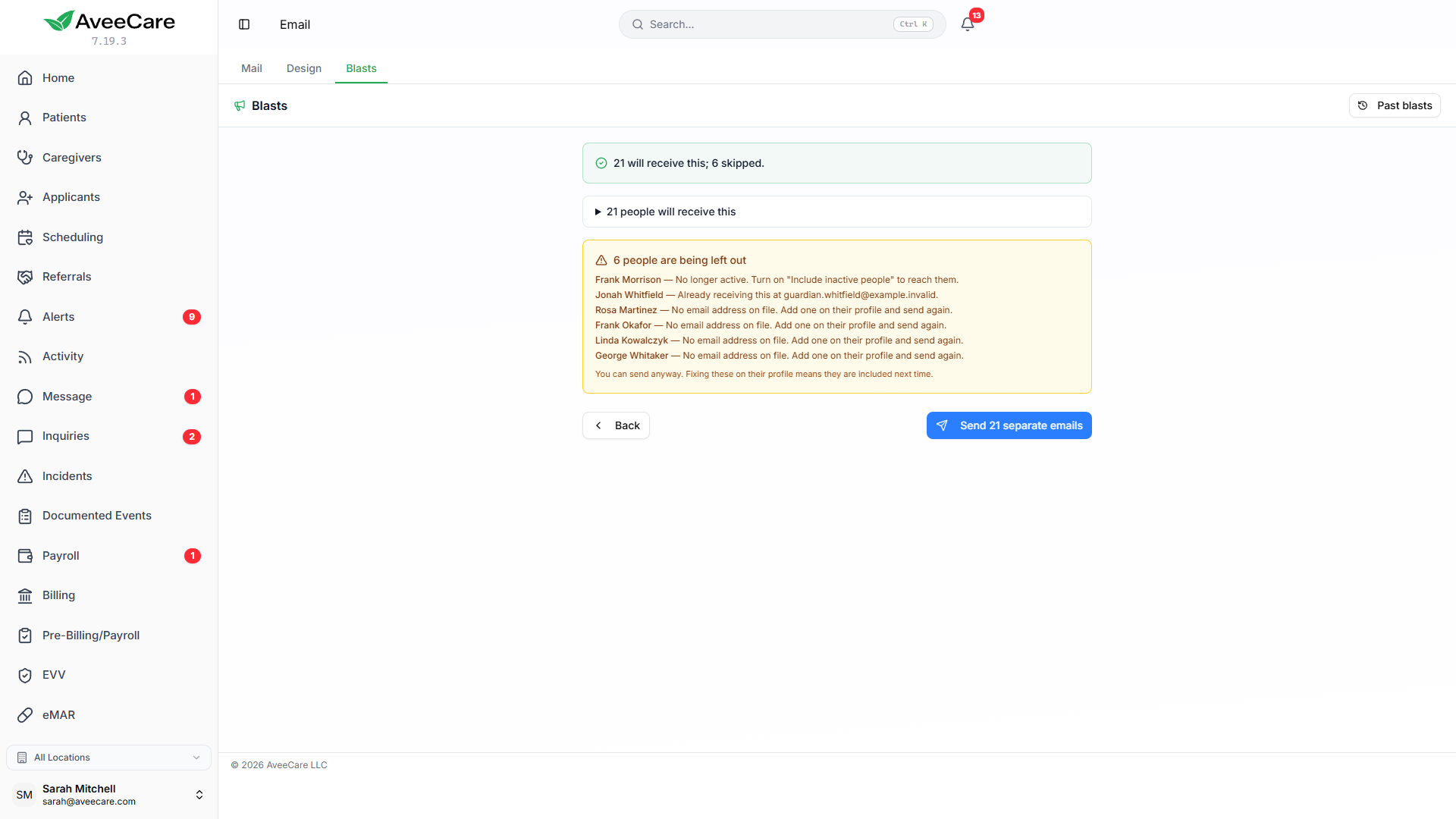
Blasts send one message to your caregivers, your clients or everyone. Each person gets their own copy, nobody sees anyone else’s address, and before anything goes you see who it will reach and who it will not, by name, because they have no email on file.
- Design tab: your logo, colours, typeface and footer, with a preview that is exactly what gets sent.
- Save a design and start from it next time, or send plain text.
- A signature and a reply-to address of your own, set in Settings.
- Choose whether clicking an email address anywhere in AveeCare opens your own email program or a new email in AveeCare.
- When someone writes back you get one alert per conversation, never one for an out-of-office.
The Communication page
Every email, on the record of the person it was for
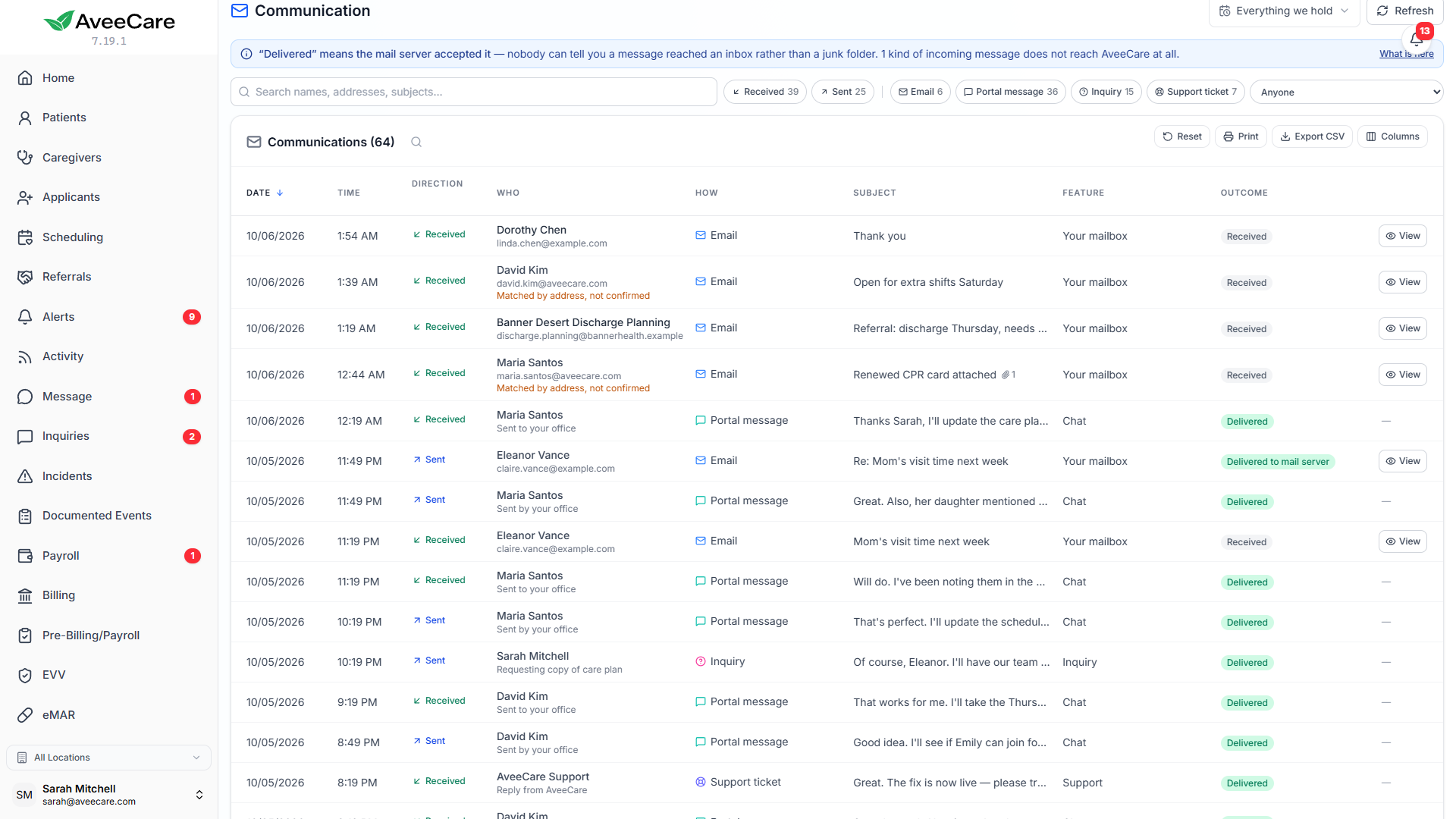
The Communication page lists what AveeCare sent and what came in: schedules, confirmation requests, reminders, invoices, enquiries from your website form and email from your connected mailbox. A client’s or caregiver’s Communication tab is the same list filtered to that one person.
Open any email to see it exactly as the person received it, with who it went to, when, and what the mail server said. Send it again with one click, after a confirmation that names the exact address.
- Search, filter by sent or received, by how it arrived and by date range, and sort any column.
- The How column names the kind of message, such as Sent schedule or Confirmation reminder.
- For a schedule or confirmation email, Outcome adds the answer, for example Delivered + schedule confirmed.
- The stored copy of a message is kept for a year and is only visible to office staff, never to caregivers or clients.
Included
Part of every AveeCare plan
Email, blasts, designs and the Communication page are included at the same per-client price as everything else. There is no per-message charge.
Bring your email into the place the work happens
Connect your mailbox in a couple of minutes, keep reading off until you are ready, and let every message land on the record of the person it was about.