Every document, form and spreadsheet, in one Drive.
AveeCare Drive puts your files, PDFs, forms, signed disclosures, notes and spreadsheets on one screen. File them in folders, search inside them, put fillable boxes on any PDF and send it round for signatures.
What Drive gives you
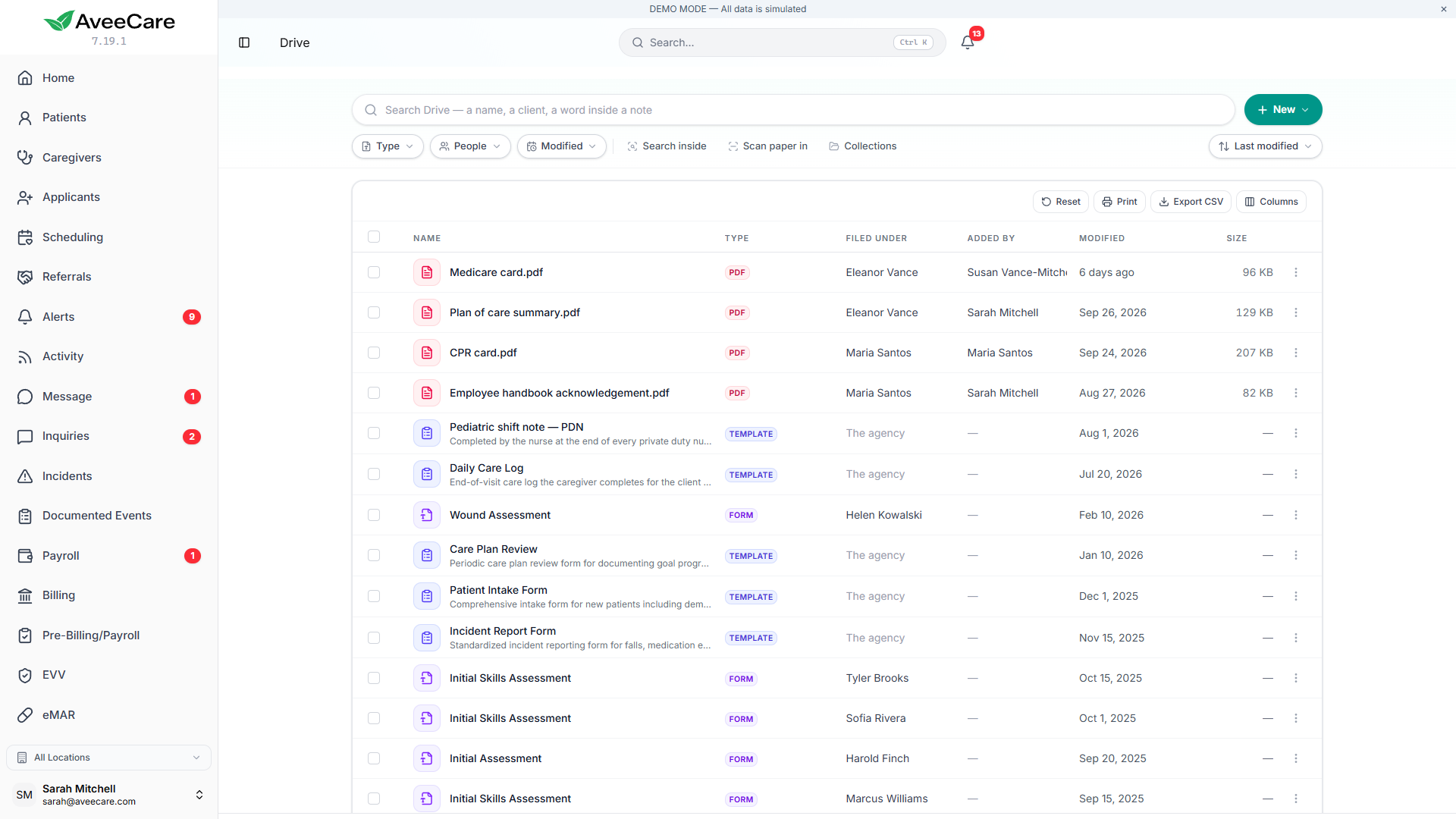
One place for paperwork
Files, PDFs, forms, signed disclosures and notes live together, with filters by type, person and date, and a card view or a list.
Found by what is inside
Search reads inside scans, PDFs and Word documents, and always looks across every folder, so filing something away never hides it.
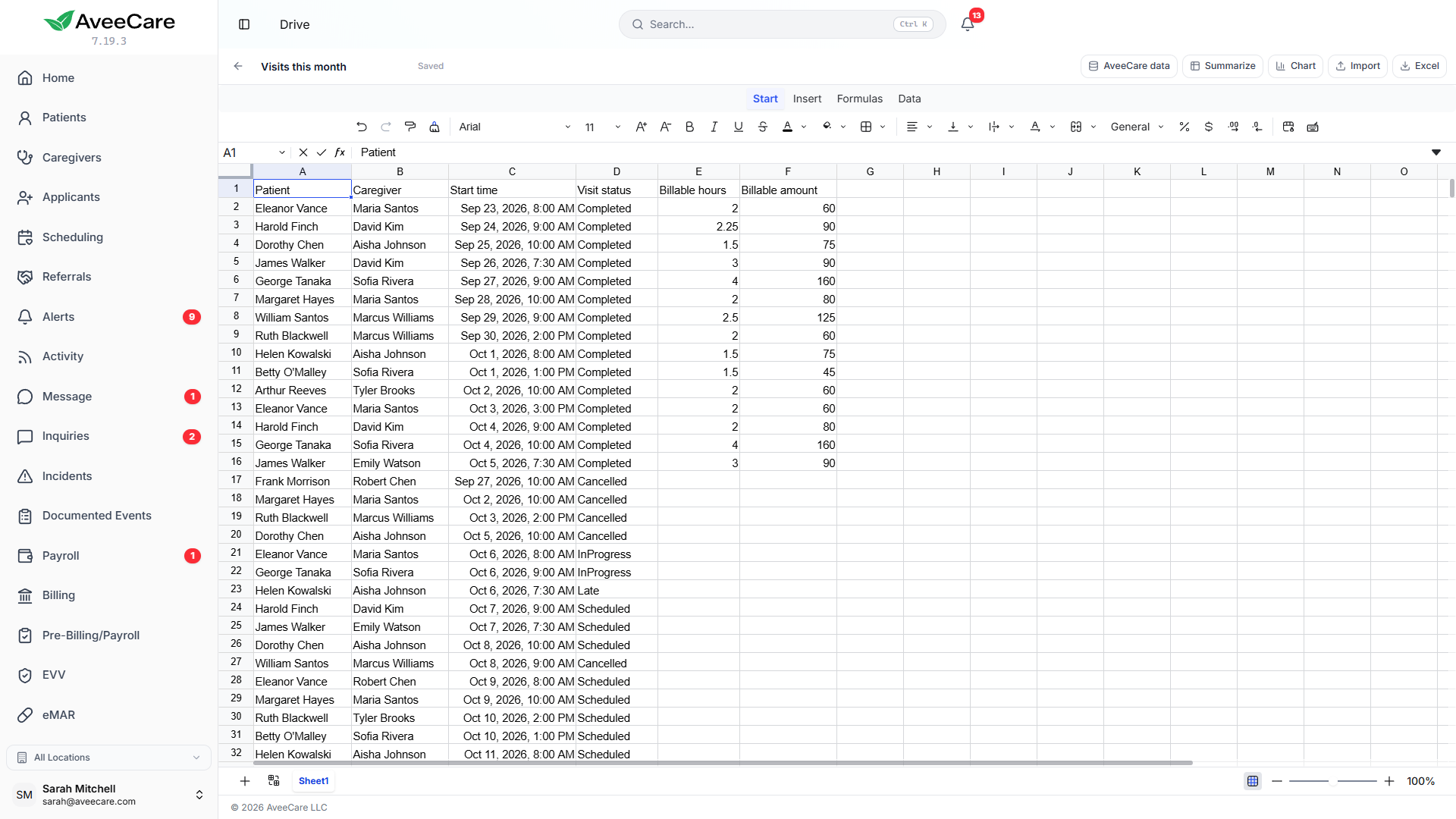
Spreadsheets with your own data
Formulas, charts and totals, plus live AveeCare data pulled into a cell and refreshed next month with one press.
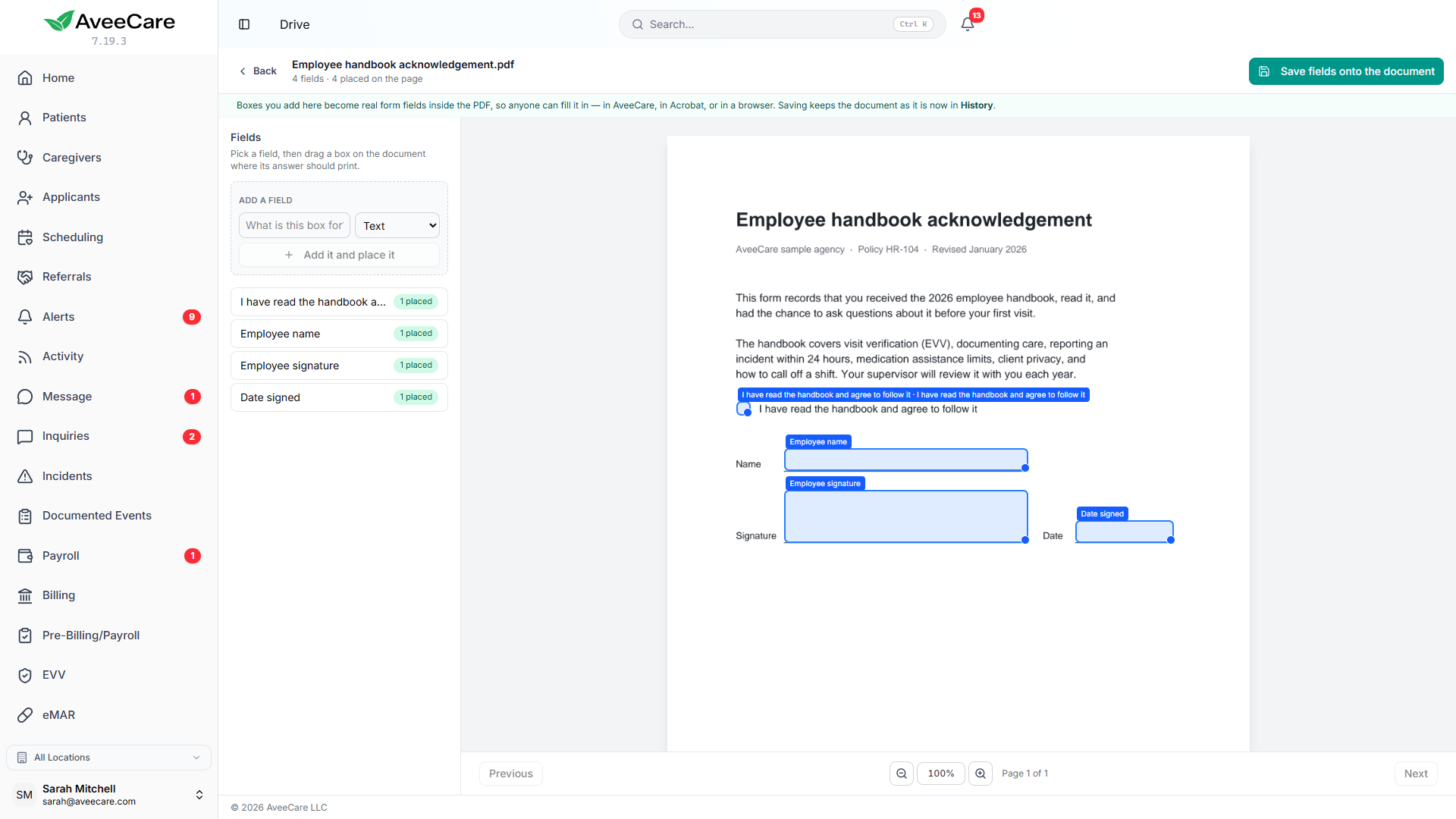
Fillable PDFs and signature rounds
Drag boxes onto any PDF, send it to the people who fill it in, and get the real document back with every answer and signature printed on it.
Files and folders
A home for the agency’s own paperwork
Drop a file into Drive and choose who it belongs to: a client, a caregiver, or The agency. Agency files, such as your licence, your insurance certificate and your policy manual, are kept for the office only. Caregivers and clients cannot see them at all.
Press New and choose Folder. Folders can go inside folders, and a trail across the top shows where you are. Drop a whole scanned folder in and it keeps its shape, with each document landing in the right sub-folder.
- Select several rows to move them, delete them or download them all as one .zip.
- Drag a selection onto a folder to file it, or onto the trail to bring it back out.
- An Added by column shows who put each document there.
- A folder is a label, not a lock. Putting something in a folder does not change who can open it.
- Deleting a folder never deletes what is inside it. The contents move up a level, and you are told how many before you confirm.
Spreadsheets
The things you do in Excel, next to the data they are about
Drive spreadsheets do formulas, colours, conditional formatting, filters and sorting. Pick some cells to drop a bar, line or pie chart on the sheet. Summarize groups your rows and totals them, such as hours by caregiver or visits by client, on a new sheet so nothing you have is touched.
Press AveeCare data, choose visits, caregivers, clients, authorizations, care plans or credentials, tick the columns you want, and they land in the grid. The sheet remembers the question, so next month you press Refresh instead of exporting again. It always refreshes as whoever is looking at it, so nobody sees more than they are allowed to.
- Two people can work in the same sheet at the same time.
- Bring an Excel file in, and send one back out whenever you like.
- Money arrives in dollars and dates in your agency’s time zone.
Fillable PDFs
Send the payer’s form back as the payer’s form
Open any PDF in Drive and press Form fields. Name a box, pick what kind of answer it takes, and drag it where the answer should print. The boxes are real form fields inside the PDF, so anyone can fill it in, in AveeCare, in Acrobat or in a browser. A PDF that already has boxes shows you the ones it has.
Press Send to route it: say who fills which box and in what order, with the same steps and choices a form has. It works on a client’s file, a caregiver’s file and your own agency paperwork. When the last person finishes, the answers and signatures are written onto the document itself, and whoever sent it is told it has come back.
- Tick keep this one blank and the signed version is filed as its own document, named after the signer and the date, ready to send the blank to the next person.
- Right-click the blank and choose Signed copies to see everyone who has signed it.
- Before you send, you are told if someone on the route has nothing to fill in or a box has been given to nobody.
- What somebody has already signed is shown to the next person and cannot be changed.
Put the filing cabinet in one place
Drive is part of every AveeCare plan. Bring your scans, your PDFs and your spreadsheets, and find them again by what they say.