Disclosures
Create and manage disclosure documents with electronic signature capture, applies-to configuration, enable/disable toggles, and complete audit trails. Know exactly who signed what and when.
Try Disclosures in DemoCreating Disclosure Documents
Build disclosure documents directly in AveeCare. Write your disclosure text using the rich text editor, configure who needs to sign, and toggle whether a signature is required. Once published, disclosures are automatically presented to the appropriate parties.
What you can configure
- Disclosure title and rich-text content body
- Applies-to setting: Patient, Caregiver, or Both
- Require signature toggle for mandatory acknowledgment
- Enable or disable disclosures without deleting them
- Version notes for tracking changes over time
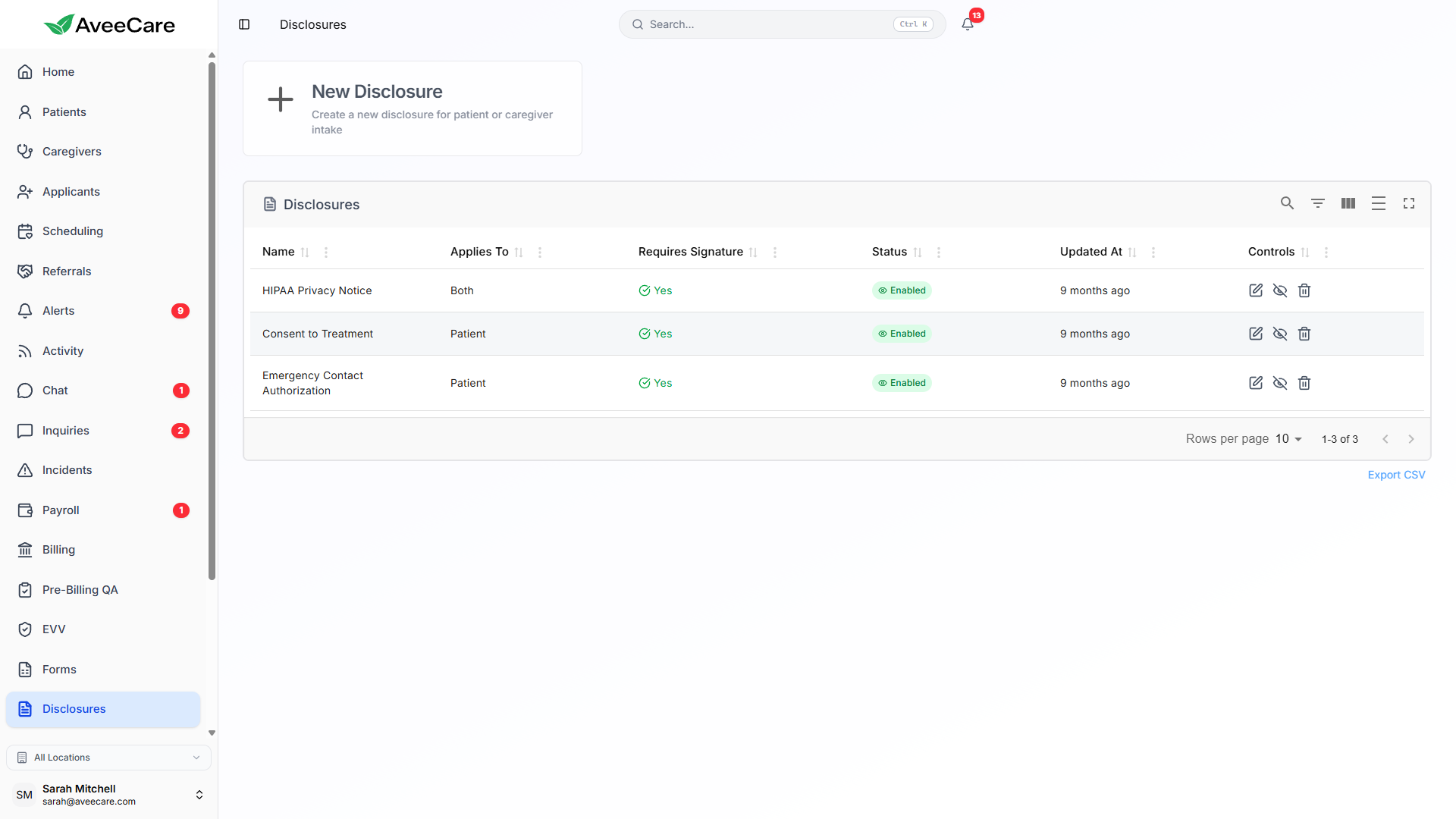
Applies-To Configuration
Each disclosure can be configured to apply to Patients, Caregivers, or Both. This ensures the right people see and sign the right documents — without cluttering anyone's queue with irrelevant disclosures.
Presented to patients (or their representatives) during intake or at any point during care. Covers privacy notices, consent forms, and care agreements.
Presented to caregivers during onboarding or employment. Covers confidentiality agreements, code of conduct, and policy acknowledgments.
Presented to both patients and caregivers. Covers universal disclosures like HIPAA notices, infection control, and emergency procedures.
Electronic Signature Capture
Require Signature
When the "Require Signature" toggle is enabled, the disclosure cannot be acknowledged without a valid electronic signature. The signer draws their signature on a pad directly in the application.
- Touch or mouse-based signature drawing pad
- Signature is timestamped and stored securely
- IP address and device info captured for audit
- Clear and re-sign option before submission
Acknowledgment Without Signature
When the signature toggle is off, disclosures can be acknowledged with a simple "I have read and understood" confirmation. Useful for informational notices that don't require a formal signature.
- One-click acknowledgment for informational disclosures
- Acknowledgment timestamped and recorded
- User identity verified through login credentials
- Same audit trail as signed disclosures
Tracking & Audit Trail
AveeCare tracks every disclosure interaction for compliance and audit purposes. See at a glance who has signed, who hasn't, and when each signature was captured.
- See who has signed each disclosure and when
- View pending signatures that haven't been completed yet
- Filter by disclosure, signer type, or date range
- Complete audit trail with timestamps and signer identity
- Export signature records for external compliance audits
Version Management & Controls
Version Management
- Update disclosure content while preserving previous versions
- Existing signatures are tied to the version that was signed
- New signers always see the latest version
- Version history with notes explains what changed and why
Company-Wide Management
- Enable or disable disclosures with a single toggle
- Disabled disclosures are hidden from new presentations
- Re-enable any disclosure at any time without recreating it
- Centralized dashboard for all company-wide disclosures
All forms features included at $6/client/month.
No add-on fees, no per-form charges, no long-term contracts.