Connect QuickBooks
Send invoices and payments to QuickBooks Online, or hours and invoices to QuickBooks Desktop.
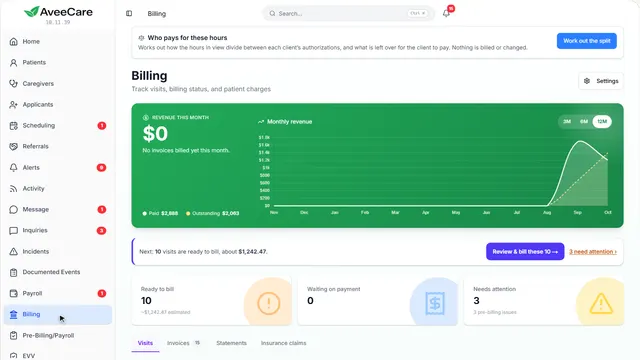
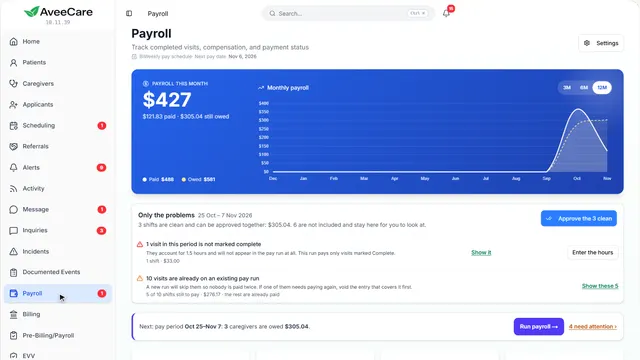
3 parts · 1 minBillingFor the office
The lesson plays on a sample agency, so nothing you do in it changes anything. Open any item in the lesson's panel to read about it, and press See how to watch it done.
What this lesson covers
Everything the lesson says, part by part.
- 1
On the way: Settings is in the sidebar.
This is Settings
How your agency works: billing, payroll, your connections to other services. Each area has its own tab.
In the sidebar under Settings.
On this page
Payment IntegrationsQuickBooks, Stripe, Square, PayPal
QuickBooks and the card processors are connected on the Payment Integrations tab.
See how jumps ahead to part 2: QuickBooks Online.
QuickBooks DesktopThrough Intuit’s Web Connector
Pro, Premier and Enterprise connect through the Web Connector, on the same tab.
See how jumps ahead to part 3: QuickBooks Desktop.
Read the guide - 2
On the way: QuickBooks is connected from Settings.
QuickBooks Online
Once connected, your invoices and payments go to QuickBooks so your books match without typing them twice.
Settings, then Payment Integrations.
On this page
What it sendsInvoices and payments, on a schedule
Turn on what to send, choose how often, and Sync Now sends it straight away. Account Mapping says which QuickBooks accounts they land in.
See how shows:
- QuickBooks Integration Test Connection checks it is still connected.
QuickBooks DesktopPro, Premier and Enterprise
QuickBooks Desktop connects a different way, just below.
See how jumps ahead to part 3: QuickBooks Desktop.
Read the guideTaking card paymentsStripe, Square or PayPal
Connect Stripe, Square or PayPal on this tab so clients can pay an invoice by card.
See how shows:
- Stripe Integration Payments made this way are recorded for you.
- 3
On the way: QuickBooks Desktop is just below.
QuickBooks Desktop
For Pro, Premier and Enterprise. It connects through Intuit’s Web Connector, on the computer that holds your company file.
Settings, Payment Integrations, under QuickBooks Desktop.
On this page
Set it upInstall the Web Connector file
Set up QuickBooks Desktop gives you a file to add to the Web Connector. After that it collects what AveeCare has waiting each time it runs.
Read the guideSee how shows:
- Set up QuickBooks Desktop Run it on the computer with your company file.
Match your pay codesEach code to a QuickBooks payroll item
Once connected, point each pay code at one of your QuickBooks payroll items, so hours arrive under the right one.
See how shows:
- Payroll items The matching sits on this card once it is connected.
At the end
Now you know how AveeCare reaches QuickBooks
Watch next