Authorizations
Record the visits a payer approved, the units they cover, and when to warn you before they run out.
4 parts · 2 minClientsFor the office
The lesson plays on a sample agency, so nothing you do in it changes anything. Open any item in the lesson's panel to read about it, and press See how to watch it done.
What this lesson covers
Everything the lesson says, part by part.
- 1
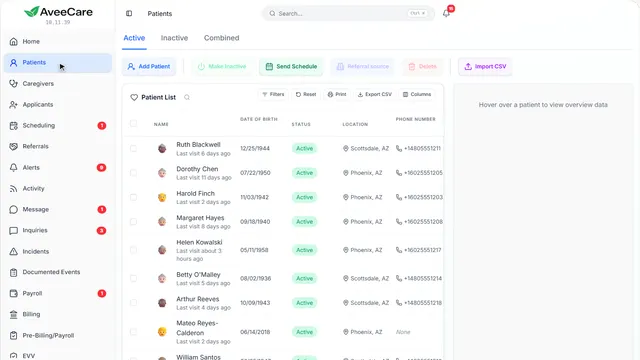
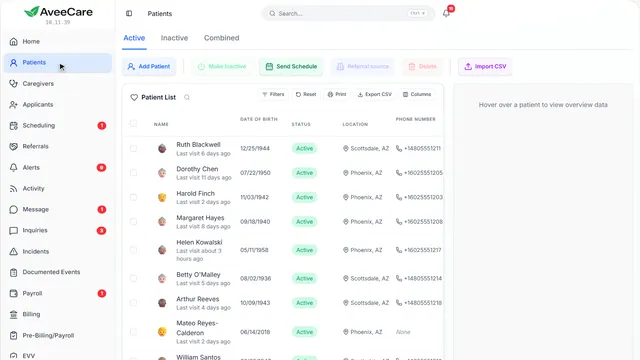
Your Patients page
Each client’s authorizations are on their record.
In the sidebar under Patients.
On this page
Open the clientClick their row
Authorizations has its own tab on the client’s record.
See how jumps ahead to part 2: This is a client’s record.
Find the client fastSearch from any page
Search at the top of the sidebar finds a client from anywhere in AveeCare.
See how shows:
- Search Type a client’s name from any page.
- 2
This is a client’s record
Authorizations is one of the tabs along the top.
Patients, then click the client.
On this page
The Authorizations tabEvery approval for this client
Each prior authorization, with what it covers and how much of it is used.
See how jumps ahead to part 3: Authorizations.
Their insurance comes firstOn Overview
An authorization is from one of the client’s payers, so their insurance on Overview should already be in.
Read the guideSee how shows:
- Insurance Information The payer an authorization comes from.
- 3
Authorizations
Each prior authorization for this client: the payer, the service, the units approved and the dates it covers.
The client’s record, then the Authorizations tab.
On this page
Add an authorizationFrom the payer’s approval
Copy in what the approval says: its number, the payer, the service, the units and the dates.
See how jumps ahead to part 4: Add authorization.
Read the guideA warning before it runs outBy days left, or by units used
Each authorization can warn you a number of days before it ends, and once a share of its units is used.
See how shows:
- Add Each one you add can warn you before it runs out.
- 4
Add authorization
Copy it from the payer’s approval: the number, the payer, the service and the dates it covers.
The client’s Authorizations tab, then Add.
On this page
The authorizationNumber, payer and service
The number the payer gave you, the payer, the service type and how often it is approved.
See how shows:
- The payer Pick it from your payers, or type it in.
What gets billedProcedure code and modifiers
The code your claims use for this service, with any modifiers the payer asked for.
See how shows:
- Procedure code With its modifiers beside it.
UnitsHow many were approved
The units approved, the units used so far, and how long one unit is (an hour unless you change it).
See how shows:
- Authorized units And the units used so far beside it.
DatesStart, end and recertification
When the authorization and the certification start and end, and how many days each certification period lasts.
See how shows:
- Dates For the authorization and the certification.
Tell me before it runs outDays before it ends, or units used
Choose how many days before it ends to warn you, and at what share of units used.
See how shows:
- Tell me before it runs out Days ahead, and a share of units.
At the end
Now you know how to add an authorization
Watch next