AveeCare records which version of the Business Associate Agreement, Terms of Service, and Privacy Policy your agency accepted, along with the user who clicked through and the timestamp. The acceptance happens once during signup. The current canonical text of each document lives on the public marketing site, and a full export of your tenant data, which includes the recorded acceptance metadata, is available from Settings any time.
Quick answer
Open Settings. The agreement-version metadata is stored on your company record at signup time. There is no separate Compliance Versions tab inside Settings today. Read the current published BAA, Terms, and Privacy Policy at aveecare.com/legal. To get a copy of what your tenant accepted, use the Download All Data button on the Account tab in Settings, which produces a JSON archive that includes the company record with the BAA, TOS, and Privacy version, accepted-by user, and acceptance timestamps.
What this covers and what it does not
AveeCare records legal acceptance once during signup. There is no in-app re-acceptance flow today and no separate tab in Settings for BAA, TOS, or Privacy versions. If AveeCare ever rolls a new version that requires re-acceptance, the request appears as a banner at sign in and is handled there, not inside Settings. This article covers where to verify what you already accepted and where to read the current published text. For granular role and account control see Accounts and Security and 2FA.
1. Open Settings and scan the tab strip
Click Settings in the left sidebar.
The page opens on the Business Settings tab. The full tab strip is Business Settings, My Notifications, Company Notifications, Subscription and Billing, Payment Integrations, Clearinghouse and Claims, Payroll, Locations, API Keys, and Account. There is no Compliance Versions tab, and that is intentional. The current acceptance data is part of your company record, not a configurable surface.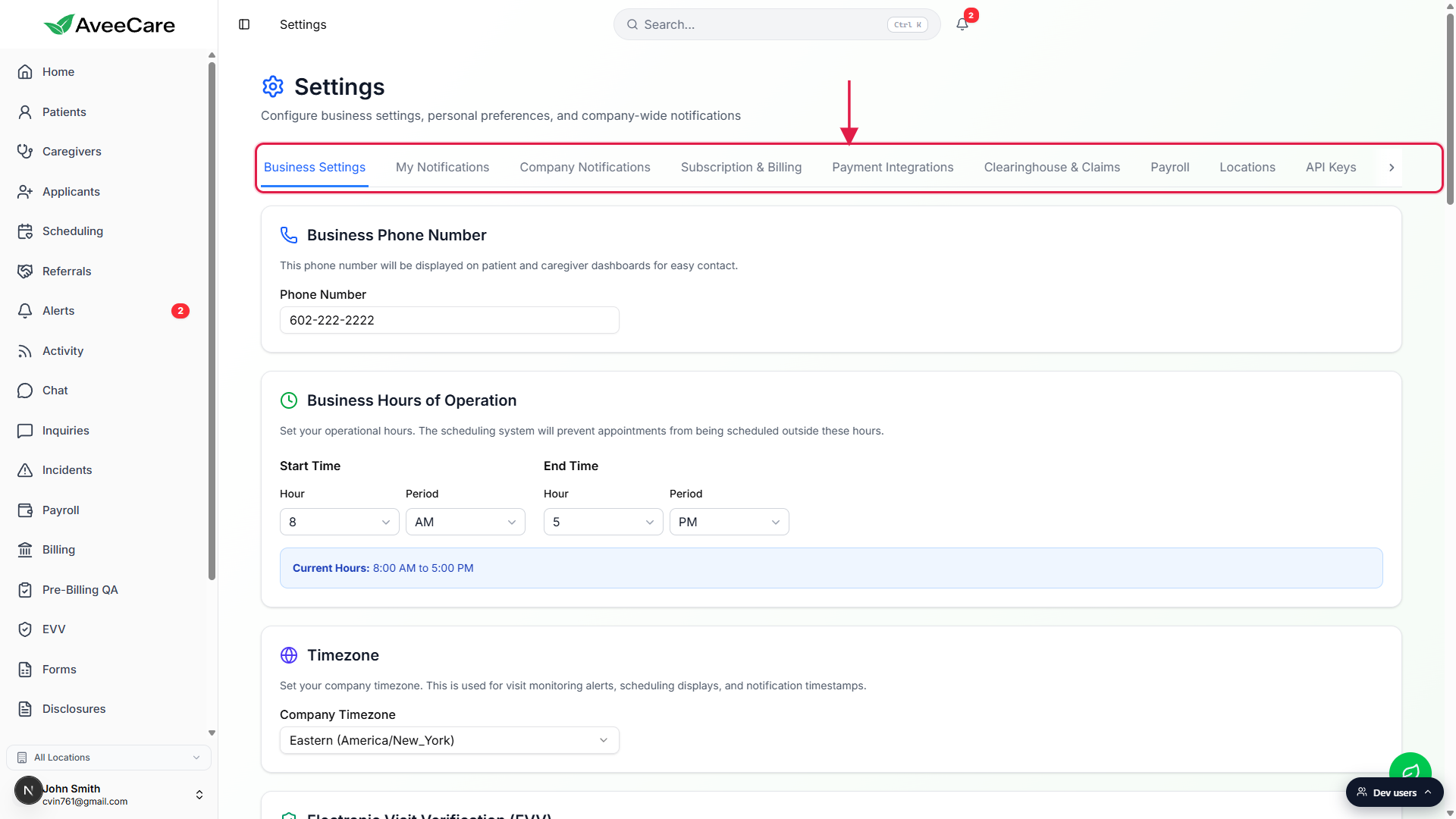
Confirm there is no Compliance Versions tab anywhere.
If a guide or a competitor screenshot suggests there is, that guide is out of date. Acceptance metadata moved into the tenant export instead.
2. Where the BAA, TOS, and Privacy acceptance is recorded
Acceptance is captured at signup, in one bundled checkbox.
The signup form asks for a single click-through that covers the Terms of Service, Privacy Policy, Business Associate Agreement, Data Processing Addendum, and Electronic Signature. AveeCare records the timestamp, the user who clicked, the email they used, and the document version (1.0 at launch) for the BAA, TOS, and Privacy fields on your company record.No re-acceptance UI inside Settings today.
The data lives in the company record fieldsbaaAcceptedAt,baaVersion,tosAcceptedAt,tosVersion,privacyPolicyAcknowledgedAt, andprivacyPolicyVersion. If AveeCare publishes a new version that requires a click-through, the prompt will appear at sign in for a RootUser to accept on behalf of the tenant. It is not a Settings panel.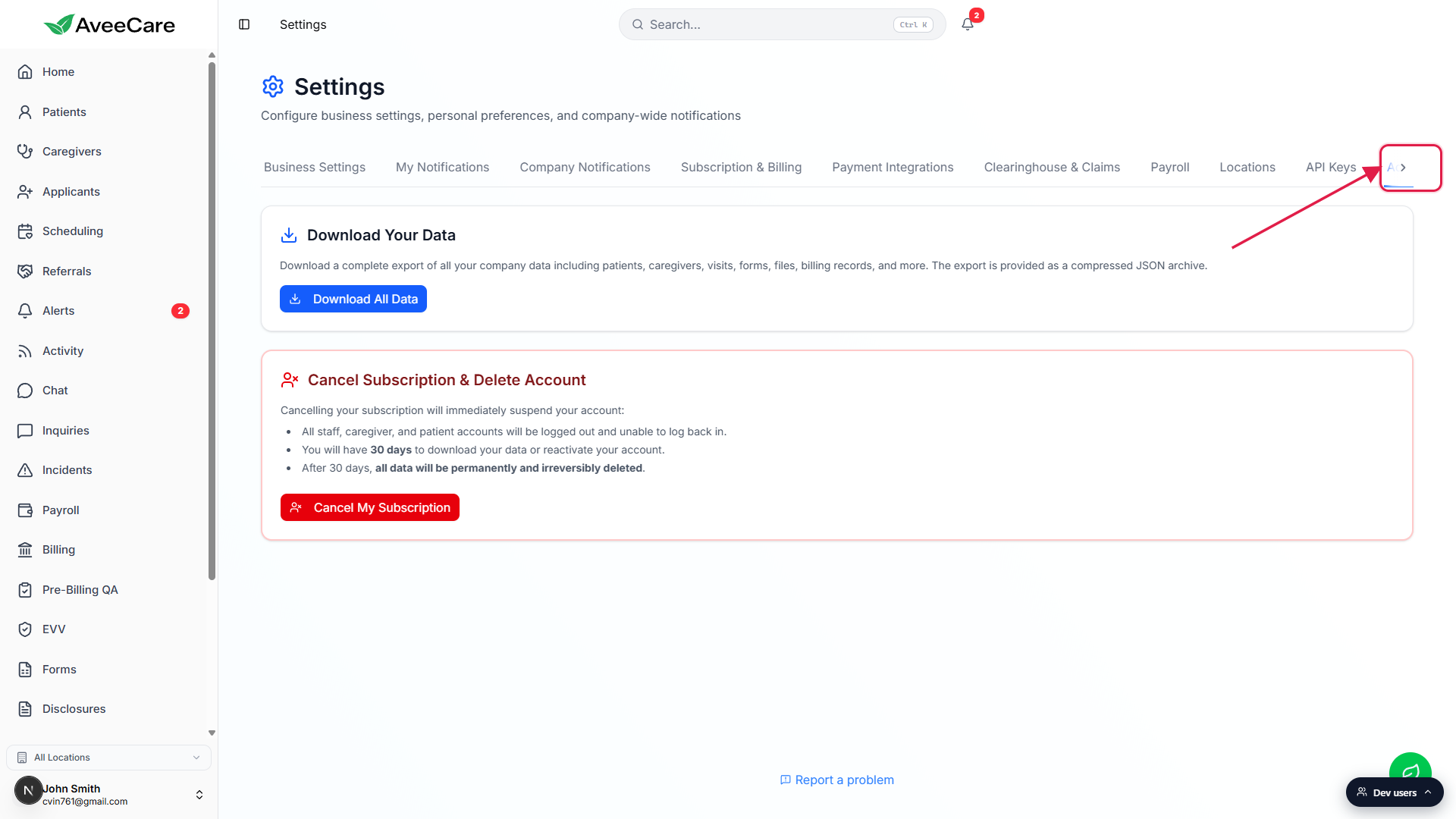
3. Read the current legal documents on aveecare.com
Open aveecare.com/legal in a new tab.
The five public agreements live at fixed paths: aveecare.com/legal/terms-of-service, aveecare.com/legal/privacy-policy, aveecare.com/legal/baa, aveecare.com/legal/data-processing, and aveecare.com/legal/electronic-signature. These are the same links that appear on the signup form, so the text you accepted at signup is the text published at those URLs.Bookmark the legal page for your compliance folder.
Auditors often ask for a snapshot of the agreement text effective at the date of signature. The signup record gives you the version label and the date. Pair that with a print of the current published page for your file.
4. Get a fresh export when you need an audit copy
Open Settings and click the Account tab.
Account sits at the right end of the tab strip. On a narrower screen click the right chevron to reveal it.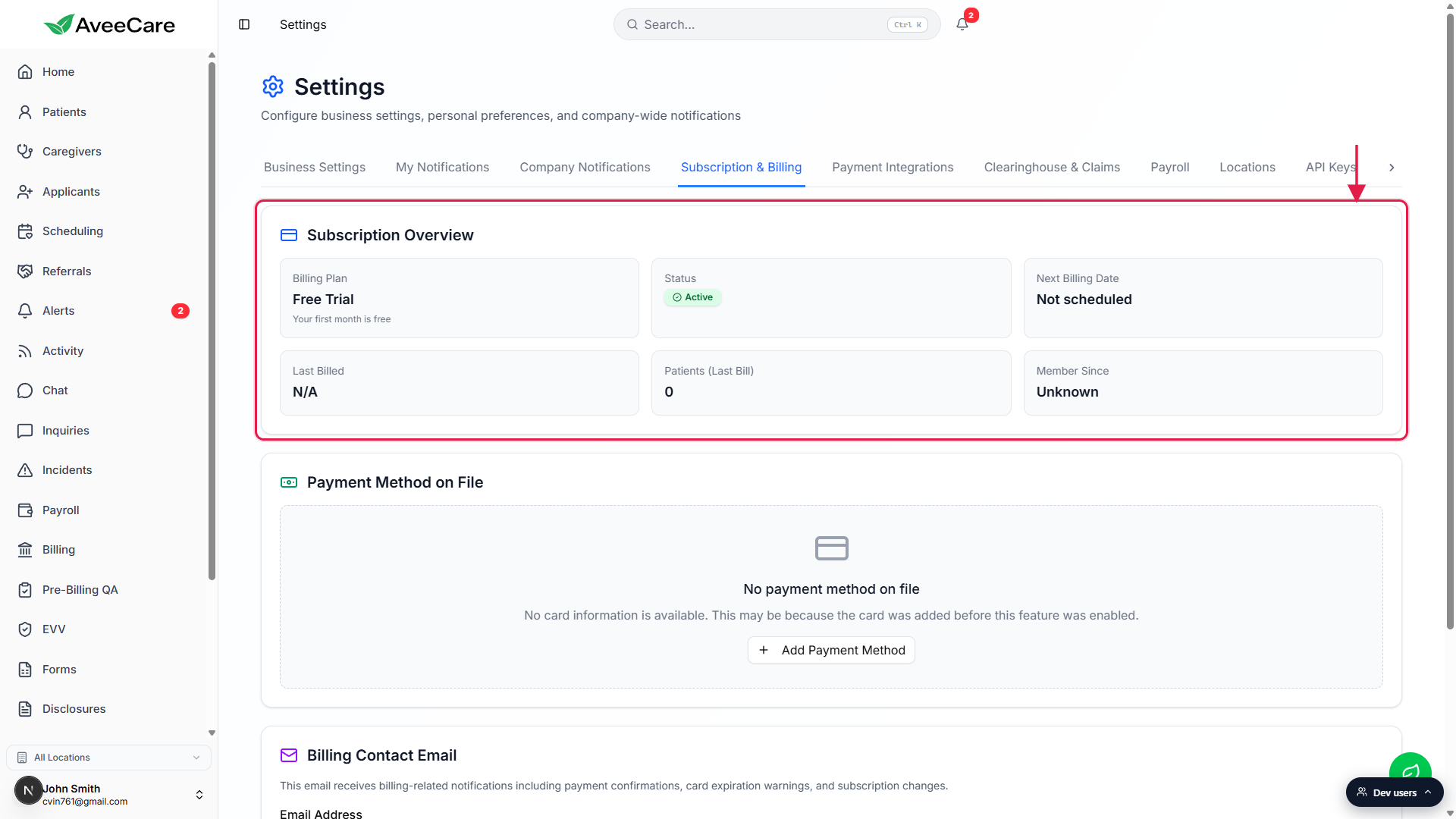
Click Download All Data.
The export is a compressed JSON archive that includes the company record, which carries the BAA, TOS, and Privacy version, accepted-by user, accepted-by email, and acceptance timestamps. The same archive includes patient, caregiver, visit, form, file, and billing history, so it doubles as a broader audit pull.Hand the JSON to your compliance officer or auditor.
The agreement-version fields are at the top level of the company record inside the export. A RootUser can also share a copy with AveeCare support if there is ever a question about which version the tenant is on.
Common pitfalls
- Looking for a Compliance Versions tab. There isn't one. The Settings tabs are Business Settings, My Notifications, Company Notifications, Subscription and Billing, Payment Integrations, Clearinghouse and Claims, Payroll, Locations, API Keys, and Account. The agreement-version data is part of the company record, not a configurable surface.
- Assuming the legal text changes inside the dashboard. The current text always lives at aveecare.com/legal. The dashboard stores the version label and acceptance metadata, not the document body.
- Trying to re-accept on demand. If AveeCare hasn't rolled a new version, the click-through that runs at signup is the full record. Forcing a re-accept is not a self-service action.
- Forgetting that the bundle is one acceptance. The BAA, Terms of Service, Privacy Policy, Data Processing Addendum, and Electronic Signature are accepted in a single bundled checkbox at signup, with one timestamp. The company record then records the version of each underlying agreement separately for audit clarity.
- Using a stale data export for an audit. The export reflects the company record at the moment of download. If AveeCare ever pushes a new version, pull a fresh archive after the re-accept event so the version field reads the new value.