Disclosures is the per-patient table of signed consent agreements: HIPAA notice, treatment consent, arbitration, anything from your tenant's disclosure library that applies to patients. Each row records the template name, when it was agreed to, the context it was signed in, and whether a signature is on file.
Quick answer
Open the patient, click Disclosures on the tab strip, then click Add Disclosure Agreement in the top-right. Pick a template from the dropdown, set Agreed In, optionally capture a signature, and click Add Agreement. The row lands in the Patient Disclosure Agreements table with eye, pencil, and trash actions.
1. Open the patient and click Disclosures
Open Patients and click into the patient row.
The tab strip on the patient page runs Overview, Appointments, Forms, Files, Disclosures, Billing, ADLs, Care Goals, and so on. Disclosures sits between Files and Billing.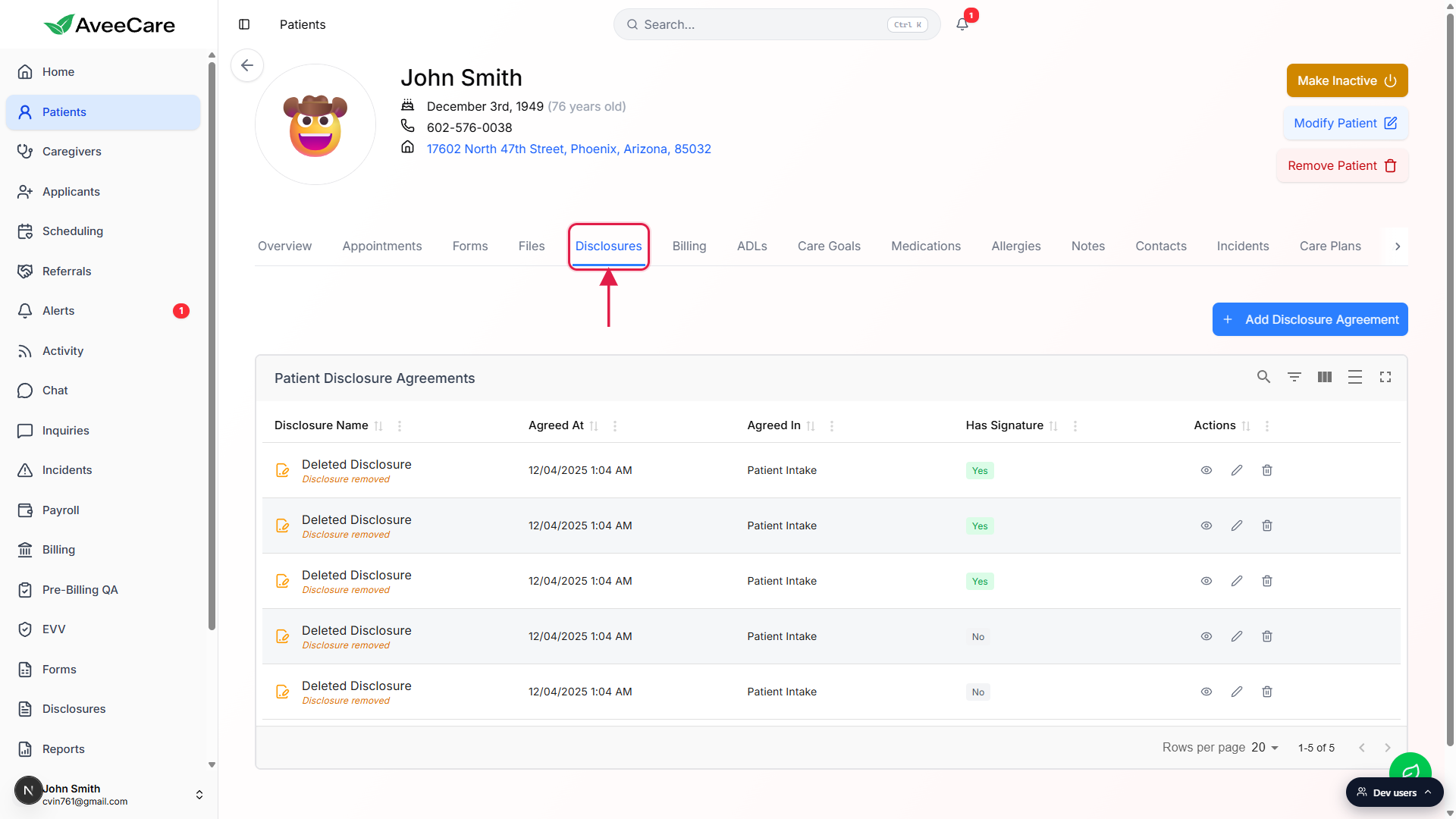
The Patient Disclosure Agreements table loads.
If the patient has no agreements yet, an empty state appears with a centered Add Disclosure Agreement button. Once at least one agreement exists, the button moves to the top-right above the table.
2. Click Add Disclosure Agreement
Click the blue + Add Disclosure Agreement button.
Empty state? It is centered under the icon and label. Already populated? It is in the top-right above the table.The Add Disclosure Agreement modal opens.
The modal has four fields: Disclosure (template picker), Agreed At (defaults to now), Agreed In (Context), and Signature (Optional). Agreed By is set automatically from your signed-in user and is not shown on this form.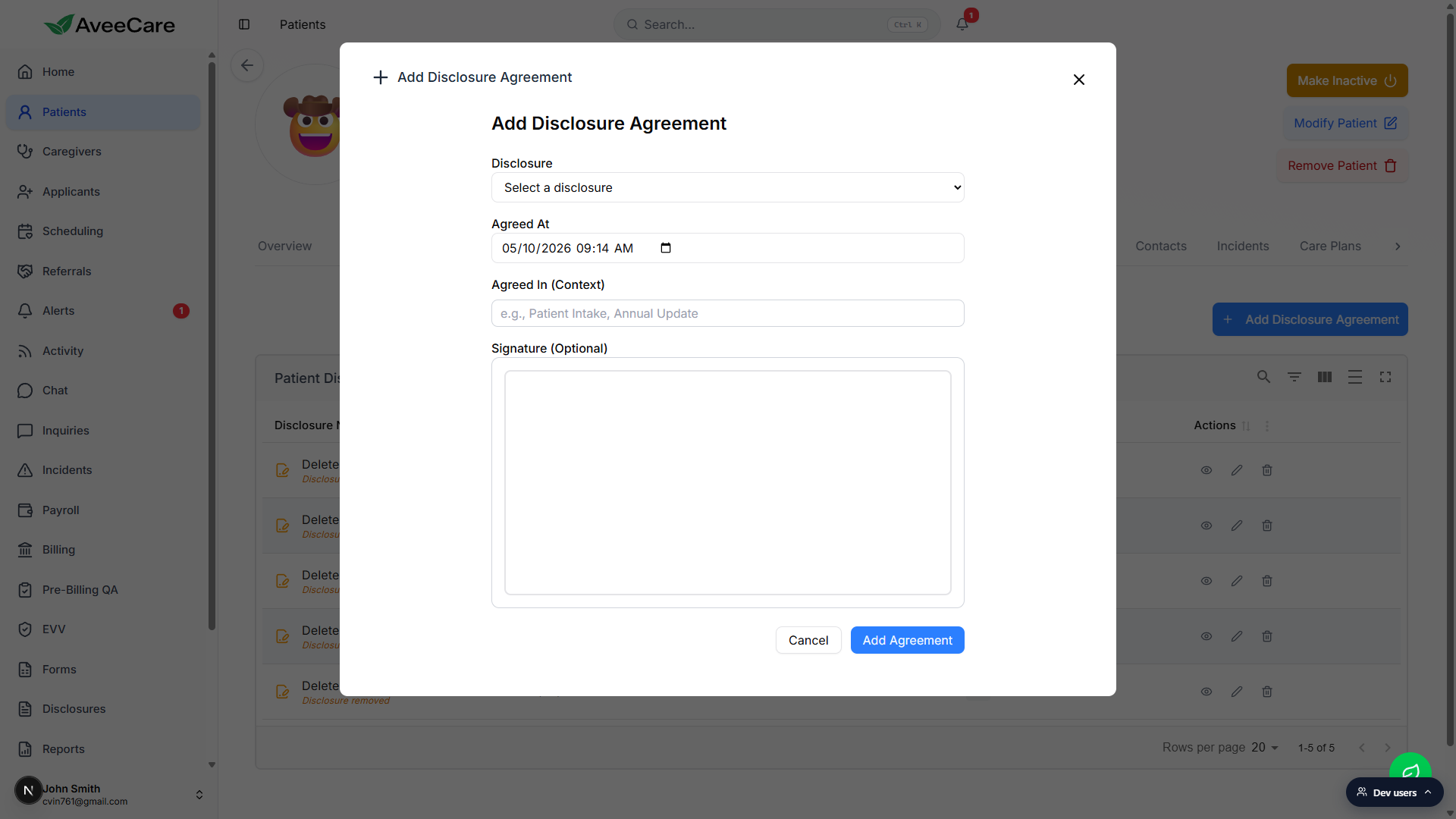
3. Pick a disclosure, set context, capture a signature
Pick a template from the Disclosure dropdown.
The dropdown only lists templates whose Applies To is Patient or Both. Caregiver-only templates are hidden here. If the list is empty or missing the form you need, jump to the agency-wide Disclosure templates page and add it there first.Adjust Agreed At and type a short Agreed In context.
Agreed At defaults to right now. Set it back if you are logging a paper agreement that was signed earlier. Agreed In is free text, common values are Patient Intake, Annual Update, and In-Home Visit. The context shows up in the table column and on the agreement detail view.Capture a signature with the on-screen pad, or skip.
Signature is optional. If captured, the row in the table shows a green Yes pill in the Has Signature column and the rendered signature appears on the agreement detail. Use the signature pad on a touch device, mouse, or stylus. If you upload an already-signed paper copy to the patient files, leave the signature blank here and reference the file in Agreed In.Click Add Agreement to save.
The new row lands in the Patient Disclosure Agreements table.
4. Use the row actions to view, edit, or delete
Each row carries three icon actions on the right.
Eye opens the agreement in a read-only modal that shows Agreed At, Agreed By, Agreed In, the disclosure body, and the signature image. Pencil opens an edit modal where you can change Agreed At, Agreed In, and the signature. Agreed By is fixed to whoever first created the agreement and is not editable. Trash opens a confirm dialog and hard-deletes the row.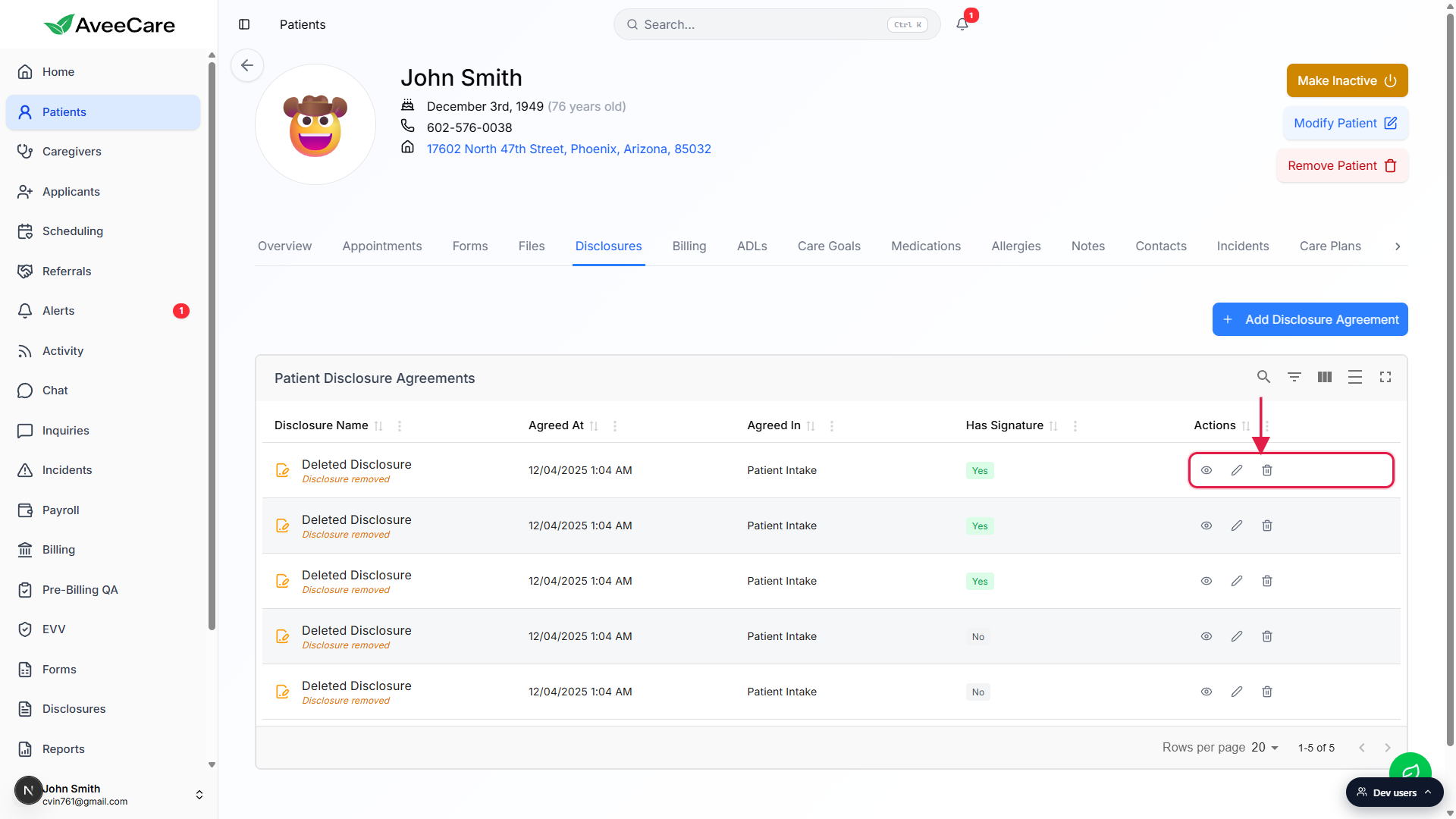
If the source disclosure was deleted, the row stays auditable.
When the original template is removed from the agency-wide Disclosures page, the patient's agreement does not disappear. The row shows the name as Deleted Disclosure with an amber Disclosure removed note, and the eye view still surfaces Agreed At, Agreed By, Agreed In, and the signature image so the record is defensible in an audit. Only the disclosure body copy is unavailable.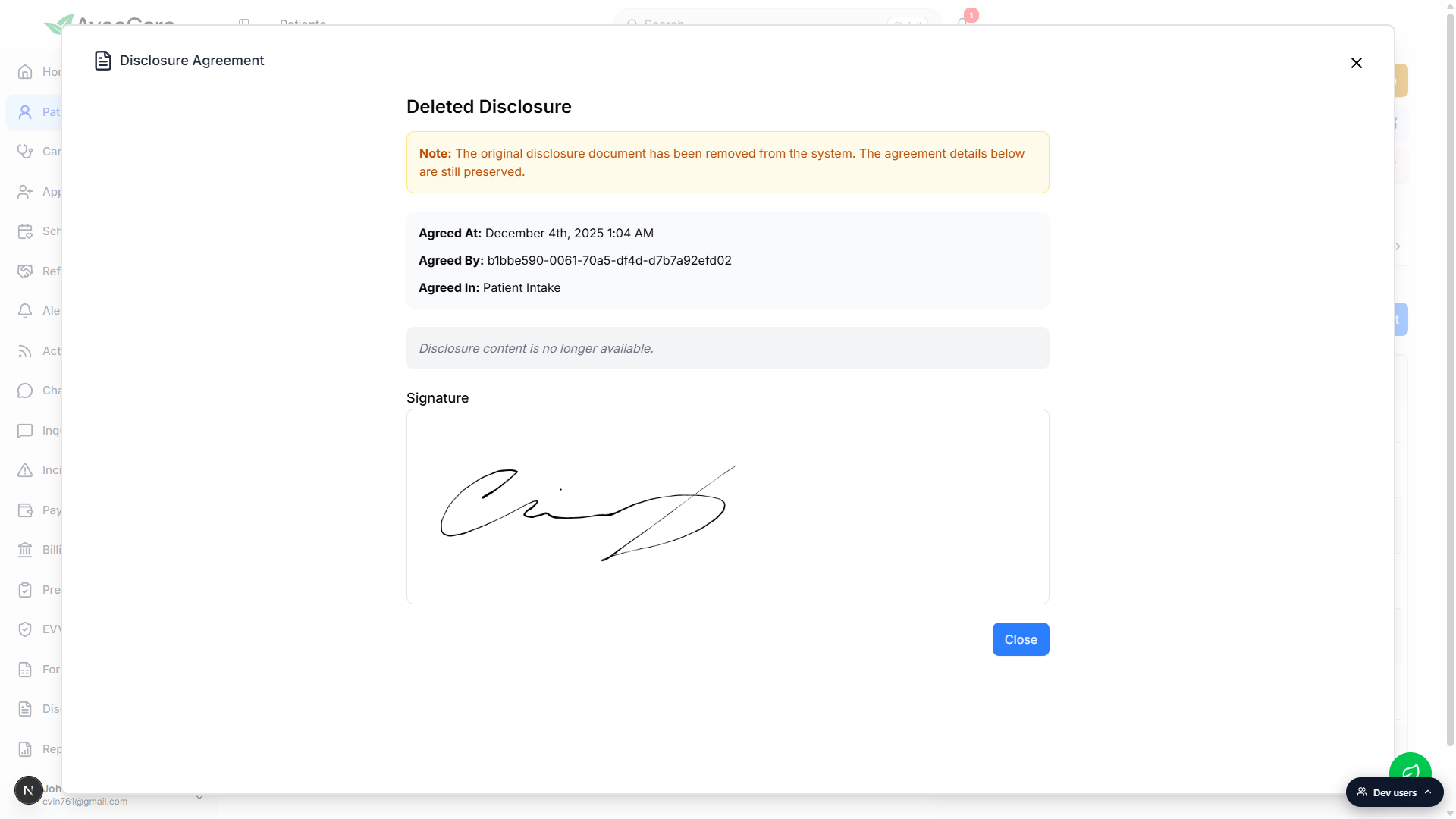
Common pitfalls
- No templates in the dropdown. The picker filters to templates whose Applies To is Patient or Both. If your library only has Caregiver-scoped templates, none will show up here. Add a Patient or Both template first.
- Skipping the signature. Signature is optional on the modal but a disclosure with no signature is hard to defend in an audit. Use the on-screen pad, or note in Agreed In where the wet-ink copy lives so the row is traceable.
- Editing Agreed By. Agreed By is set automatically when the row is created and the field is read-only on the edit modal. If the wrong staff member was logged in when the row was created, delete and re-create the row from the right account.
- Treating Deleted Disclosure as a bug. If a template gets removed agency-wide, this patient's already-signed agreement keeps showing up as Deleted Disclosure. That is by design, not a glitch. The signature and metadata stay so the audit trail survives.
- Wrong Agreed At. The field defaults to now. If you are logging a paper agreement signed weeks ago, set the date back before saving. Pencil-edit the field afterward if you forgot.