The four KPI tiles at the top of the dashboard give you the shape of the agency in a single look: how many active patients, how many active caregivers, how many visits are still pending today, and how many alerts nobody has clicked through yet. They are live counts, not nightly snapshots, and each one is a one-click shortcut into the list it counts.
Quick answer
Open the dashboard and look across the top. Total Patients and Total Caregivers count active records only. Pending Visits Today counts today's scheduled-but-not-yet-started visits. Unreviewed Alerts counts alerts no one in the tenant has clicked through yet. Click any tile to jump to its full list.
1. Open the dashboard and find the KPI row
Land on the dashboard and look directly under the Welcome banner.
The KPI row is the first numeric thing on the page, sitting right under the welcome line and right above the upcoming appointments band. AveeCare draws four oversized cards in a wrapping row: three tiles fit across at 1920px width and the fourth wraps to a second row.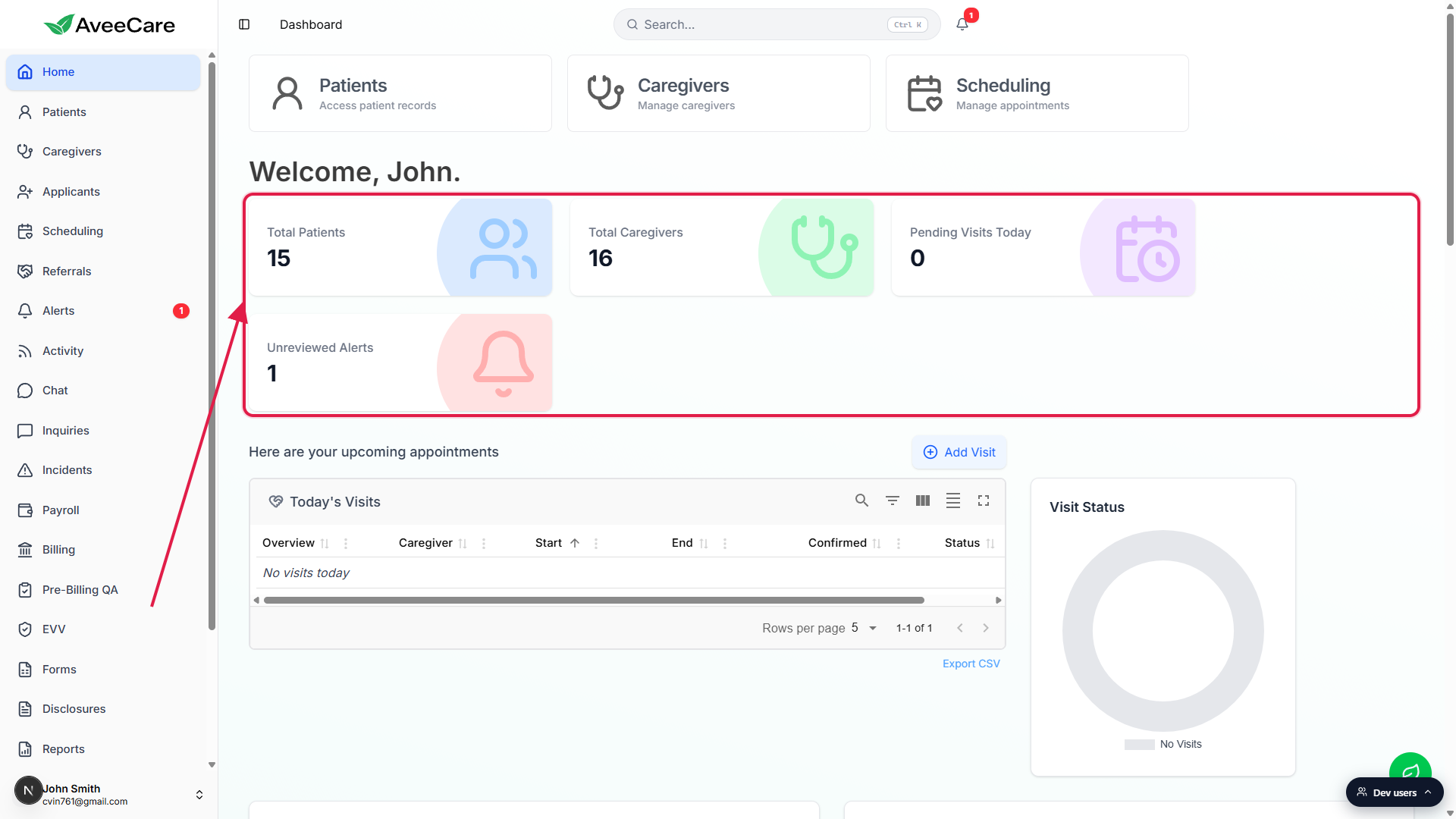
2. Read each tile
Each tile shows a label, a count, and a colored icon.
Total Patients is blue with a paired-people icon. Total Caregivers is green with a stethoscope. Pending Visits Today is purple with a calendar-and-clock. Unreviewed Alerts is red with a bell. The color treatment is consistent everywhere these counts surface in the app, so you can spot them by hue from across the room.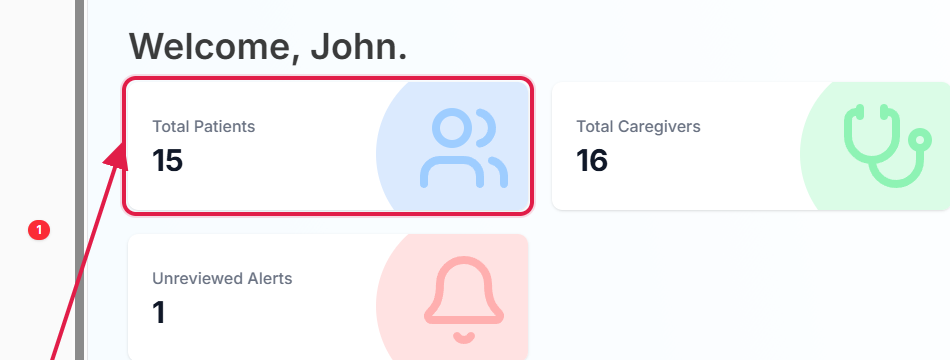
- Total Patients: every active patient on the tenant. Inactive patients (those you marked inactive on the Patients page) do not count. Brand-new tenants show 0; the count grows as you add or import patients.
- Total Caregivers: every active caregiver. Inactive caregivers are excluded. Same dataset that powers the Caregivers list.
- Pending Visits Today: visits with a start time today that have not moved out of Scheduled. Once a visit goes In Progress or Completed, it stops counting.
- Unreviewed Alerts: alerts no one on staff has clicked through yet. Once you open the alert detail or mark it reviewed, it drops out of the count.
Pending Visits Today resets at midnight in your timezone.
The number is for today only. After midnight, the count resets to tomorrow's pending visits. A 0 here means every scheduled visit for today has either started, finished, or has not yet been scheduled, not that nothing is on the books in general.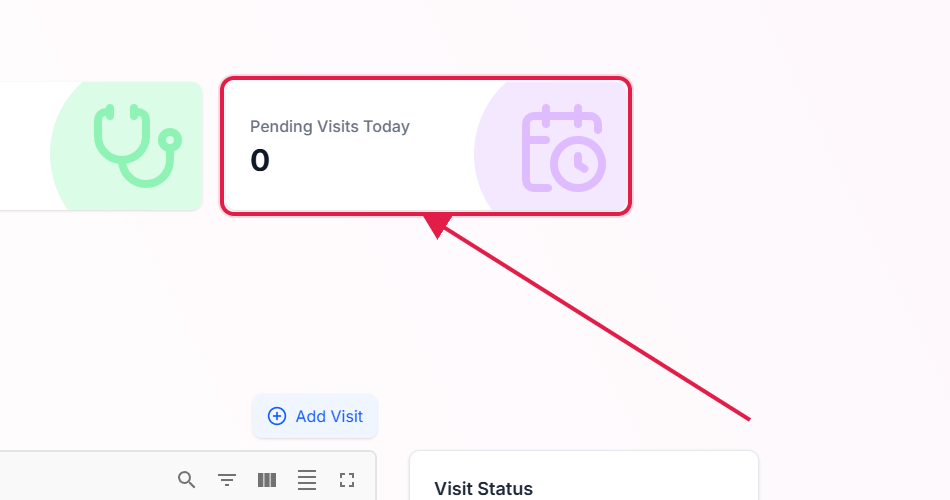
3. Click a tile to drill into the matching list
Each tile is a clickable shortcut. The cursor turns to a pointer and the card lifts on hover. Clicking a tile takes you straight to the page that owns the underlying records:
- Total Patients opens
/patientson the Active tab. - Total Caregivers opens
/caregiverson the Active tab. - Pending Visits Today opens
/activity, the live activity feed where today's pending visits are listed alongside the rest of the tenant's real-time events. - Unreviewed Alerts opens
/alertsso you can triage the ones nobody has touched.
Click Total Patients on the dashboard.
You land on the Patients page with the Active tab already selected. Toggle to Inactive if you need to find someone who has been deactivated.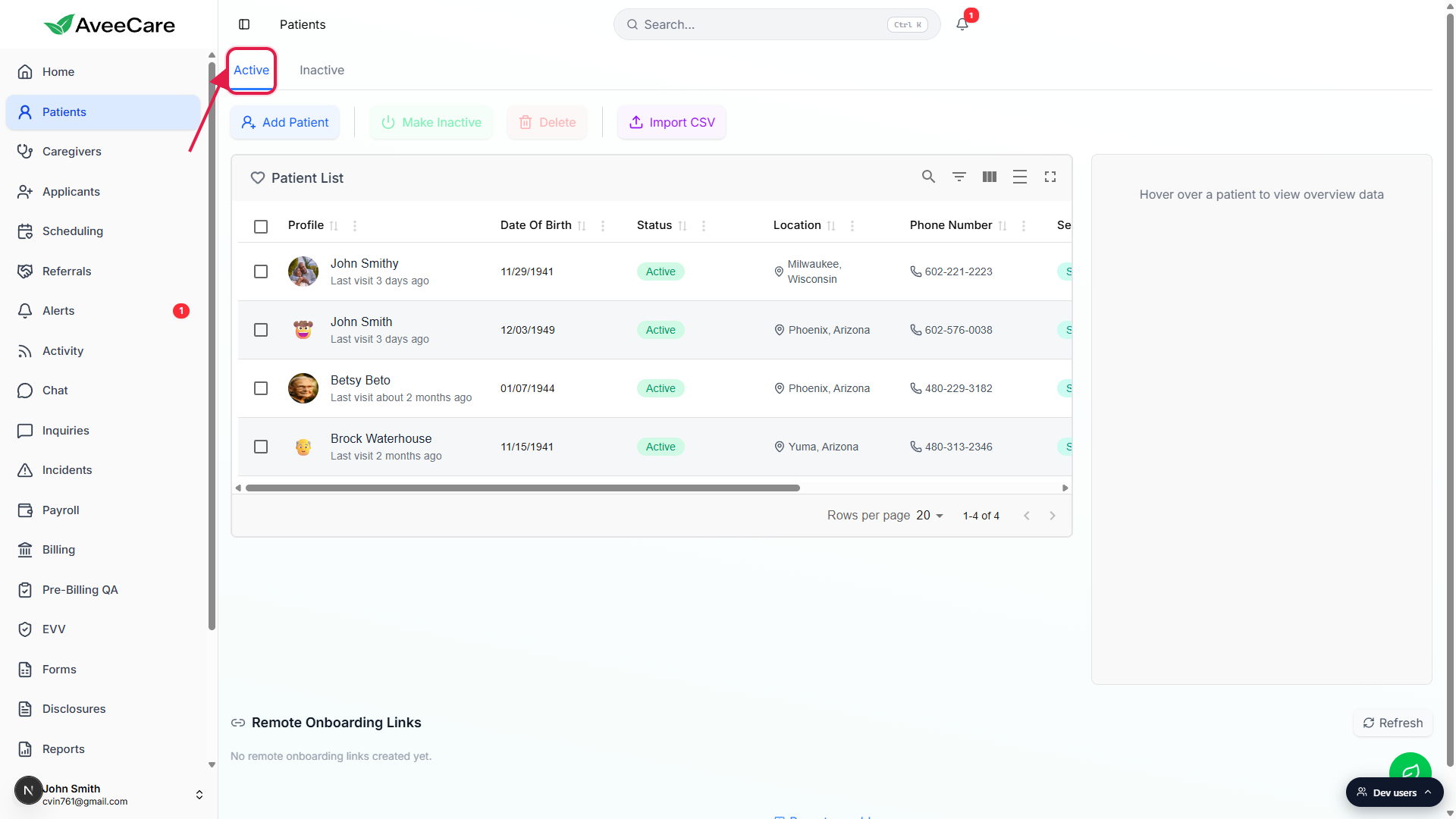
How counts update
The tiles re-fetch every time you land on the dashboard. They are a live query against the database. There is no nightly batch and no caching layer between you and the data, so if a coworker just marked a patient inactive, your tile drops by one the next time you come back to the dashboard.
Common pitfalls
- Inactive records are not counted. If your Total Patients tile shows 12 but your Patients page shows 30, the other 18 are inactive. Toggle the Inactive tab to see them.
- Pending Visits Today resets at midnight. The number is for today in your timezone. After midnight, the count resets to tomorrow's pending visits, so “0 at 11:59 PM” and “0 at 12:01 AM” mean two different things.
- Unreviewed Alerts is not the total alert count. The full alert history lives on
/alerts. The KPI counts only the ones nobody has clicked through, so a coworker reviewing an alert can drop your count to 0 without you ever seeing the alert. - The fourth tile wraps to a second row. At 1920px three tiles fit across and Unreviewed Alerts moves to a new line. That is expected, not a layout bug. Narrower viewports wrap sooner.
Related
Frequently asked questions
/patients, Total Caregivers to /caregivers, Pending Visits Today to /activity, and Unreviewed Alerts to /alerts./alerts to see the full history regardless of review state.