Care Plans Due for Review is a warning panel near the bottom of the dashboard. It lists every care plan whose review date is within the next 30 days, plus anything already overdue, so a missed review never hides on a patient profile until an audit finds it.
Quick answer
Open Home and scroll past Recent Alerts and Credential Expirations. The clipboard-icon panel Care Plans Due for Review lists each patient with a plan coming due, with the review date and a days-remaining or overdue pill. Click a row to land on that patient's Care Plans tab and run the review.
1. Find the panel on the dashboard
Scroll to the bottom of the dashboard.
The panel sits between Credential Expirations above and New Overnight Inquiries below. The header has a small clipboard icon and a blue count badge when anything is due.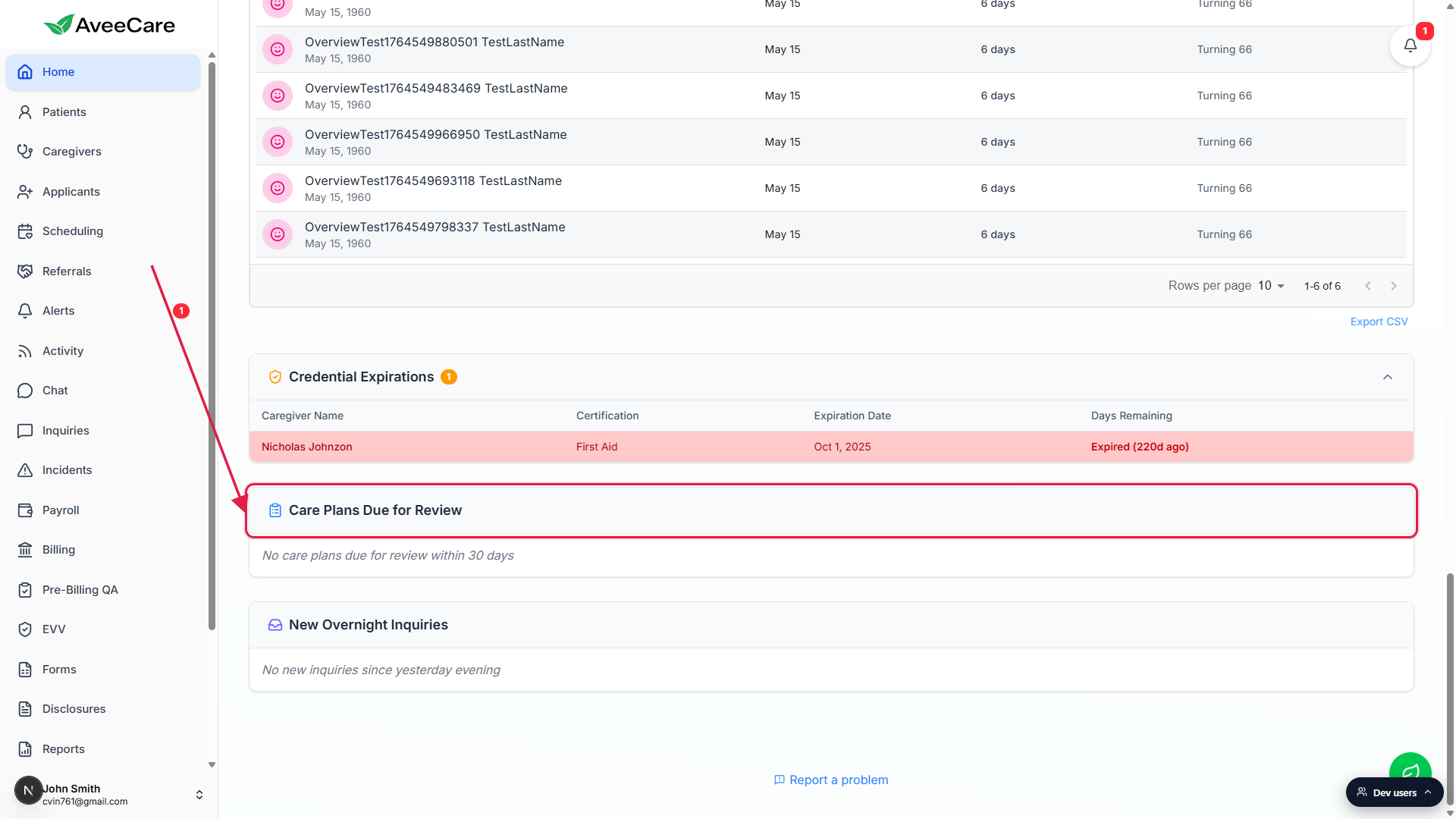
When nothing is due, the panel shows an empty-state line.
The italic text No care plans due for review within 30 days means exactly that. It is the all-clear state, not an error or a missing data warning.
2. Read the row for each patient
When plans are due, each row in the panel shows:
- Patient name. First and last, in bold at the top of the row.
- Plan title. The name of the specific care plan that needs reviewing (a patient can have several).
- Review due date. The date the next review is owed by, formatted as month, day, year.
- Status pill. Either Nd remaining in blue (more than 7 days), amber (7 days or fewer), Due today, or red Overdue by Nd when the date has already passed.
Overdue rows pick up a soft red background so they jump out of the list first. The panel shows up to ten rows at a time. If more plans are due, a View All button at the bottom of the panel jumps you to the full Patients list so you can filter from there.
3. Open the patient and run the review
Click the row for the patient you want to review.
The whole row is clickable. You land on the patient's record with the Care Plans tab already selected.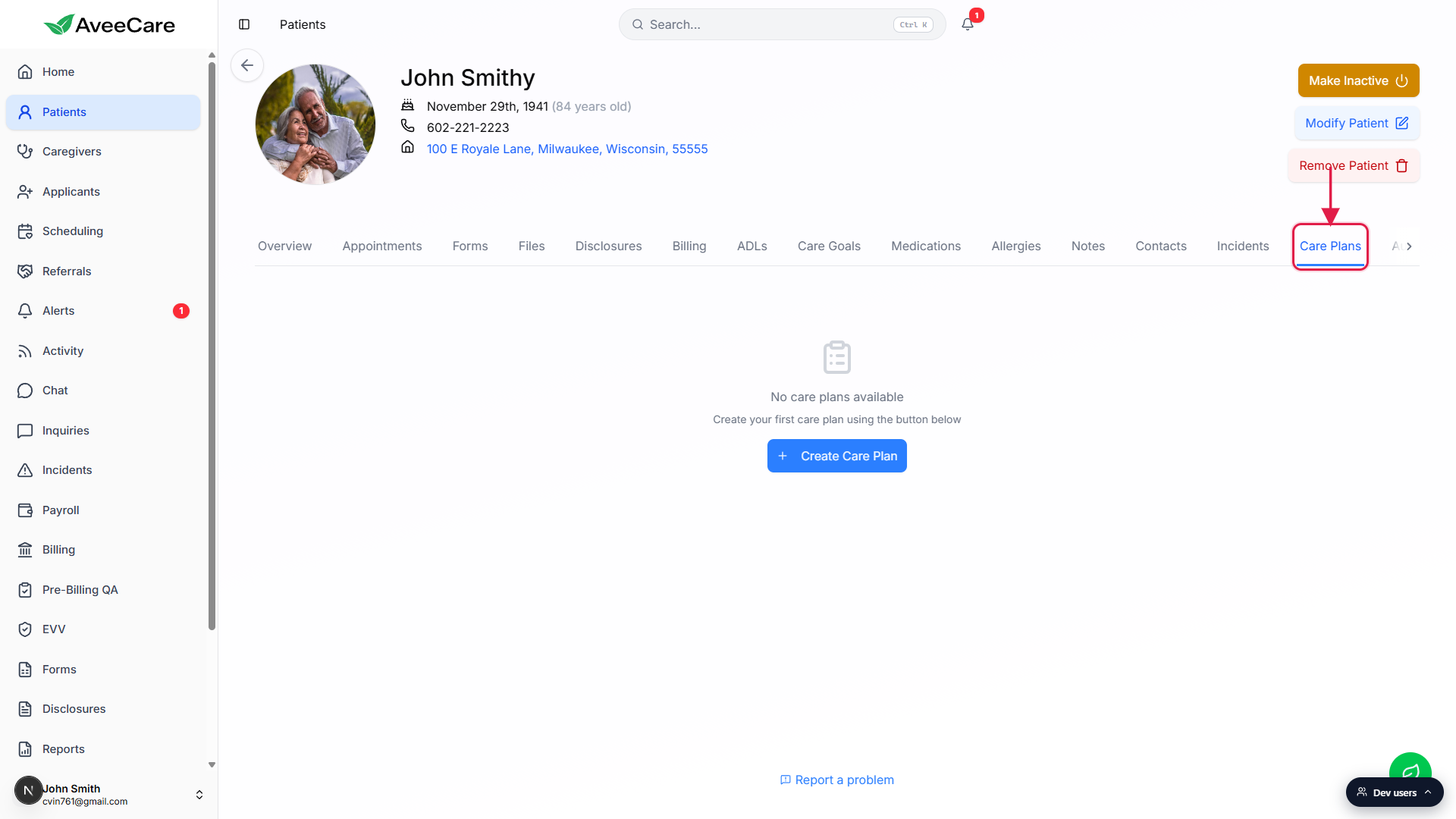
Find the plan that was flagged and step through it.
Mark goals complete or update them. Capture progress notes. Add new goals if the patient's situation has changed since the last review.Save a new review date on the plan.
The next review date rolls forward by your agency's cadence (typically 30, 60, or 90 days). Once the new date is more than 30 days out, the row drops off this dashboard panel until that date approaches.
Common pitfalls
- No review date on the plan. A care plan without a review schedule never appears here. Set a review date when you build or edit the plan to opt it into this dashboard reminder.
- Closing the plan instead of rolling it forward. If you mark the plan complete instead of saving a new review date, the row drops off, but a brand-new plan now has to be authored. For ongoing care, update the review date on the existing plan.
- Reviewing offline and forgetting to save. If the review happens in the field but the new date never gets saved in AveeCare, the panel keeps flagging the plan. Always close the loop in the app.
- Treating the empty state as a bug. No care plans due for review within 30 days is the all-clear message, not an error. If you expected rows and see none, check that the plans you care about actually have review dates set.
- Ignoring the red overdue rows. Overdue rows go on top with a red background for a reason. Surveyors and Medicaid auditors flag overdue care plan reviews, so clear those first.