If your state collects Medicaid visit data through HHAeXchange or Sandata, AveeCare can send your visits there for you. Your aggregator only connects a vendor after the agency asks for it, so the first move is yours. This page covers what to ask for, what to include, and what happens after.
Quick answer
Tell your aggregator that AveeCare is your EVV vendor. In HHAeXchange states, name AveeCare on the provider enrollment form and open a third-party integration ticket. In Sandata states, send a vendor change request with your agency details and AveeCare as the new vendor. Then email us the ticket number. The aggregator contacts AveeCare, we pass testing for your state, and from then on your visits go out without you uploading anything.
1. Get your agency details ready in AveeCare
In Settings, check EVV State Configuration.
Pick your State. The Aggregator and Export Format fill in for you, so this is also the quickest way to see whether your state uses HHAeXchange or Sandata. If you do not see the section, turn on Electronic Visit Verification (EVV) first. The per-state EVV configuration guide walks through it.Fill in Provider information.
Enter your NPI, Tax ID and State Medicaid Provider ID. The aggregator matches your visits to your agency with these, and the request in the next steps asks for the same numbers.Find your aggregator account details.
For Sandata, find your STX number in the welcome email Sandata sent when your agency was set up. For HHAeXchange, have your Tax ID and the email address you enrolled with.
2. Name AveeCare as your vendor in HHAeXchange
Complete your state’s HHAeXchange provider enrollment form and name AveeCare as your EVV vendor.
Each state has its own form, linked from that state’s page in HHAeXchange’s provider information center. Minnesota’s, for example, is on the Minnesota information page. Where it asks which EVV system you use, choose the third-party option and enter AveeCare. If you enrolled before, you do not need a second form. Go straight to the ticket.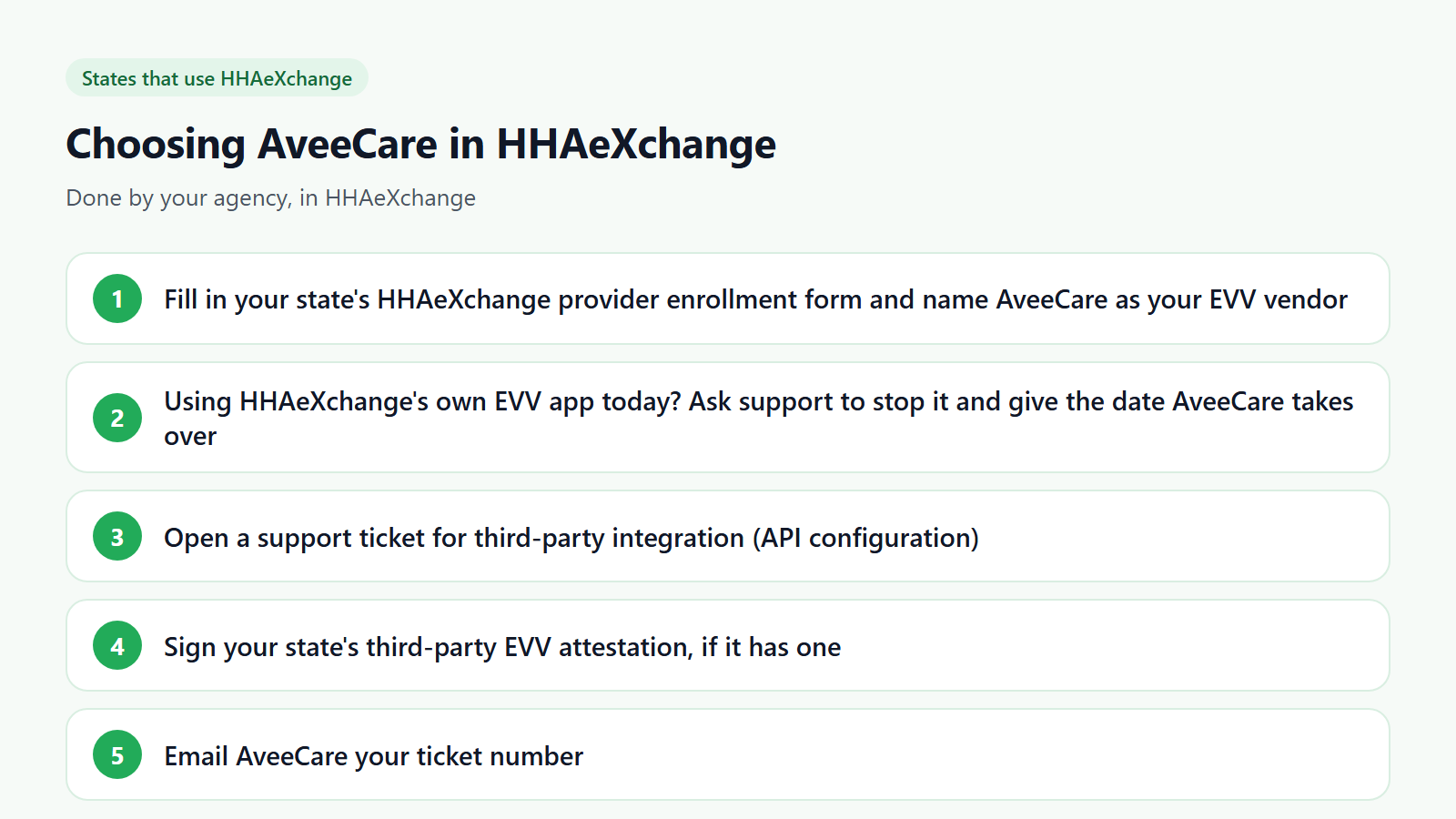
If your caregivers use HHAeXchange’s own EVV app today, ask to stop it.
In the same ticket, ask HHAeXchange to discontinue its EVV tools for your agency and give the date your caregivers start clocking in with AveeCare. Before that date, finish any visits still waiting in HHAeXchange billing review, because once the new connection is on, billing runs from AveeCare’s visit data.Open a third-party integration ticket.
Go to the HHAeXchange support request page, choose third-party integration support, and ask for an API configuration with AveeCare as your vendor for your state’s EVV program. Include your agency name, Tax ID, NPI and state.Sign the state attestation if your state has one.
Some states ask agencies that use a third-party system to sign a short attestation. Minnesota does. Your state’s EVV page or the ticket reply will tell you.
3. Or send Sandata a vendor change request
Open a ticket or email Sandata support asking to change your EVV vendor to AveeCare.
Use the Sandata and HHAeXchange support portal or the customer care email address in your Sandata welcome email. Sandata reaches out to the vendor contact you give it, so copy the AveeCare details exactly.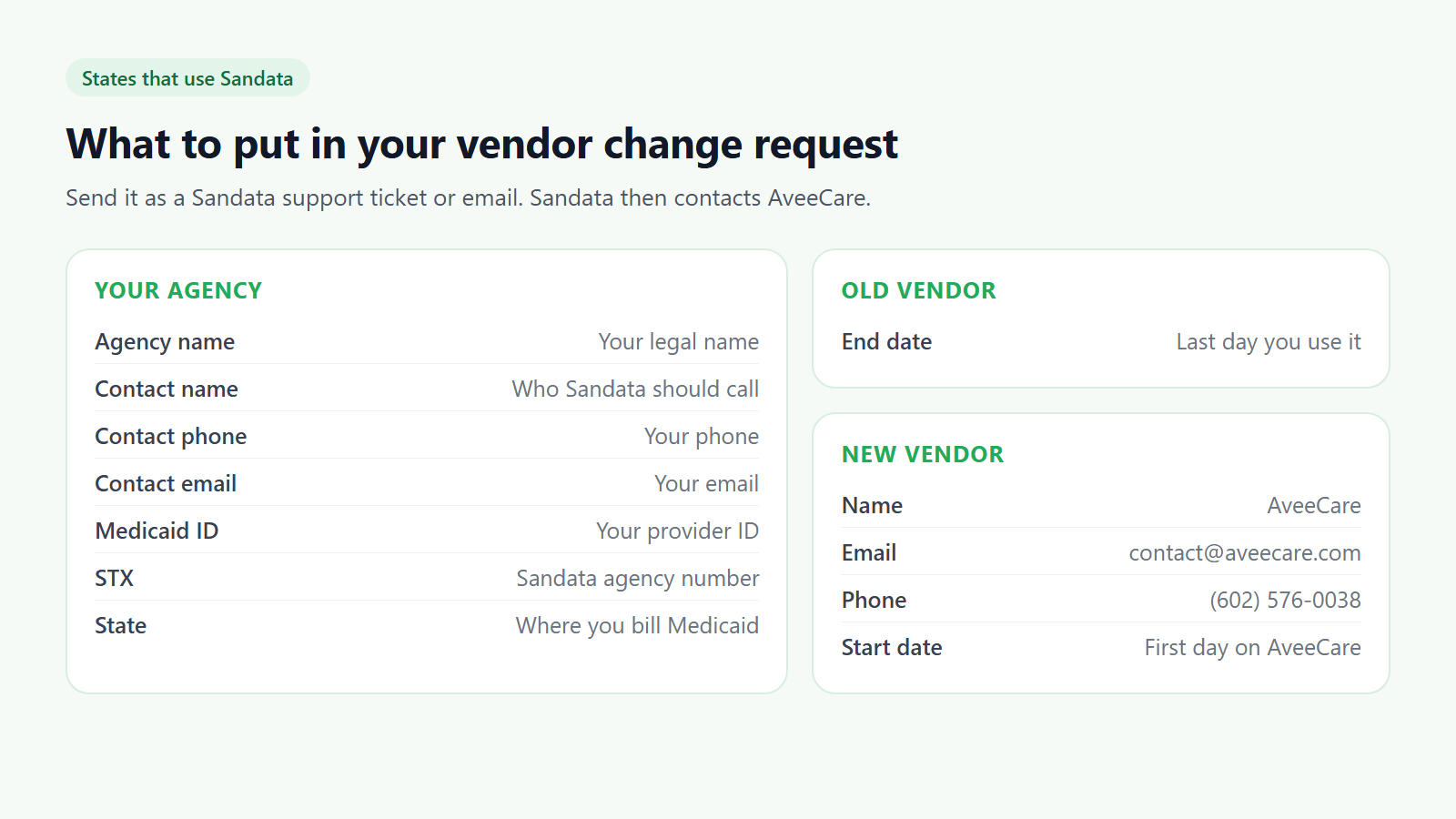
Include your agency, old vendor and new vendor details.
Your agency: agency name, contact name, contact phone, contact email, Medicaid ID, STX and state. Old vendor: the last day you use it, if you are switching. New vendor: AveeCare, contact@aveecare.com, (602) 576-0038, and the first day your caregivers clock in with AveeCare.Use your state’s own form if it has one.
A few Sandata states collect this through a state registration portal or form instead of a ticket. If your state’s EVV page lists one, fill that in and name AveeCare there.
4. Send AveeCare your ticket number
Email contact@aveecare.com with your ticket number and state.
That lets us watch for the aggregator’s message and start registration the same day. We register as your vendor, run the aggregator’s tests for your state, and tell you when visits start going out from AveeCare.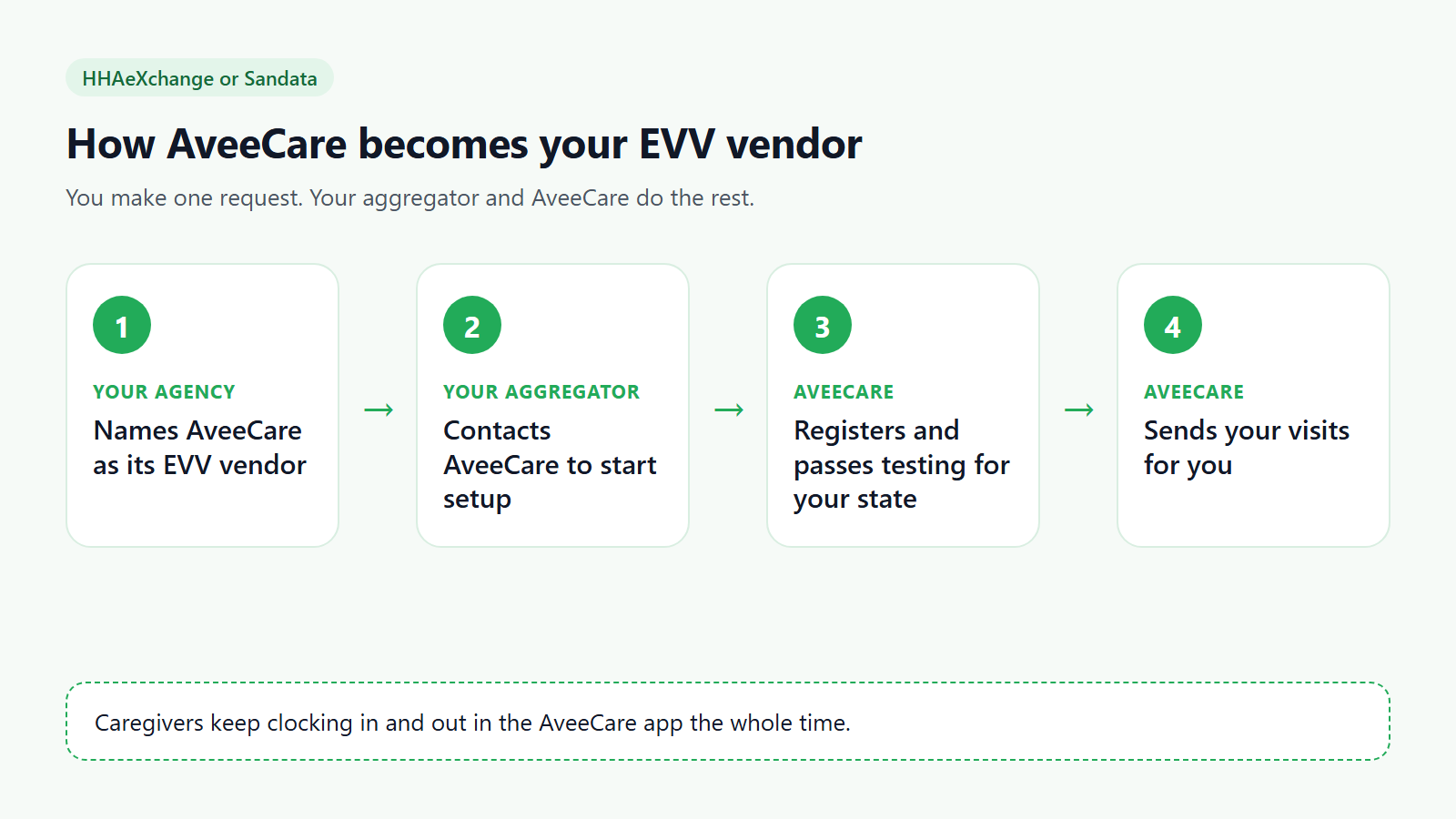
Answer the aggregator if it asks you to confirm.
Some aggregators email the agency to confirm the choice of vendor before they continue. A quick reply keeps things moving.
5. Keep your visits moving until the connection is live
Keep capturing visits in AveeCare.
Visits from before the connection is approved stay in AveeCare with their clock-in and clock-out times, so nothing has to be entered twice.If your aggregator lets you upload files while you wait, export them from EVV.
On the EVV page, pick the date range, select the visits, and press Export selected for submission. The file is in your aggregator’s format, such as HHAeXchange V5 CSV or OpenEVV / altEVV JSON (Sandata). After you upload it, press Mark as sent and add the confirmation number so you have a record for audits.
Common pitfalls
- Running two EVV systems at once. Most states, Minnesota included, expect one system per agency. Pick a start date and move every caregiver to AveeCare on that day.
- Giving your Medicaid ID where Sandata asks for STX. They are different numbers. STX is your Sandata agency number from your welcome email.
- Identifiers that do not match. The NPI and Medicaid ID in AveeCare Settings must match what the aggregator has on file, or your visits will be rejected.
- Leaving visits in HHAeXchange billing review when you switch. Clear them before your start date. After the switch, billing follows AveeCare’s visit data.
- Counting a downloaded file as submitted. A file in your downloads folder has not reached the state. Upload it, or wait for the connection.
Related
- Per-state EVV configuration, to check which aggregator your state uses.
- EVV dashboard, to review and fix visits before they go out.
- EVV data table and exports, for every export format.
- Caregiver clock-in and clock-out, for what your caregivers do on their phones.