Build the app your caregivers and clients actually use.
Two Settings tabs, Caregiver Experience and Patient Experience, decide what is in each app and how a visit is done, with a live phone beside you. A built-in training then walks each person through your version of the app on a sample client.
What you can change
Menu and pages
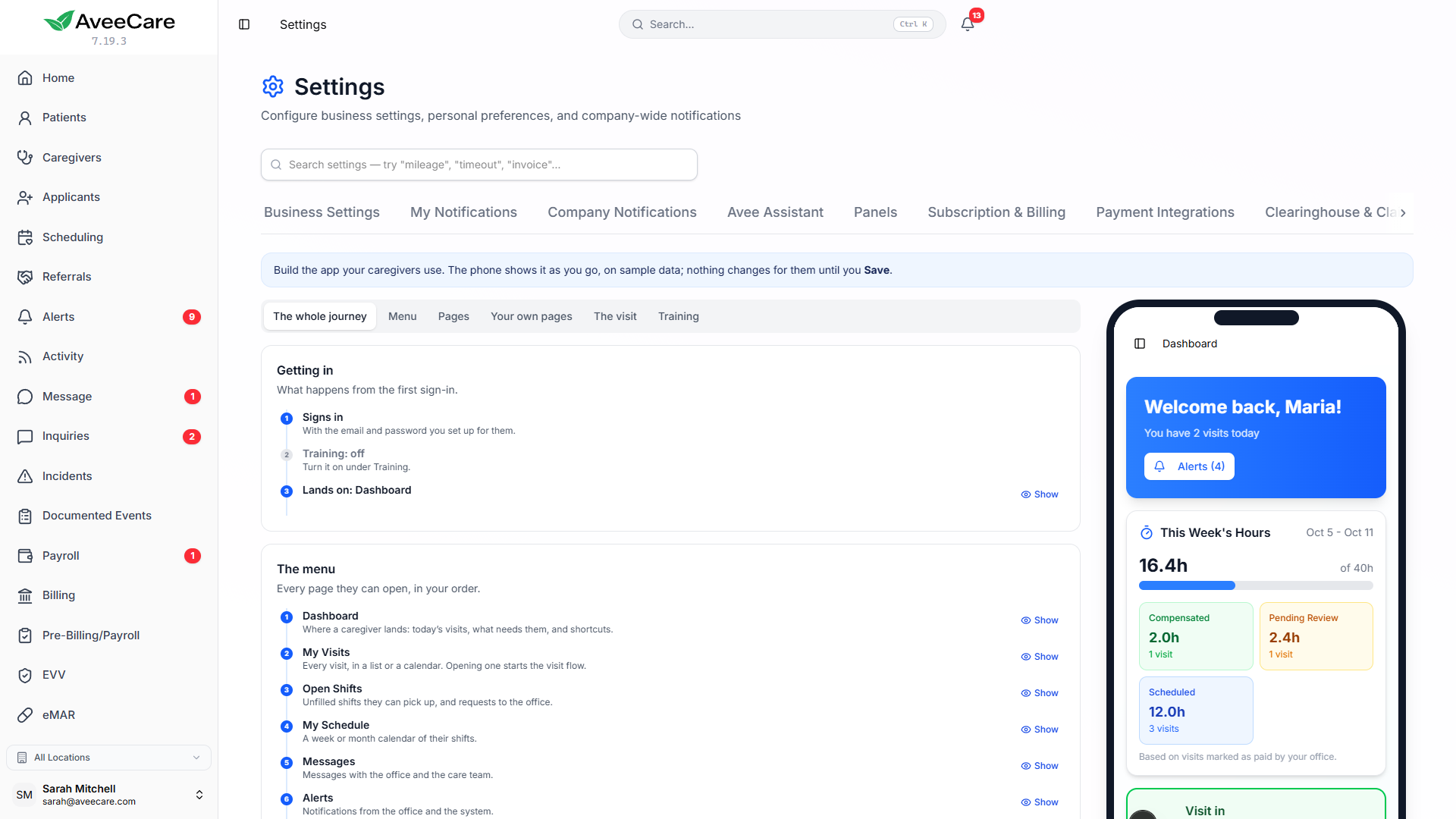
Put the pages in your order, rename them or switch one off, and choose the page people land on. Reorder, hide and rename the parts of each page.
Your own pages
Add whole pages of your own, such as a handbook or a safety page, with notices, text, links, contacts, checklists and videos.
How a visit is done
An arrival checklist before Start Visit, the order of the End Visit steps, how ADLs are answered, and statements the caregiver confirms in your words.
Training on your version
A hands-on walkthrough built from your settings, practised on a sample client. Offer it, remind people, or require it before they use the app.
A live phone beside you
See every change before your caregivers do
Each tab shows a phone running that app on sample data, and the phone changes as you edit. The whole journey lists every screen in order, from signing in to submitting a visit, and Show on any step opens it in the phone.
Nothing changes for your caregivers or clients until you press Save. A page you switch off leaves the menu, its shortcuts go too, and its web address says it is not part of your app.
The visit
Your check-out, in your order
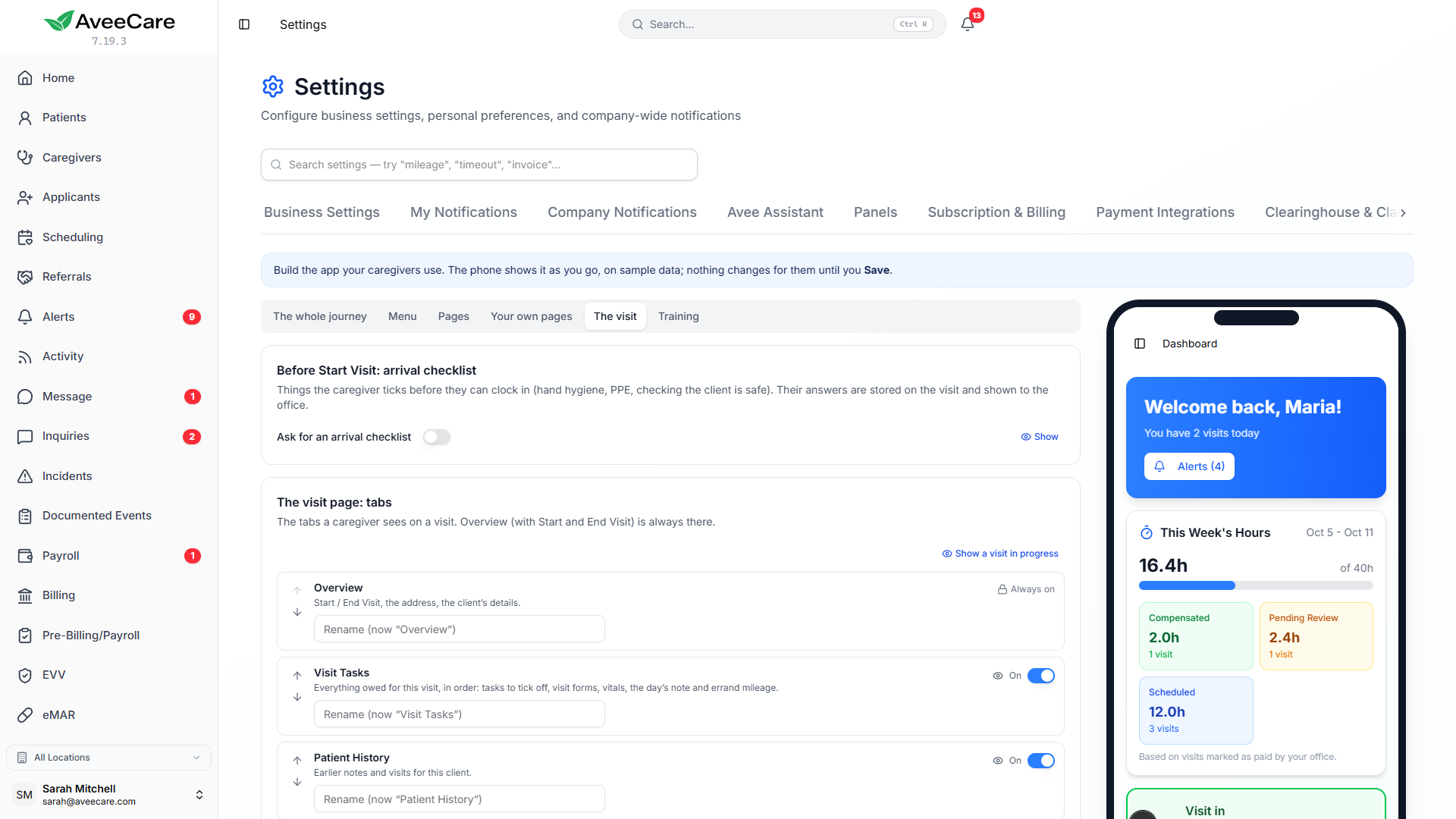
Choose which tabs and buttons the visit page shows, add an arrival checklist, and set the order of the End Visit steps: tasks and ADLs, medications, forms, statements and the closing note. The EVV steps always come last and follow your EVV settings.
ADLs can be answered with a tick, a status such as Done, Partly done, Client refused or Not needed today, or a level of help, and you can require a reason when one was not done. Answers are stored on the visit, and the office sees them under Visit checklist answers.
- The same steps apply when a caregiver uses a visit link sent by text.
- A step with nothing to ask on a visit, such as no medications due, is skipped.
- A closing note can ask your own question, with a minimum length.
App training
Teach the app they will actually see
The training is built from your settings, so it teaches your menu, your page names and your visit steps, and follows when you change them. Each person practises a whole visit from start to finish on a sample client, and nothing they do there is saved or sent.
Choose how it is offered: off, in the menu, in the menu with a reminder banner until they finish, or required before they can use the app. See who has taken it and when, and ask everyone to take it again after a big change.
An app that matches how your agency works
Shape the caregiver and family apps from Settings, preview every change on a phone, and train people on the version they will use.