Home Care Scheduling Technology: Software Features, Benefits & Selection Guide
The right home care scheduling software transforms how agencies manage visits, caregivers, and compliance. Manual scheduling with spreadsheets and phone calls costs agencies 8-15 hours per week and leads to missed visits, overtime overruns, and caregiver frustration. This guide covers every feature to look for in a caregiver scheduling software, compares manual vs automated workflows, and helps you calculate the ROI of investing in a home care scheduling system. Want to explore the automation side? Our scheduling automation guide covers every level from basic to AI-driven.
Why Scheduling Technology Matters for Home Care
Home care scheduling software is the operational backbone of every home care agency. Scheduling determines which caregiver visits which client, when, and for how long. When done poorly, scheduling leads to missed visits, compliance violations, overtime costs, and caregiver burnout. A modern caregiver scheduling app replaces this chaos with organized, automated workflows.
The numbers tell the story: agencies using scheduling technology for home care report 60-80% fewer scheduling errors, 30-50% reduction in missed visits, and 15-25% improvement in caregiver retention. For scheduling coordinators, the right home care scheduling system eliminates hours of phone calls, spreadsheet updates, and manual conflict checking every week. If you are also evaluating broader agency software platforms, our home care software selection guide walks through the full evaluation process.

Key Features of Home Care Scheduling Software
When evaluating a caregiver scheduling software solution, these are the features that matter most. Each feature is rated by its operational impact. The best home care scheduling apps combine all of these into a unified platform.
Multiple Calendar Views
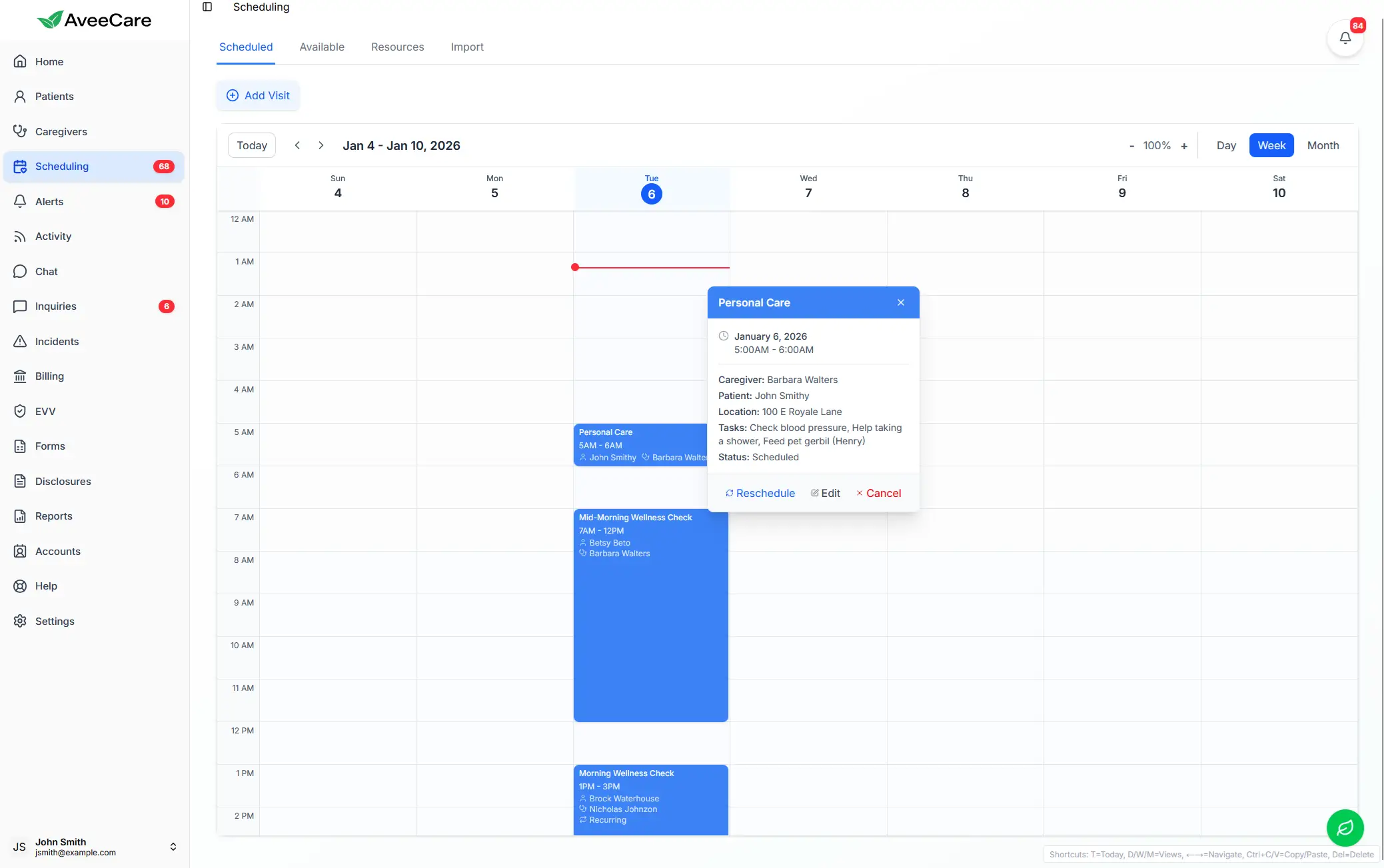
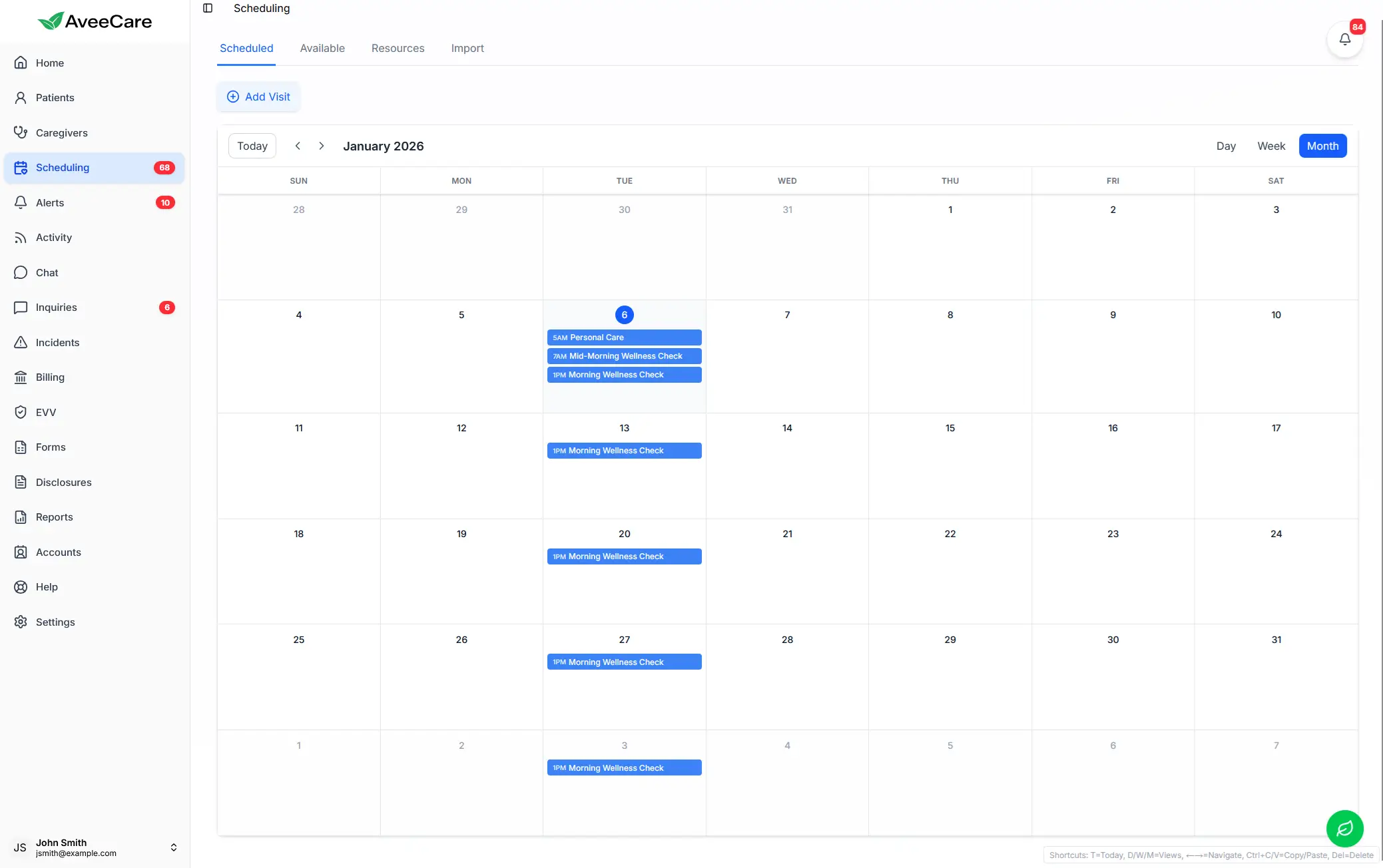
Day, week, month, and resource views to visualize schedules from different perspectives
Drag-and-Drop Scheduling
Intuitive drag-and-drop interface for creating, moving, and modifying visits quickly
Availability Matching
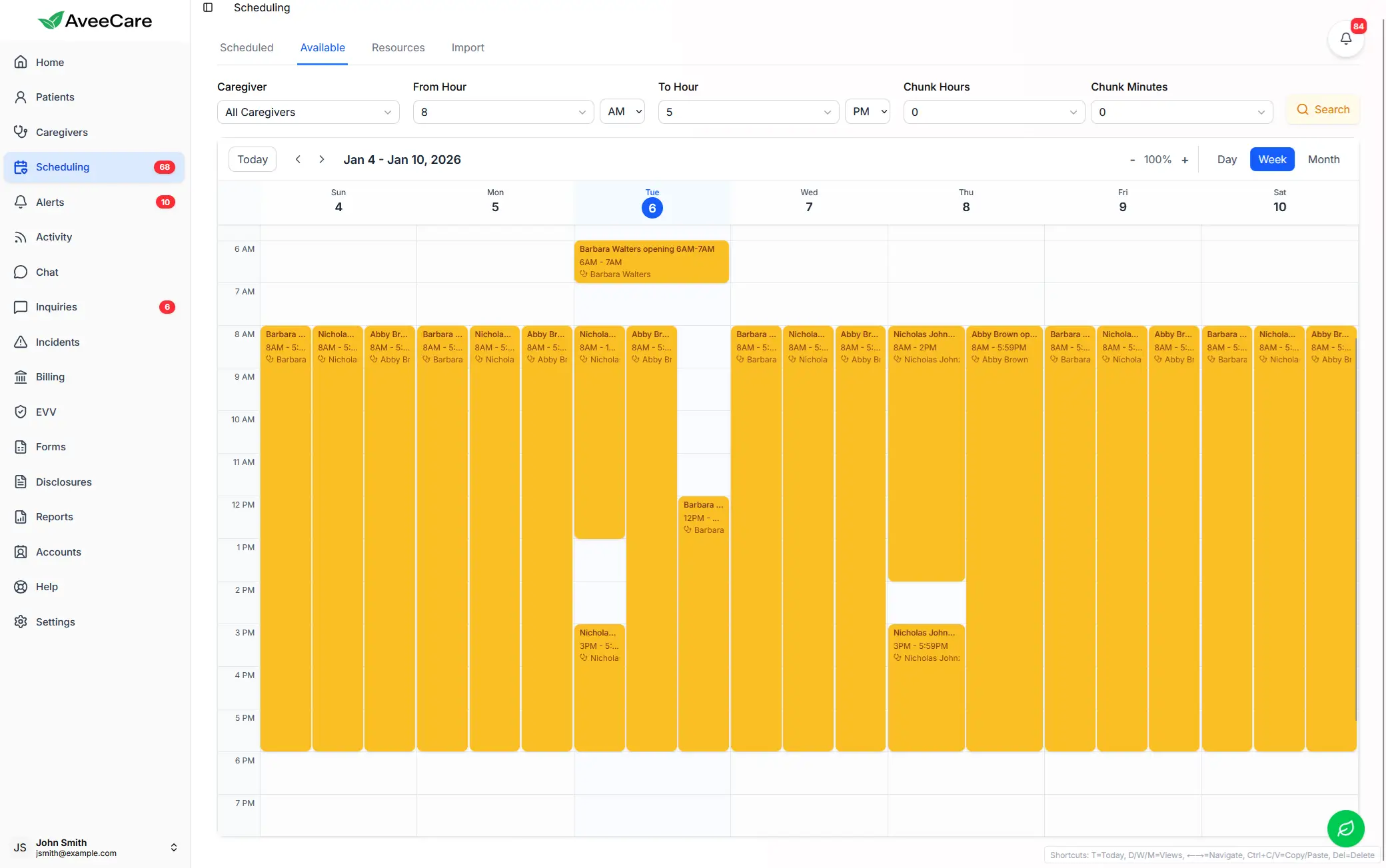
Automatically match available caregivers to open visits based on skills, location, and preferences
Conflict Detection
Real-time alerts when schedules overlap, caregivers are double-booked, or drive time is insufficient
GPS Visit Verification
Location-based verification that caregivers are at the right place at the right time
Mobile App Access
Caregivers view schedules, get updates, and manage shifts from their smartphones
Overtime Tracking & Alerts
Automated overtime calculations and alerts before thresholds are exceeded
Open Shift Management
Broadcast open shifts to qualified caregivers and track acceptance in real-time
Recurring Visit Scheduling
Set up recurring visit patterns (daily, weekly, custom) with automatic schedule generation
Bulk Visit Import
Import multiple visits at once from spreadsheets or authorization files
AI Scheduling Suggestions
AI-powered recommendations for optimal caregiver-client matching and route optimization
Billing & Payroll Integration
Scheduled visits flow directly into billing and payroll without manual re-entry
Week View
Month View
Availability
Scheduling Feature Priority Ranker
Rank the home care scheduling software features by importance to your agency. Use the arrows to move features up or down. Your top priorities should guide your software selection.
Your Top 3 Priorities
When evaluating home care scheduling software, ensure your top priorities are fully supported.
Scheduling Technology Savings Calculator
Enter your current scheduling metrics to estimate the annual ROI of investing in a home care scheduling system.
Estimated Annual Benefits
Based on 75% scheduling time reduction, 45% missed visit reduction, and overtime savings estimates. Actual results vary by agency.
Manual vs Automated Scheduling Comparison
See exactly how a home care scheduling system transforms daily scheduling workflows. This side-by-side comparison shows the time savings for common scheduling tasks when moving from manual to automated processes in a caregiver scheduling app.
| Task | Manual Process | Automated Software | Time Saved |
|---|---|---|---|
| Creating a daily schedule for 20 caregivers | 2-3 hours, check availability by phone/spreadsheet | 15-30 minutes, system shows available caregivers instantly | 75-85% |
| Filling an open shift | 30-60 min calling/texting caregivers one by one | 2-5 min, broadcast to all qualified caregivers at once | 90-95% |
| Handling a same-day callout | 45-90 min scrambling to find replacement | 5-15 min, system identifies qualified backups immediately | 80-90% |
| Checking for overtime before scheduling | Manual hours calculation for each caregiver | Real-time alerts flag overtime before you schedule | 95%+ |
| Verifying caregiver was on-site | Phone calls, paper timesheets | GPS auto-verification with timestamped check-in | 100% |
| Weekly schedule distribution | Print/email/text individual schedules to each caregiver | Instant push to mobile app with real-time updates | 95%+ |
| Generating schedule reports | Manual spreadsheet compilation | One-click automated reports with analytics | 90%+ |
Implementation Steps
Implementing a home care scheduling system successfully requires thoughtful planning and phased rollout. Follow these steps to maximize adoption and minimize disruption to your operations.
Audit Current Process
Document your current scheduling workflow, pain points, time spent, and error rates. This baseline will measure your improvement.
Define Requirements
List must-have and nice-to-have features using the Feature Priority Ranker above. Get input from coordinators and caregivers.
Vendor Evaluation
Compare scheduling technology for home care platforms. Request demos, check integrations with your billing/EVV systems, and verify mobile capabilities.
Data Migration
Import caregiver profiles, client data, recurring schedules, and availability preferences into the new system.
Pilot & Training
Start with a pilot group of 5-10 caregivers. Train coordinators thoroughly before expanding. Create quick-reference guides.
Full Rollout & Optimize
Roll out to all staff. Monitor adoption metrics, gather feedback, and refine workflows continuously.
Selection Criteria for Scheduling Technology
Beyond features, these criteria should guide your selection of a home care scheduling app. The best scheduling technology for home care is one that integrates with your entire workflow rather than functioning as a standalone tool.
Ease of Use
Coordinators and caregivers should be productive within hours, not weeks. Avoid complex systems that require extensive training.
Mobile Experience
The caregiver scheduling app must work flawlessly on smartphones with push notifications, offline access, and intuitive navigation.
Transparent Pricing
Look for clear per-user or flat-rate pricing. Avoid platforms that require demos just to see costs or lock you into long-term contracts.
All-in-One Platform
Scheduling that integrates with billing, payroll, EVV, and patient management eliminates data silos and re-entry.
Real-Time Updates
Schedule changes should push instantly to all affected parties. Delays in communication lead to missed visits and confusion.
Compliance Built-In
EVV integration, overtime alerts, and audit trails should be native features, not afterthoughts or add-ons.
Frequently Asked Questions
Essential features include multiple calendar views (day, week, month), drag-and-drop scheduling, caregiver availability matching, conflict detection and alerts, GPS-based visit verification, mobile app access, overtime tracking, open shift management, recurring visit scheduling, bulk import, and integration with billing and payroll systems. Advanced features include AI-powered scheduling suggestions.
Home care scheduling software typically saves 8-15 hours per week in coordinator time. For a mid-size agency with 50-100 caregivers, this translates to $15,000-$35,000 annually in labor costs. Additional savings come from 10-20% reduction in overtime, 30-50% fewer missed visits, and 60-80% faster open shift filling.
Manual scheduling relies on spreadsheets, whiteboards, or paper calendars with phone-based shift filling. Automated scheduling software provides real-time availability views, automatic conflict detection, one-click shift offers, GPS verification, overtime alerts, and billing integration. Automated systems reduce scheduling errors by 60-80%.
Modern scheduling software connects visits directly to the EVV system. When caregivers clock in via GPS on their mobile app, the EVV system automatically verifies caregiver identity, location, time, and services. This eliminates double-entry and ensures compliance with the 21st Century Cures Act EVV mandate.
Yes. PHI research shows schedule instability is a top driver of caregiver turnover (65-80% annually). Scheduling software helps by respecting availability preferences, providing consistent schedules, reducing last-minute changes, offering mobile access, enabling self-service shift swaps, and reducing drive time. Agencies report 15-25% retention improvements.
Costs range from $50-$300/month for small agencies (under 25 caregivers), $200-$800/month for mid-size (25-100), and $500-$2,000+/month for large agencies (100+). All-in-one platforms like AveeCare include scheduling with billing, payroll, and more, providing better value than standalone scheduling tools.
Sources & References
Labor & Compliance
Scheduling Made Simple with AveeCare
AveeCare includes powerful home care scheduling software with multiple calendar views, drag-and-drop scheduling, availability matching, overtime alerts, recurring visits, bulk import, and a mobile caregiver scheduling app -- all integrated with billing, payroll, and EVV in one platform.
Transparent pricing. No mandatory demos. Trusted across all 50 states.
Disclaimer: This article is for informational purposes only and does not constitute financial or operational advice. Time and cost savings estimates are based on industry averages and actual results vary based on agency size, current processes, and implementation quality. Pricing information is approximate and subject to change. Published April 3, 2026.