Caregiver Scheduler App: How to pick one that actually works
A practical guide for home care agency owners. Try the live mini-scheduler below, then read what to look for before you sign anything.
Quick answer
The right caregiver scheduler app saves a small home care office 6–9 hours a week. The wrong one costs more than the spreadsheet you came from. Jump to the live mini-scheduler ↓
Try a live mini-scheduler
This is a stripped-down version of how AveeCare schedules visits. Click any empty cell to add a visit. Click the X on a visit to remove it. We highlight overlap automatically, the kind of catch a spreadsheet misses.
The real AveeCare scheduler does this with recurring visits, certification matching, mileage between visits, overtime alerts, EVV export, and a caregiver mobile app on top. See live pricing or try the full self-service demo.
The 6 jobs it has to do well
Skip vendor wishlists. These are the only six that matter on day one.
Recurring visits in one click
Most home care visits repeat weekly. Setting up a recurring visit should take seconds, not menus.
Certification + preference matching
When you assign a caregiver, the app should silently check certification, language, allergies, client preferences, and travel distance.
Caregiver mobile app
Caregivers see today's schedule, accept open shifts, message the office, and clock in. Office phone calls drop by half.
Overtime + missed-visit alerts
Soft-warn at 35 hours, hard-block at 40. Alert when a caregiver hasn't clocked in 10 minutes after the visit start time.
EVV in the base plan
GPS clock-in/clock-out captured at the visit, exported to the state aggregator. Not an upsell.
Hand-off to billing
Confirmed visits flow into payroll and billing without re-keying. A scheduler that doesn't connect to billing is half a tool.
Need a deeper framework? See our how to choose home care software guide.
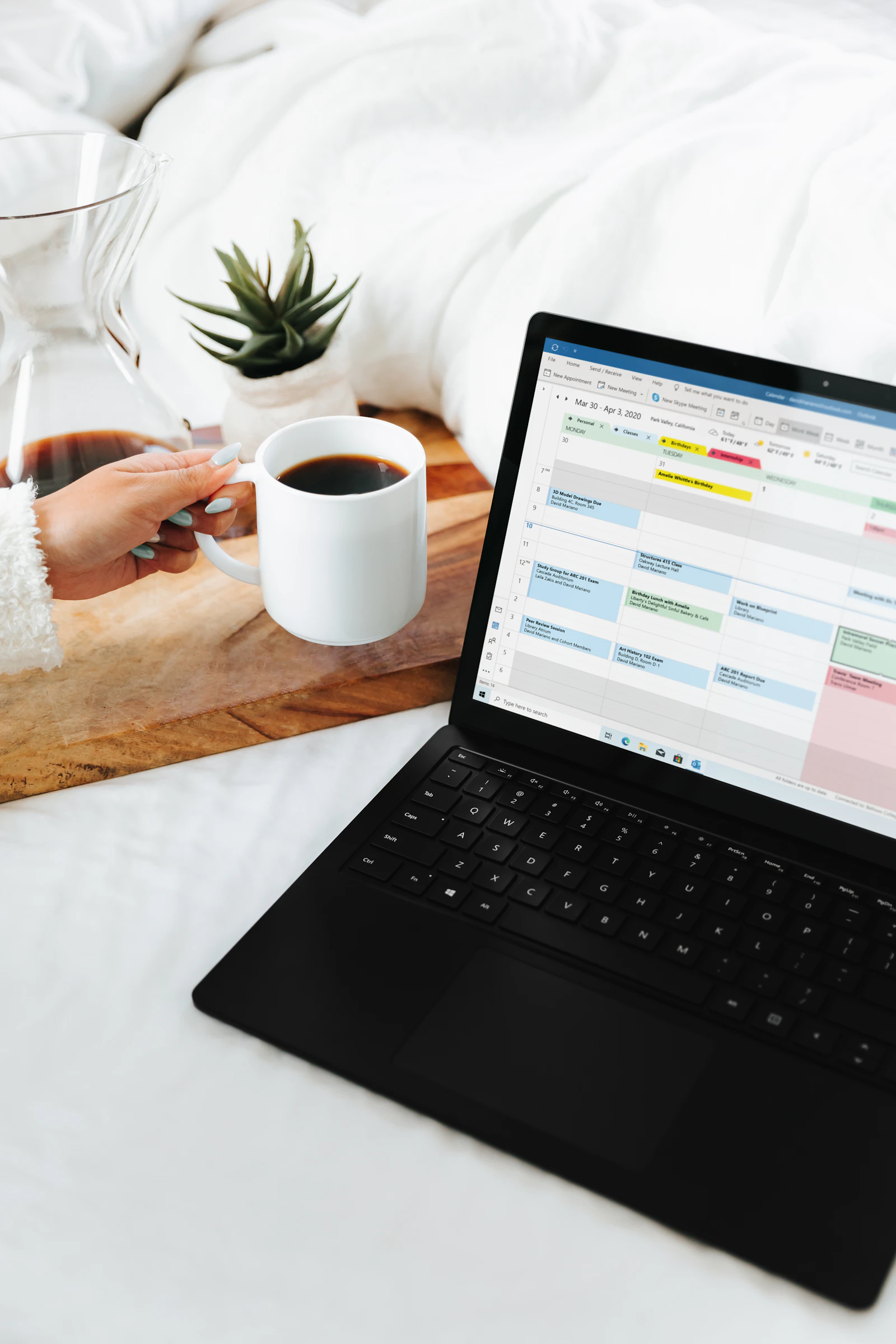
A good scheduler app should let you review the whole week from the kitchen counter.
Pick your size. Find your bottleneck.
The right tool changes as you grow. Tap a tier to see what breaks.
You lose 1–2 hrs every Sunday rebuilding the schedule.
For agencies past 25 clients, our growing your agency guide breaks down each transition.
Try the live demo, no sales call
Open the live demoScheduling models compared: spreadsheet vs. generic vs. home-care-specific
A spreadsheet is fine when you have five clients and the owner schedules everyone personally. A generic team scheduler (the kind built for retail or restaurant shift management) is fine until you start billing Medicaid and discover that the tool has no concept of EVV or service-code-specific staffing requirements. A home-care-specific caregiver scheduler app is built around the relationships your agency actually cares about: client preferences, caregiver certifications, EVV deadlines, payer rules, and the realities of in-home work.
Each tier has a sweet spot, and each has a cliff where the trade-offs stop working. Here's where each one lives and breaks:
Spreadsheet
- Free
- Familiar to almost everyone
- No callout alerts
- No EVV
- No mobile app for caregivers
- Breaks at scale
- Compliance risk if you bill Medicaid
Generic team scheduling tool
- Cheap
- Quick to set up
- No client side
- No EVV export
- No Medicaid awareness
- Cannot bill from it
Home-care-specific scheduler app
- Built around clients + caregivers
- EVV included
- Mobile app for caregivers
- Connects to billing
- Overtime + travel-time logic
- More to learn at first
- Pricing varies a lot, read the contract
When to switch (and when to wait)
The most common mistake is switching too late. The second most common is switching too early. The trigger we see actually predict a successful migration is when the office staff start saying any of these out loud:
- "I spent the whole weekend redoing the schedule."
- "I have no idea who's on what shift right now."
- "Three caregivers texted me at 6am."
- "Why does Medicaid keep denying these claims?" (Often: EVV mismatch.)
If two or more of these are weekly events, you're past the cliff for whatever you're using now. For a financial-impact view, plug your numbers into the time-savings calculator below.
The caregiver mobile app matters more than the office UI
Office staff schedule. Caregivers follow the schedule. If your scheduler app makes caregivers miserable, your retention falls and your schedule falls apart with it.
The home care direct-care workforce turns over at roughly 64–77% a year, per PHI's 2025 workforce report. The cheapest retention win you can buy is a caregiver app they actually like.
- Today's schedule visible the moment they open the app
- One-tap accept on open shifts
- GPS clock-in handled in the background
- In-app messaging so they aren't calling at midnight
- Pay-stub access so they don't email payroll
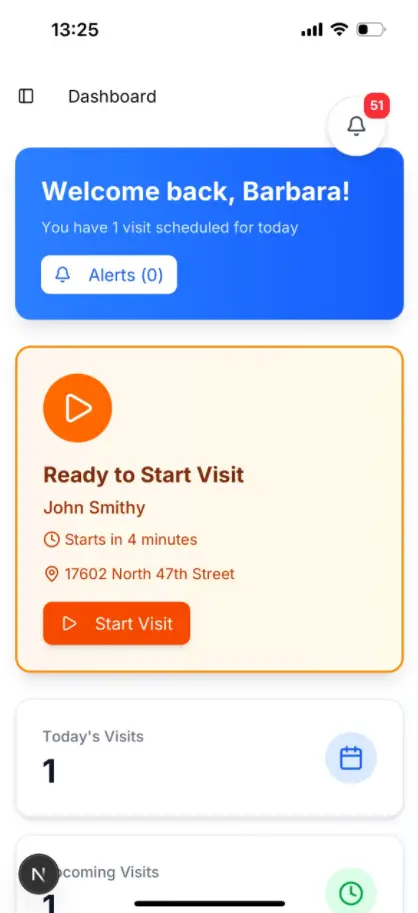

Why this matters at the visit
A scheduler app does one job: it puts the right caregiver in the right home at the right time. When that goes well, this is what it looks like. When it goes badly, the caregiver is late, the wrong service code gets billed, or nobody shows up at all.
How much time are you losing to scheduling?
Most spreadsheet agencies underestimate how many staff hours scheduling eats. Move the sliders to your numbers.
Estimate based on a typical 85% reduction in scheduling time after migrating from spreadsheets to a home-care-specific scheduler. Your numbers will vary.
Your scheduler app and EVV are not separate problems
Under the 21st Century Cures Act, every state requires Electronic Visit Verification for Medicaid-funded personal care visits. The visit you schedule and the visit you bill have to match. If the EVV record disagrees with the schedule by more than the state's tolerance, the claim is denied or recouped.
In Texas, HHSC resumed strict EVV usage reviews in early 2026; agencies under 80% EVV compliance face formal corrective action. Ohio is now denying mismatched claims outright instead of allowing edits. This is no longer a paperwork problem.
Practical implication: the cheapest EVV strategy is to use a scheduler app that captures EVV at the same moment it confirms the visit. AveeCare exports to Sandata, HHAeXchange, Tellus/Netsmart and AuthentiCare formats; for a state-by-state walk-through see our EVV requirements by state guide and our EVV compliance guide.
6 red flags when buying a caregiver scheduler app
If you see any of these on a vendor's site, slow down before signing.
Mandatory sales call before pricing
Vendors that hide pricing behind a "request a demo" form usually charge 2–4x what they would post publicly. AveeCare publishes pricing on the pricing page and offers a free self-service demo with no sales call.
Long-term contracts to start
A 1- or 2-year minimum is a sign the vendor expects you to want to leave. Look for month-to-month options.
Per-caregiver pricing without an inactive-caregiver discount
Caregivers turn over. If you pay for caregivers you stopped using months ago, your bill grows faster than your agency.
EVV is a separate add-on
EVV should be in the base plan. Charging extra for EVV in 2026 is like charging extra for a steering wheel.
No caregiver mobile app
If your caregivers cannot see their schedule on their phone, your office will be flooded with phone calls, and you will lose the ones who quit because of it.
No way to export your data
If a vendor will not give you a way to export client and visit history, you are not their customer, you are their hostage.
Caregiver scheduler app FAQ
Feature requirements builder (37 features, 6 categories)
Toggle features your agency actually needs. Must-haves are pre-selected. Click "Copy" to paste your final list into a vendor RFP.
Importance ratings reflect what we see succeed in real agencies, not vendor wishlists. “Depends” means it matters at certain agency sizes or service lines.
Switching from spreadsheets: a 30-day timeline
Most spreadsheet-to-scheduler migrations finish inside 30 days for a 30–60 client agency. Here's the rough order of operations:
- 1Day 1–3
Tenant setup, data import
Import client list, caregiver list, recurring schedule, certifications, allergies. Most platforms accept CSV. Verify a sample of 5 clients end-to-end before going further.
- 2Day 4–7
Schedule the next 2 weeks in parallel
Run the new scheduler alongside the spreadsheet. No live cutover yet. Office staff get to feel the workflow without the pressure of a missed visit.
- 3Day 8–14
Caregiver mobile rollout
Onboard caregivers in waves of 5–10. Send the app link, do a 10-minute video walkthrough. Most caregivers are clocking in within 2 days.
- 4Day 15–21
Live cutover for new visits
New visits scheduled in the platform only. Old visits stay in the spreadsheet through completion. EVV exception report runs daily.
- 5Day 22–30
Billing handoff + retire spreadsheet
First full payroll close in the new system. Verify EVV export submitted to state aggregator. Archive the spreadsheet for reference.
Scheduling KPIs your scheduler app should track
If your tool doesn't expose these as a one-click report, you can't coach to them.
| KPI | Target range | Why it matters |
|---|---|---|
| On-time arrival % | 90%+ | Below 85% triggers complaint calls and erodes referral relationships. |
| Open shift fill rate (24-hr) | 85%+ | Slow fill rates predict missed visits 24–48 hours out. |
| Caregiver utilization | 70–85% | Above 90% is overtime risk; below 60% is unbilled capacity. |
| Missed-visit rate | Under 1% | Each missed visit costs roughly $80–$150 in unbilled revenue + complaint follow-up. |
| Office hours / 100 visits scheduled | 15–25 | Above 30 means manual workarounds; below 10 means automation is paying off. |
| EVV usage score | 90%+ (TX requires 80%) | Below threshold triggers Corrective Action Plans in strict-enforcement states. |
Scheduling glossary
Eleven terms that show up in every vendor demo. Worth knowing before, not during.
Authorization
The number of approved hours/visits for a client over a period (e.g., 20 hrs/week for 60 days). Schedules over the auth = unbilled.
Service code
Payer-specific code defining what kind of visit it is (e.g., T1019 personal care). Every visit needs the right code or the claim denies.
EVV exception
A visit where the EVV record disagrees with the schedule beyond state tolerance. Aged exceptions become permanent score hits.
Visit maintenance
The window after a visit when EVV exceptions can still be edited. Closes in days, not weeks.
Open shift
A visit that needs a caregiver assigned. The longer it sits open, the more likely it becomes a missed visit.
Callout
A caregiver canceling a scheduled shift. Good schedulers re-fill within 1 hour; great ones do it in the mobile app without office involvement.
Authorization burn rate
How fast you're using approved hours vs. the auth period. Helps surface clients about to run out of hours.
Match score
How well a caregiver matches a visit (cert, language, distance, preference). Higher = lower complaint risk.
OT threshold
The hour count at which a caregiver crosses into overtime (typically 40/week, 8/day in CA). Soft-warn before, hard-block at.
Dual-employed
A caregiver who works for two agencies. They count toward your OT only for hours worked at your agency, but it complicates scheduling.
Recurring template
A repeating visit pattern (e.g., MWF 9–11am, every week, indefinitely). The bedrock of efficient scheduling.
Sources
- [1]21st Century Cures Act, EVV Requirements
- [2]CMS Home Health Conditions of Participation
- [3]PHI: Direct Care Workforce Annual Report 2025
- [4]BLS: Home Health and Personal Care Aides Occupational Employment Statistics
Sources accessed May 3, 2026.
Cal builds AveeCare with home care agency owners across the country. He spends most of his week in scheduling, billing, and EVV workflows with agencies of every size, which is where most of the lessons in this article came from.
Continue Reading
See AveeCare's caregiver scheduler in action
No sales call. No credit card. Click around the live demo, then check pricing.