A flat rate pays the caregiver a set amount for a visit, however long it runs. It suits nurse assessments, supervisory visits and other work paid per visit, and it sits alongside hourly pay: the same person can be paid a flat rate for visits and hourly for office time.
Quick answer
When you schedule the visit, go to the What step and under Pay for this assignment click Flat rate per visit, then type the amount. On a visit that already exists, open it, click Edit and use the same choice under Pay & billing arrangement.
1. Choose Flat rate per visit when scheduling
In Add Visit, pick the client and caregiver, then on What click Flat rate per visit.
Type the amount in the box beside it. The line under the choice confirms who is paid and that office time is paid separately. Their usual pay uses the rate on the caregiver's payroll profile instead. The same choice appears when you add a visit by clicking an empty spot on the calendar.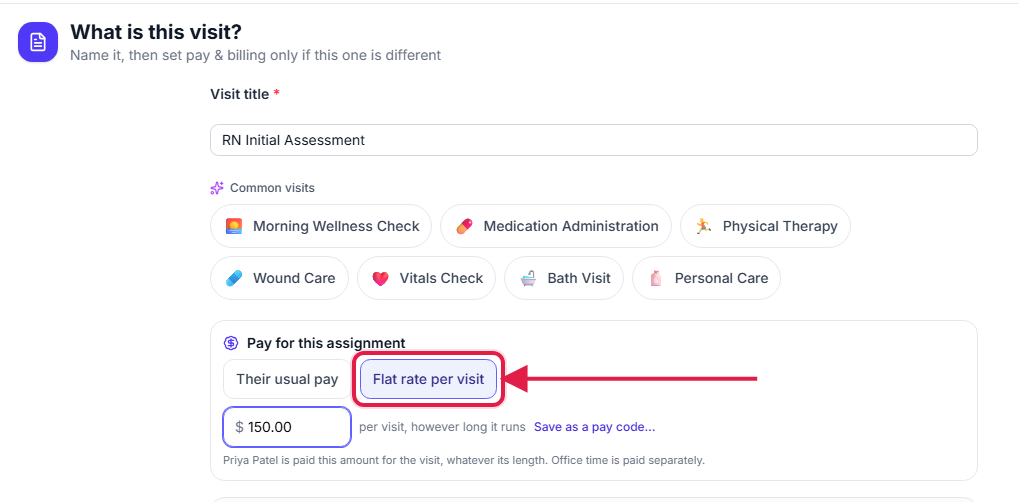
Finish the When, Where and Details steps and schedule the visit.
For a repeating visit, the flat rate applies to every visit in the series.
2. Save the amount as a pay code
Click Save as a pay code, name it and click Save code.
The code is added to your pay codes so the next visit like this is one click. A pay code saved this way sets no client rate, so the visit still bills at the client's usual rate.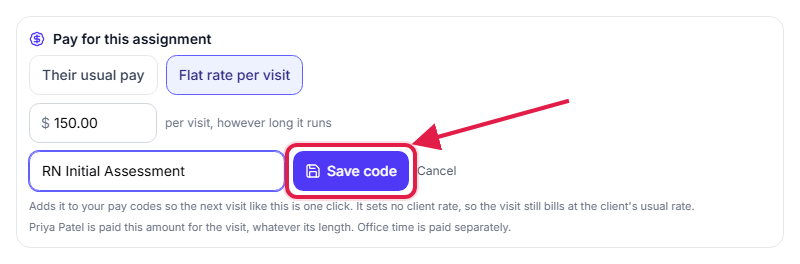
3. Spot flat-rate visits on the calendar
Look for the Flat mark beside the visit title.
Every visit paid a flat rate shows Flat on its calendar card, so you can see at a glance which visits are not paid by the hour.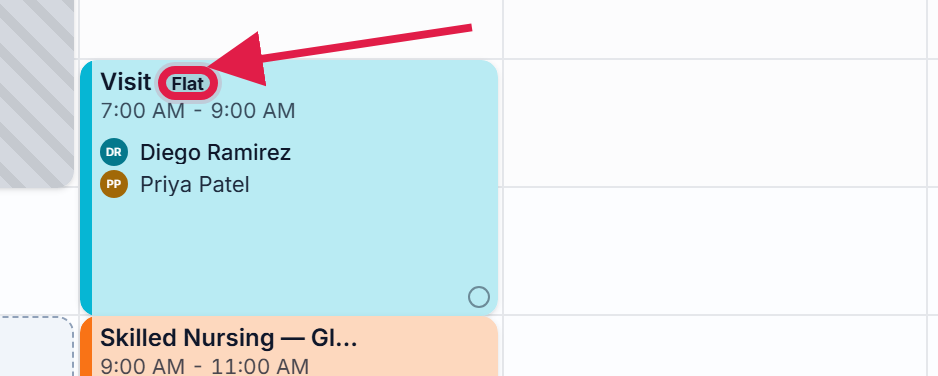
4. Change the pay on an existing visit
Click the visit on the calendar, click Edit, and open Pay & billing arrangement.
The same Pay for this assignment choice is at the top. Below it, Caregiver is paid also offers Hourly and Salaried, and Client is billed sets the client's charge separately. A change here applies to this visit only, not the rest of its series.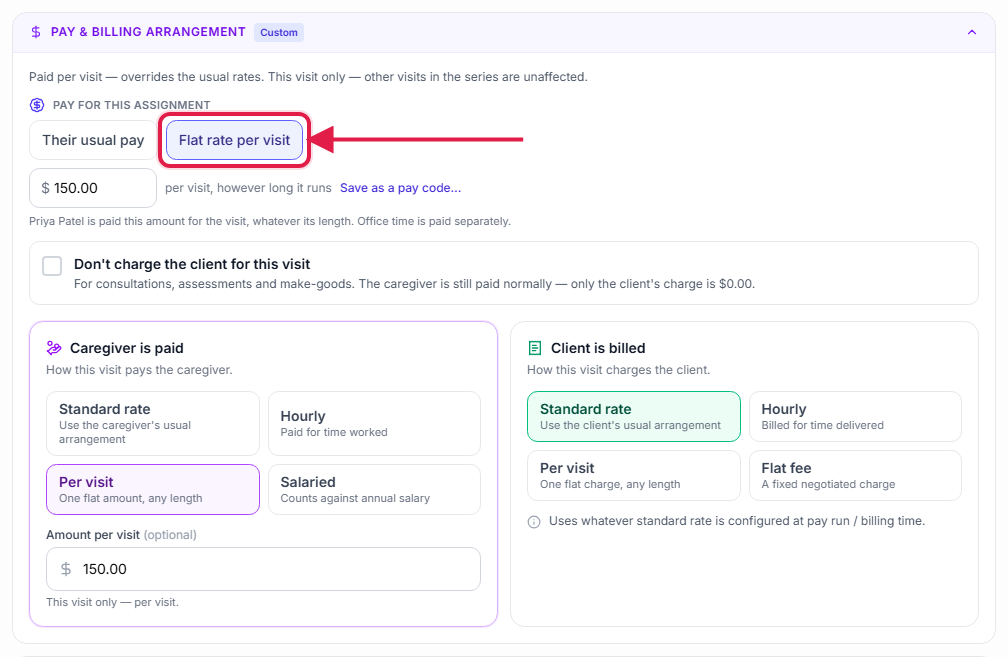
Common pitfalls
- Leaving the amount blank. The visit then uses the caregiver's usual per-visit rate from their payroll profile.
- Expecting the client to be billed the same amount. A flat rate is the caregiver's pay. The client's charge is set under Client is billed.
- Paying office time during a flat-rate visit. Office minutes that overlap the caregiver's own flat-rate visit are not paid again, because the flat rate covers them. Tick Pay it anyway on the office block if both should be paid.
Related
- Staff pay statement: flat-rate and hourly pay side by side for a pay period.
- Paid office time: pay staff hourly for office work.
- Caregiver payroll tab: the usual rates a visit falls back to.