eMAR is AveeCare’s electronic medication administration record. Each dose is recorded once, by the person who gave it, on its own line. This article covers turning it on and putting a client’s medications in. Recording doses and printing the monthly MAR are in Record doses and print the MAR.
Quick answer
Open Settings, then Business Settings, and switch on Medication Administration (eMAR). Pick your state. The eMAR page then appears in the sidebar: open it, go to Medications and press Add Medication for each of the client’s medications.
1. Turn on eMAR in Settings
Find Medication Administration (eMAR) in Business Settings.
Switch it on. The card turns green and reads eMAR Enabled, and the eMAR page appears in the sidebar for your office.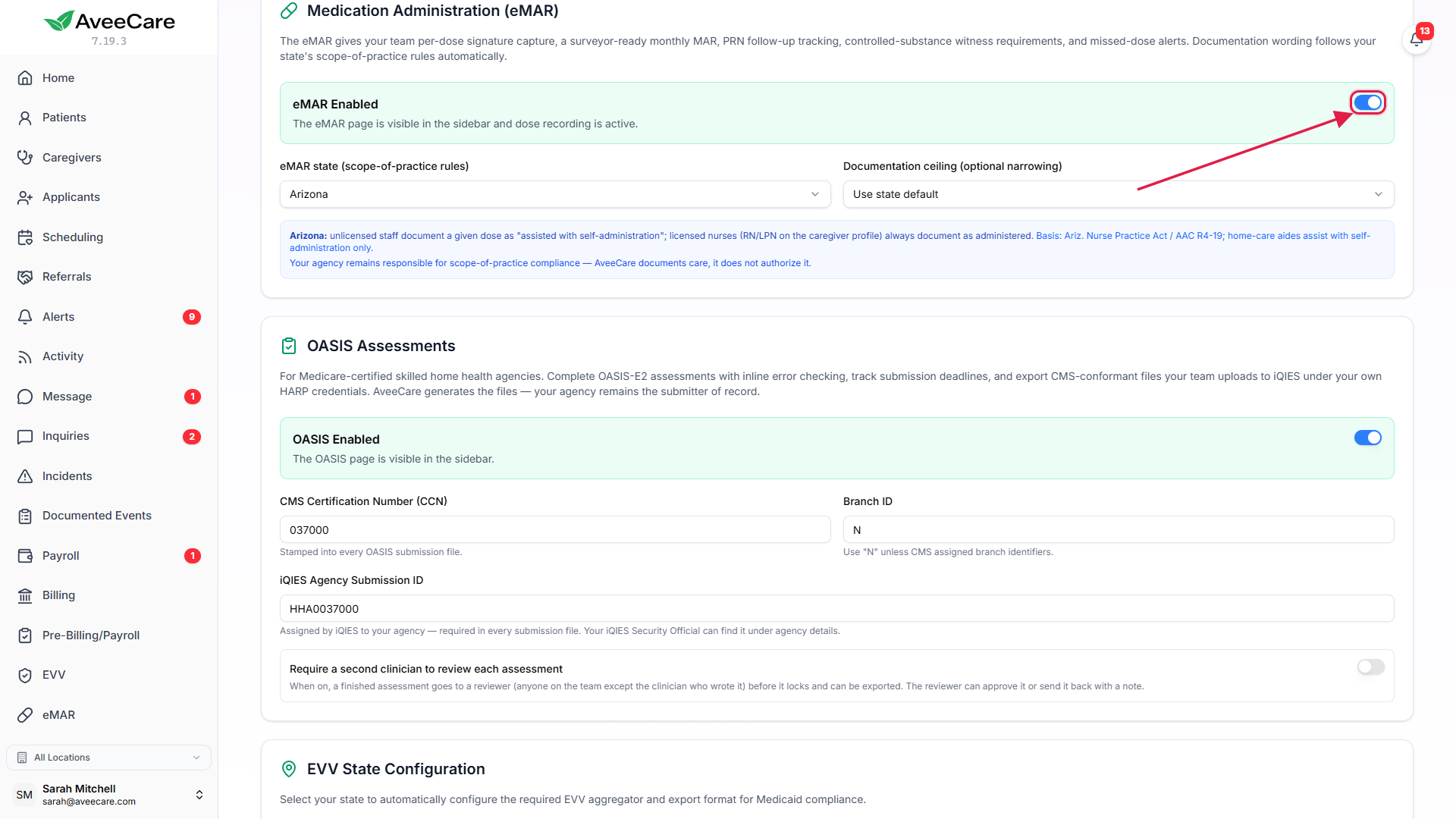
2. Choose your state and documentation ceiling
Pick your state under eMAR state (scope-of-practice rules).
The blue note underneath says how unlicensed staff will document a given dose in that state, whether the state expects nurse delegation records, and the rule it is based on. If you have set an EVV state, eMAR starts from that one.Leave Documentation ceiling on Use state default, or narrow it.
Assist with self-administration and Reminders only make your agency stricter than the state. Nothing here can make it looser.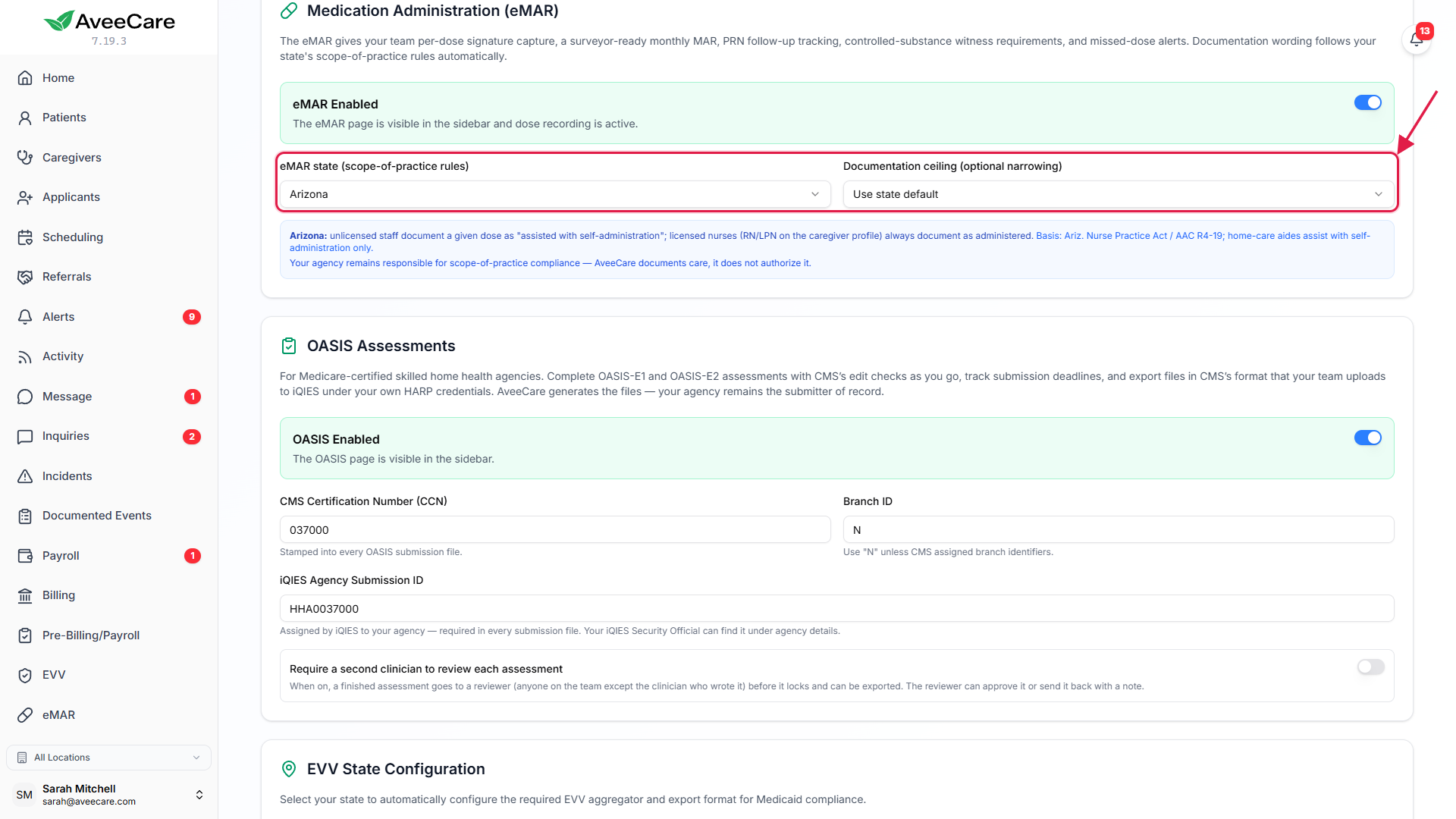
Press Save at the bottom of Business Settings.
3. Set your nurses’ license type
On the Advanced page, set License type for your nurses.
Choose caregivers, pick your RNs and LPNs, and change License type (under Credentials) to RN or LPN for all of them at once. RN and LPN staff always document a dose as administered and may record controlled medications. Everyone else documents in the wording your state allows for unlicensed staff.
4. Add a scheduled medication
On the eMAR page, open Medications and press Add Medication.
Pick the client, then fill in the medication name, strength, form and route, and the directions as written on the label (the sig).Choose Scheduled times, then add the dose times.
Each dose time becomes a slot on the med pass. Add the prescriber, the pharmacy and a start date if you have them, then press Add Medication.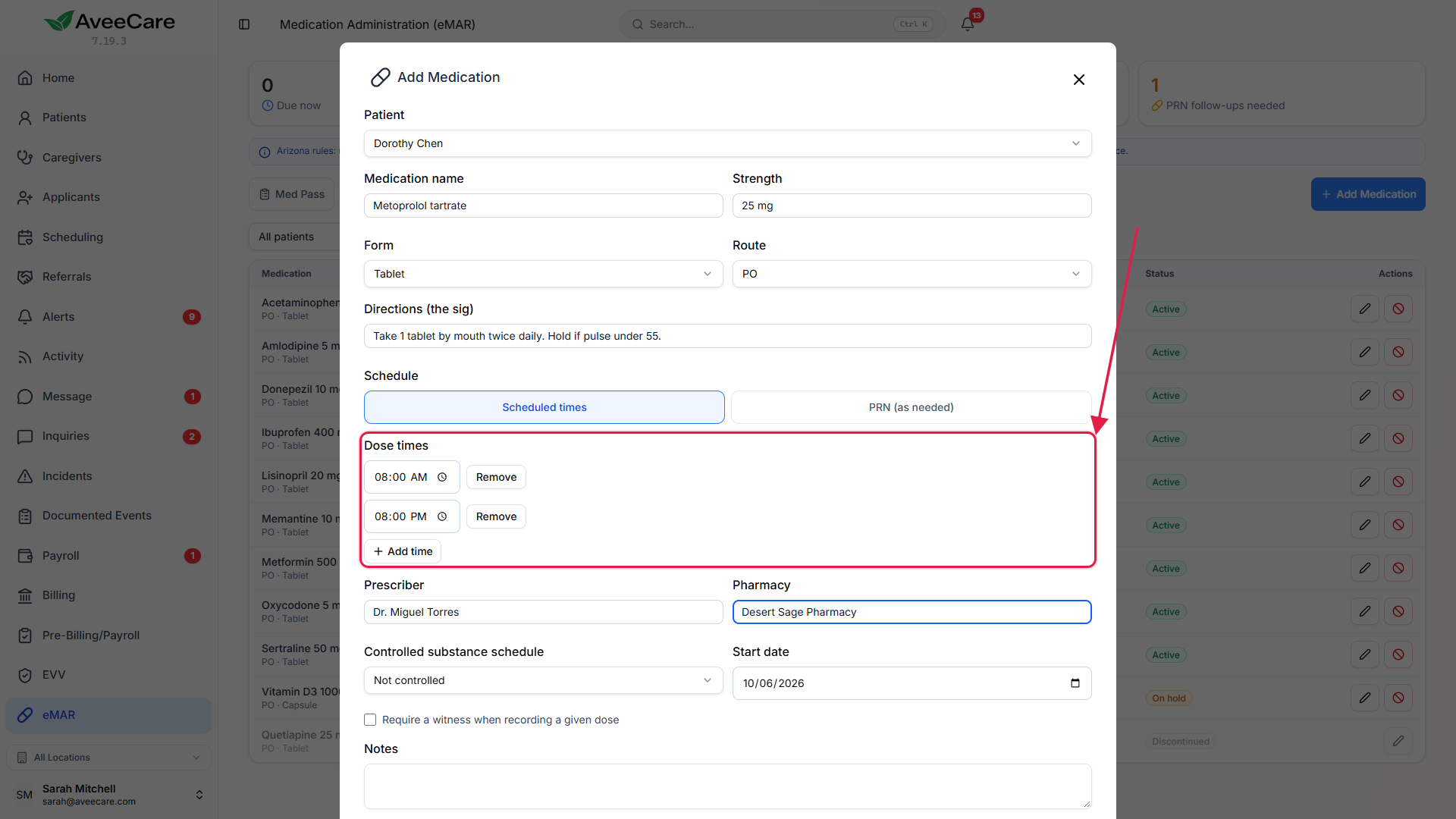
5. Add a PRN or controlled medication
For an as-needed medication, choose PRN (as needed).
Say what it may be given for, and set Max doses per day and Min hours between doses. AveeCare refuses a dose that would go over either limit and says which one.For a controlled medication, pick its schedule.
Schedule II medications require a witness by default. Tick Require a witness when recording a given dose to require one on any other medication. Your state may also stop non-nurse staff from recording controlled doses at all; when it does, AveeCare says so instead of saving.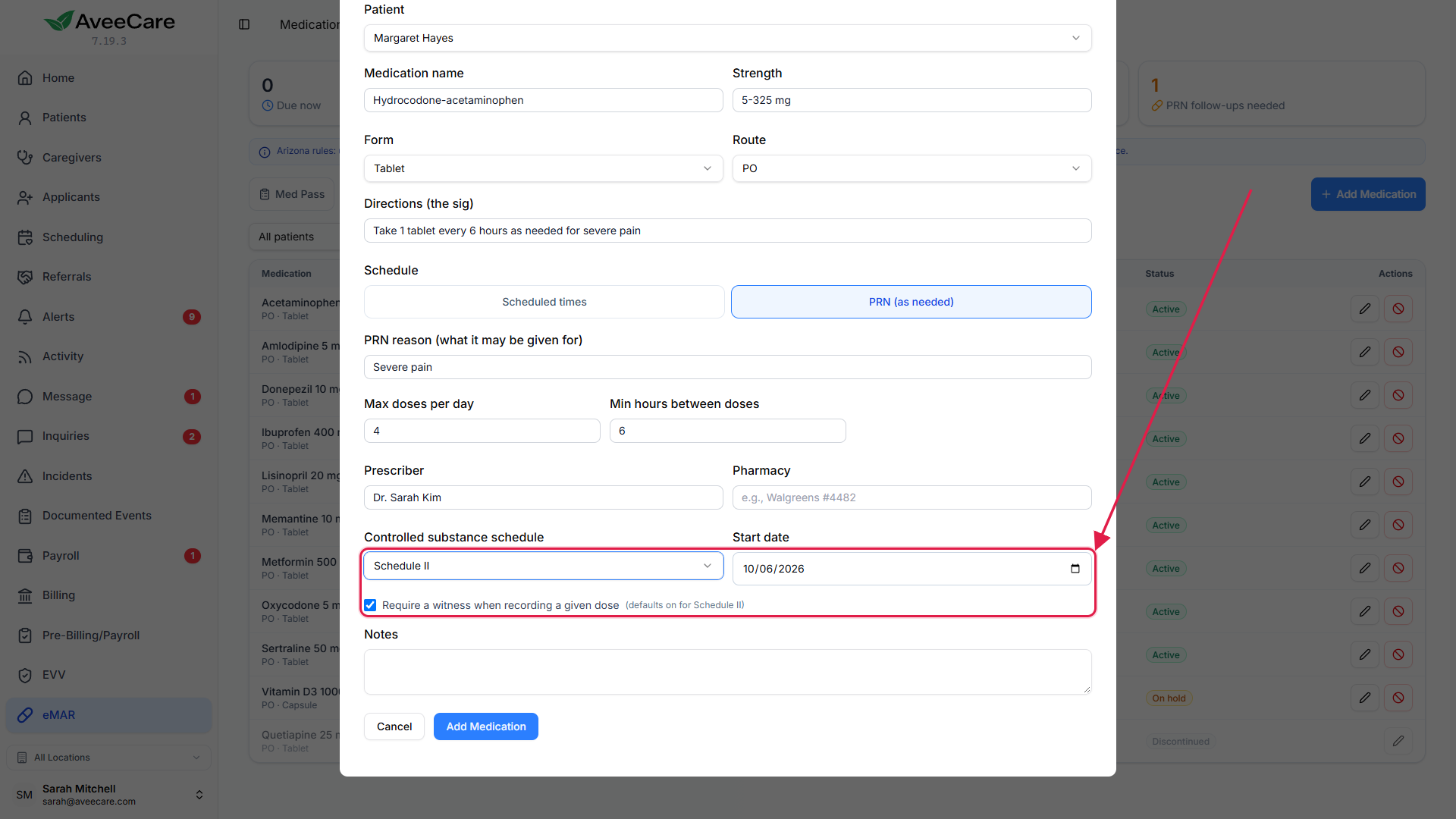
To stop a medication, use Discontinue, not delete.
Give a reason. The medication leaves the med pass and its history is kept.
Common pitfalls
- Nurses left without a license type. They then document in unlicensed wording and cannot record controlled doses your state reserves for nurses.
- A scheduled medication with no dose times. It has nothing to put on the med pass. Add at least one time.
- Deleting instead of discontinuing. Discontinue keeps the record of what was given while the medication was active.
- Expecting eMAR to fill in doses. It never does. A scheduled dose nobody recorded raises a missed-dose alert about two hours after its time.