Payroll Entries
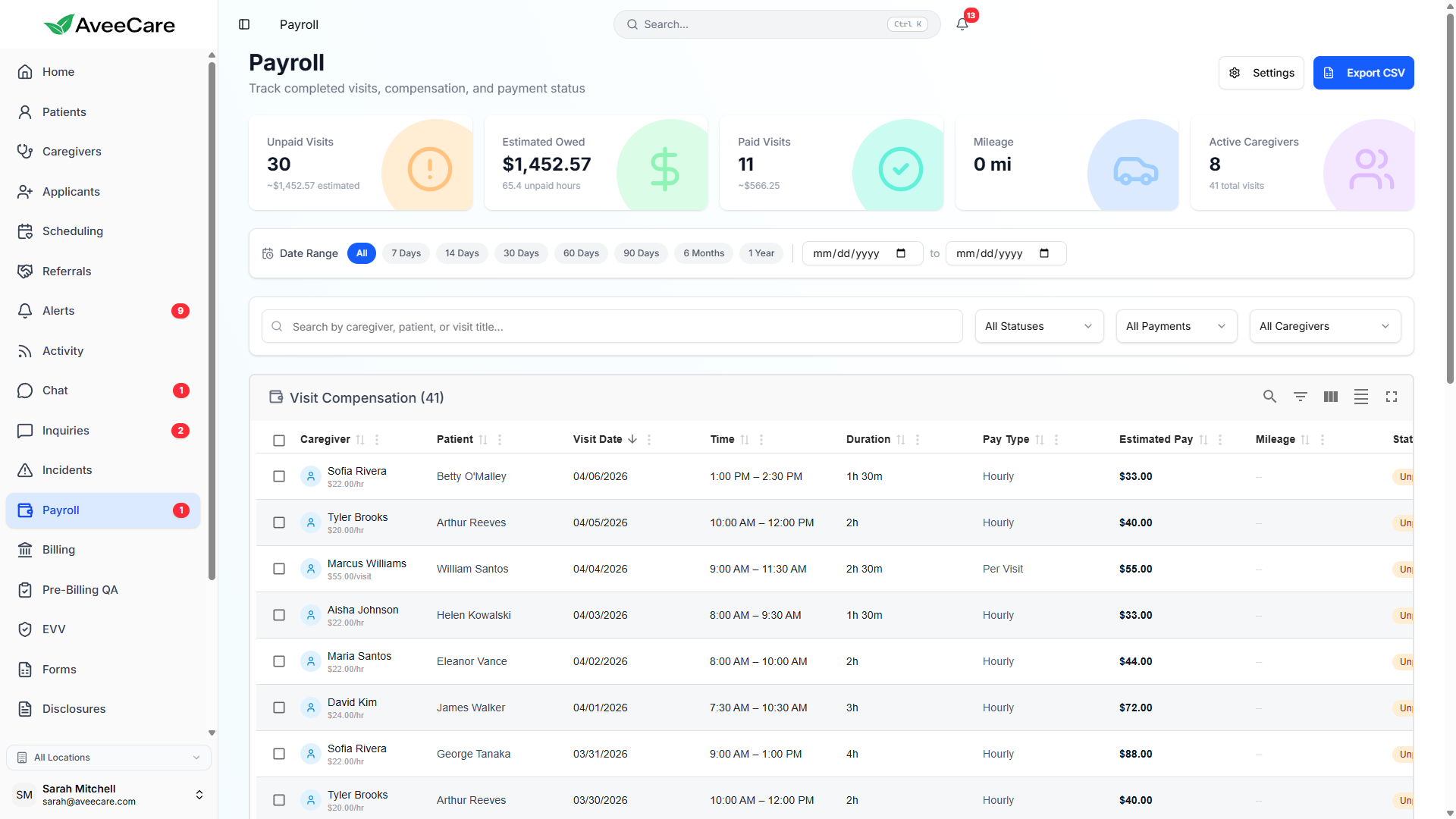
Create payroll entries manually or let AveeCare auto-generate them from completed visits. Track hours, overtime, holiday pay, PTO, sick leave, and manage the full approval-to-payment lifecycle.
Try Payroll in DemoCreating Payroll Entries
Payroll entries can be created manually for one-off payments or bonuses, or auto-generated from completed visits. Each entry is linked to a specific caregiver and pay period.
What each entry tracks
- Caregiver name and employee ID
- Pay period start and end dates
- Regular hours worked
- Overtime hours (calculated from threshold)
- Holiday, PTO, and sick leave hours
- Gross pay with full tax breakdown
Pay calculations
Each entry calculates gross pay based on the caregiver's pay profile. Net pay is derived after applying federal income tax, Social Security, Medicare, state tax, benefit deductions, and any garnishments.
Entry Statuses
Every payroll entry moves through a clear lifecycle. Each status is color-coded so you can see where things stand at a glance.
Entry created but not yet reviewed or approved by a manager.
Reviewed and approved. Ready for submission to your payroll provider.
Submitted to the payroll provider and currently being processed.
Payment has been issued to the caregiver. Fully complete.
Auto-Generate from Visits
When enabled, AveeCare automatically creates payroll entries from completed visits. Hours are pulled from clock-in/clock-out records, and overtime is calculated based on your configured thresholds.
How it works
- Enable auto-generate in Payroll Settings
- Caregivers complete visits and clock out
- AveeCare aggregates hours per pay period
- Entries are created in Pending status for review
- Approve individually or in batch, then process
Hours & Pay Tracking
AveeCare tracks every type of compensable time. Each payroll entry breaks down hours by category so you have full visibility into what you're paying for.
Regular & Overtime
Regular hours up to the threshold (default 40/week). Hours beyond that are automatically flagged as overtime with your configured multiplier applied.
Holiday & Double-Time
Holiday hours use a separate multiplier. Double-overtime thresholds can be configured for extended shifts or consecutive work days.
PTO & Sick Leave
PTO and sick leave hours are tracked separately and paid at the caregiver's regular rate. Balances can be tracked per caregiver in their pay profile.
Approval Workflow & Batch Processing
Approval Workflow
- Entries start in Pending status after creation
- Managers review hours, rates, and deductions
- Approve entries individually or select multiple at once
- Approved entries move to ready-for-processing queue
- Optional: enable auto-approve for trusted entries
Batch Processing
- Select multiple approved entries for batch submission
- Submit all entries to your payroll provider at once
- Track batch status: submitted, processing, completed
- Failed entries are flagged with error details
- Resubmit failed entries after correction
All payroll features included at $6/client/month.
No add-on fees, no per-entry charges, no long-term contracts.