Most home care visits repeat. Mondays at 9 AM, every weekday for two months, the third Tuesday each month. AveeCare schedules the whole series for you from inside the same Schedule a Visit wizard you use for one-off visits.
Quick answer
Open Scheduling, click Add Visit, fill out Patient, Caregiver, and What. On the When step, scroll down and check Make this a recurring visit. Pick a cadence and number of occurrences. Continue through to Review and save.
Cadences you can pick
The Repeat dropdown has three options:
- Daily. A visit every day, for the chosen number of occurrences.
- Weekly. Every week. You also pick which weekday(s) the visit lands on.
- Monthly. Same date each month.
The series ends after a fixed Number of occurrences (default 10). There is no “until-a-date” or “open-ended” mode in the wizard. If you want a series longer than the default, increase the occurrence count.
1. Open Scheduling and click Add Visit
Click Add Visit on the top-left of the calendar.
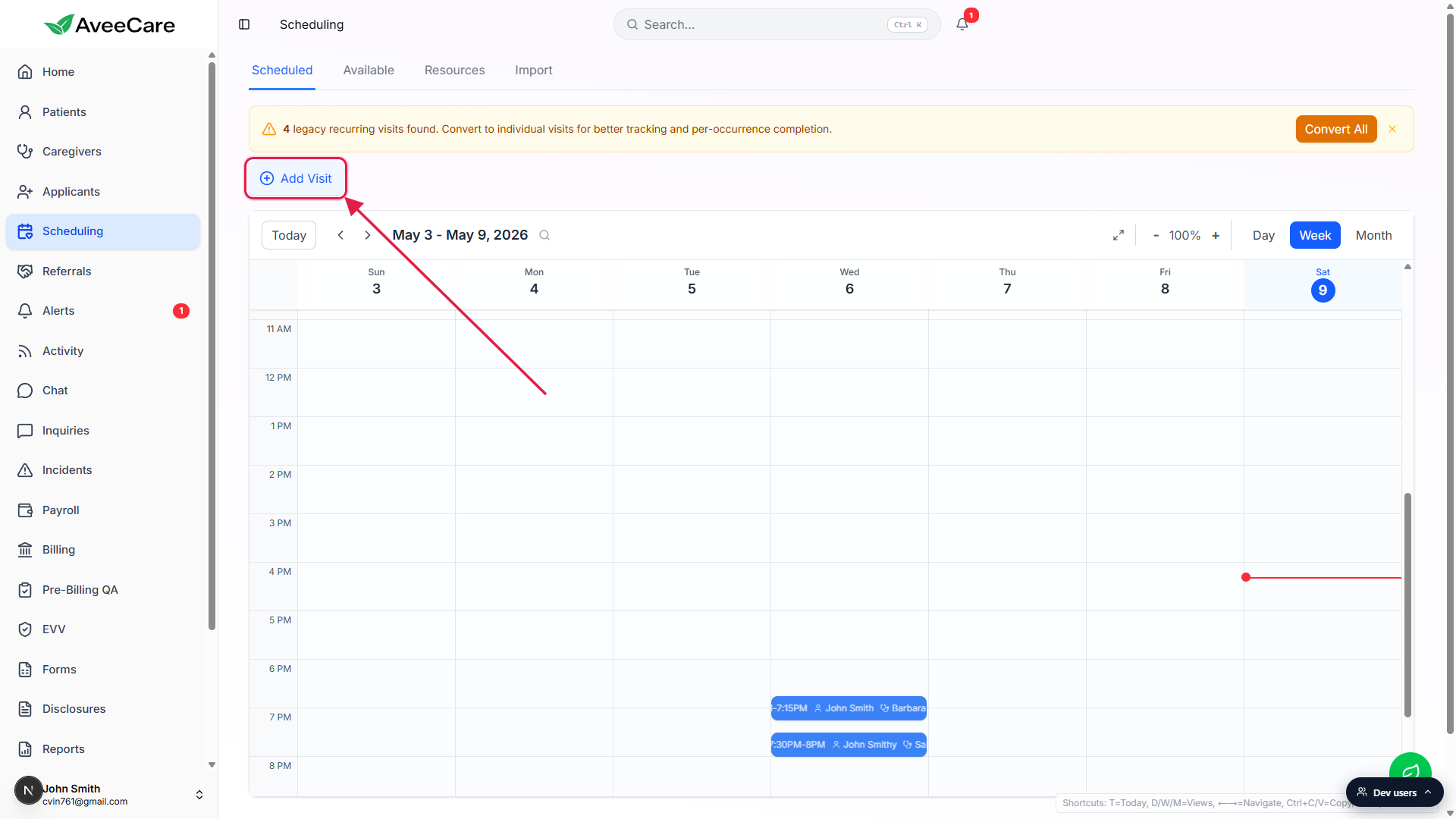
The Schedule a Visit wizard opens on the Patient step.
The wizard runs through Patient, Caregiver, What, When, Where, Details, Review. Recurrence lives on the When step.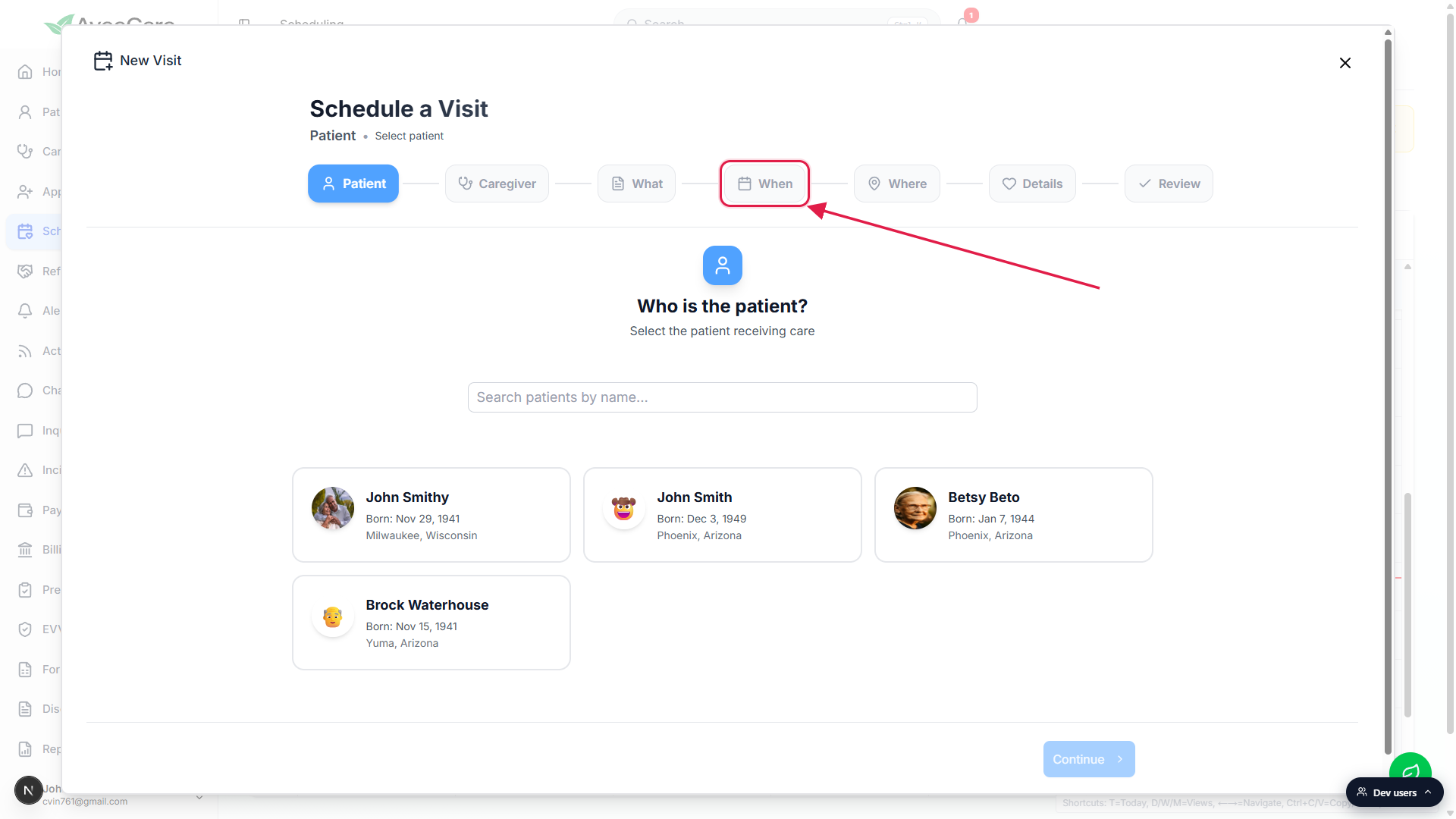
2. Walk to the When step of the wizard
Pick a patient, then click Continue.
Pick a Caregiver if you want one assigned now (otherwise leave Unassigned for an open shift). On What you can pick a Quick Template like Morning Wellness Check or Medication Administration, or type a custom title. Anything works.On the When step, set date, start/end time, and duration.
Duration shortcuts: 30m, 60m, 90m, 120m. There is also an All-day event toggle and a Scheduling Timezone selector. Above the recurrence panel you'll see a Patient Scheduling Preferences summary that suggests time slots based on the patient's past visits, useful for picking a time the patient has historically preferred.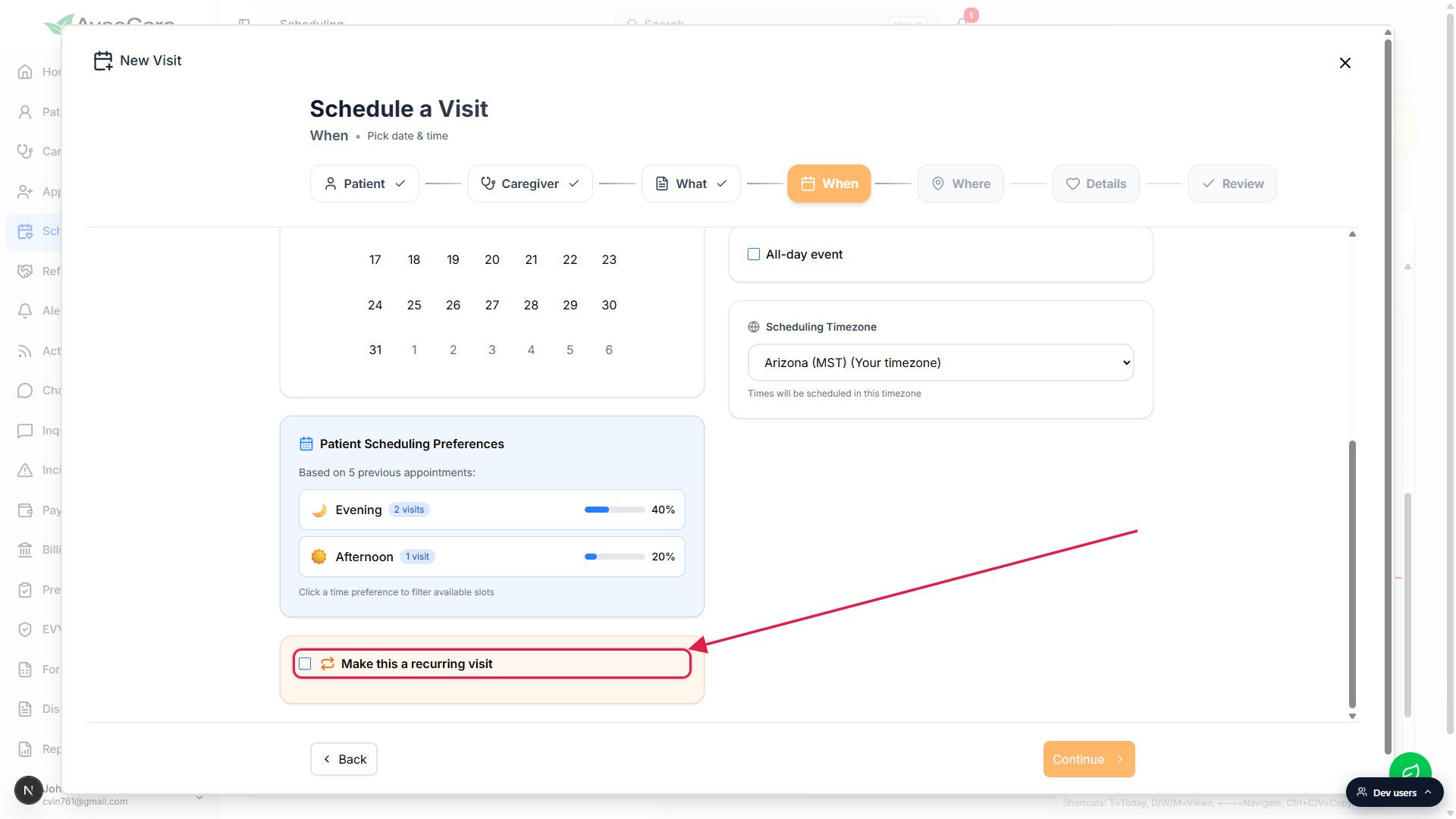
3. Toggle Make this a recurring visit
Below the calendar and timezone, check the Make this a recurring visit box.
It's in an orange-tinted card at the bottom of the When step. Easy to miss on a tall screen, so scroll down if you don't see it at first.The Repeat dropdown, On these days chips, and Number of occurrences fields appear.
4. Pick the cadence, days, and occurrences
Pick Daily, Weekly, or Monthly from the Repeat dropdown.
For Weekly, click the weekday chips for each day the visit lands on.
Mon/Wed/Fri series? Tap Mon, Wed, Fri. Tuesdays only? Just tap Tue. The wizard creates one occurrence per matching weekday up to your Number of occurrences value.Set Number of occurrences (default 10).
This is the total occurrence count for the whole series, not per week. For a Mon/Wed/Fri series running 4 weeks, set occurrences to 12 (3 days x 4 weeks).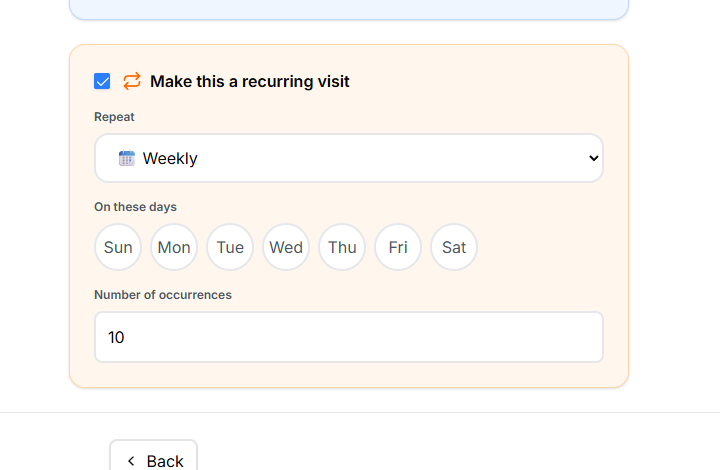
Continue through Where, Details, and Review, then save.
The Review step shows a summary of every choice, including a “Repeats weekly (10 times)” line on the When card so you can double-check the series before saving. The whole series lands on the calendar at once. Each occurrence is its own visit for clock-in, EVV, billing, and payroll. The recurrence definition only controls how the visits get created.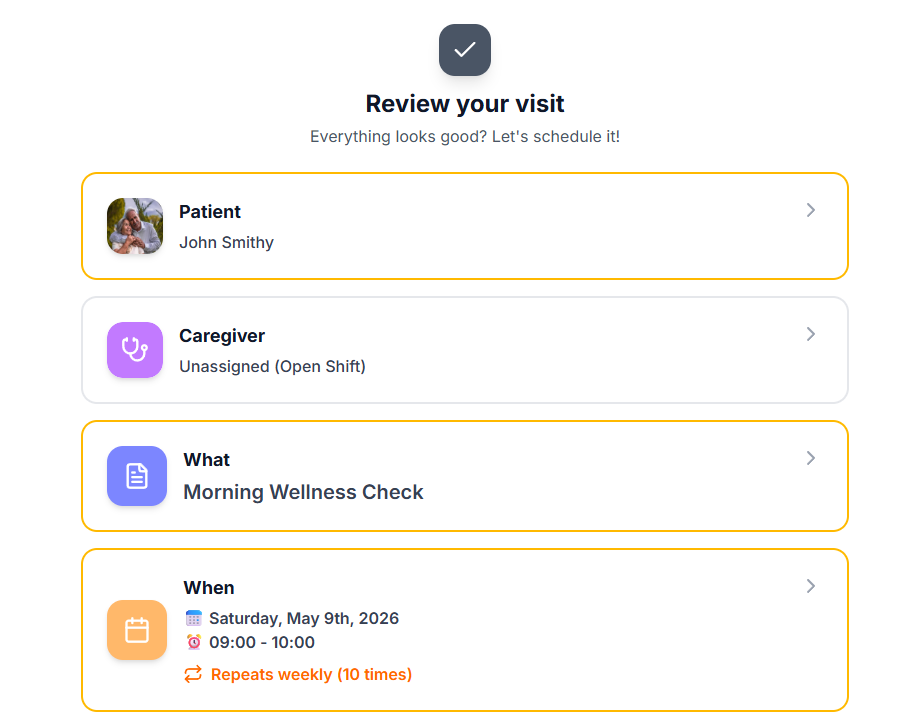
Common pitfalls
- Picking the wrong first date. The series starts from the date you select on the When step. If you want Tuesdays, select a Tuesday for the first occurrence. The wizard won't snap forward for you.
- Not enough occurrences. Default is 10. For a daily series, that's only two weeks. Bump the count if you want a longer standing series.
- Confusing “weekly” with “every other week.” The Repeat dropdown only has Daily, Weekly, and Monthly. There is no biweekly cadence in the wizard. For every-other-week, schedule one series and then a second series for the off weeks, or stagger occurrences manually.
- Legacy recurring visits banner. If you see “N legacy recurring visits found. Convert to individual visits for better tracking and per-occurrence completion” at the top of Scheduling, those are visits scheduled under an older recurrence model. Click Convert All to expand them into individual occurrences.