Arrange AveeCare the way you work.
Move, resize and hide what is on your dashboard and on every client and caregiver page, keep a second AveeCare open in a panel, change hundreds of records in one pass on the Advanced page, and take back the changes you did not mean.
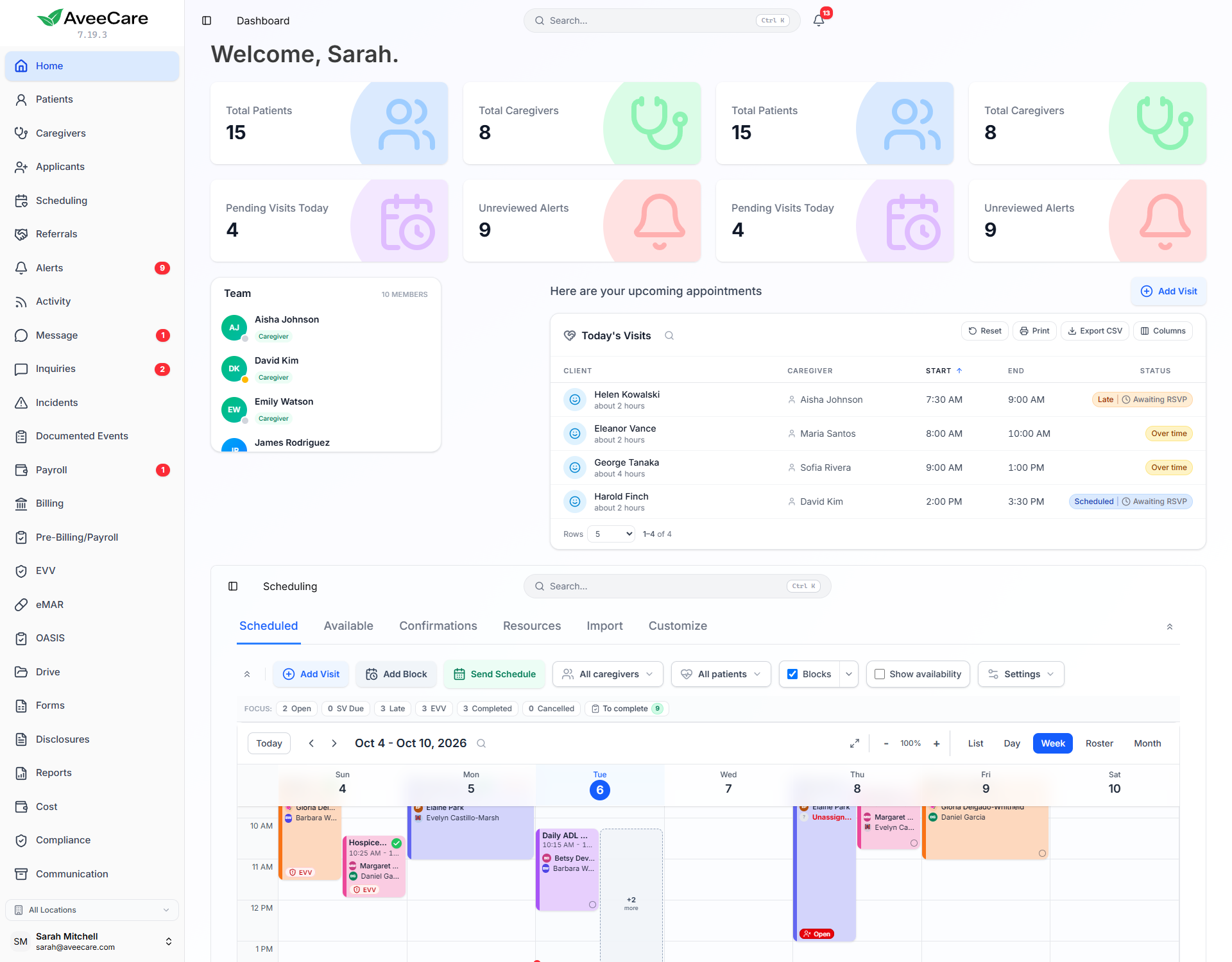
What you can shape
Your own pages
Move, resize and hide sections on the dashboard and on client and caregiver pages. Your arrangement is yours and follows you to every device.
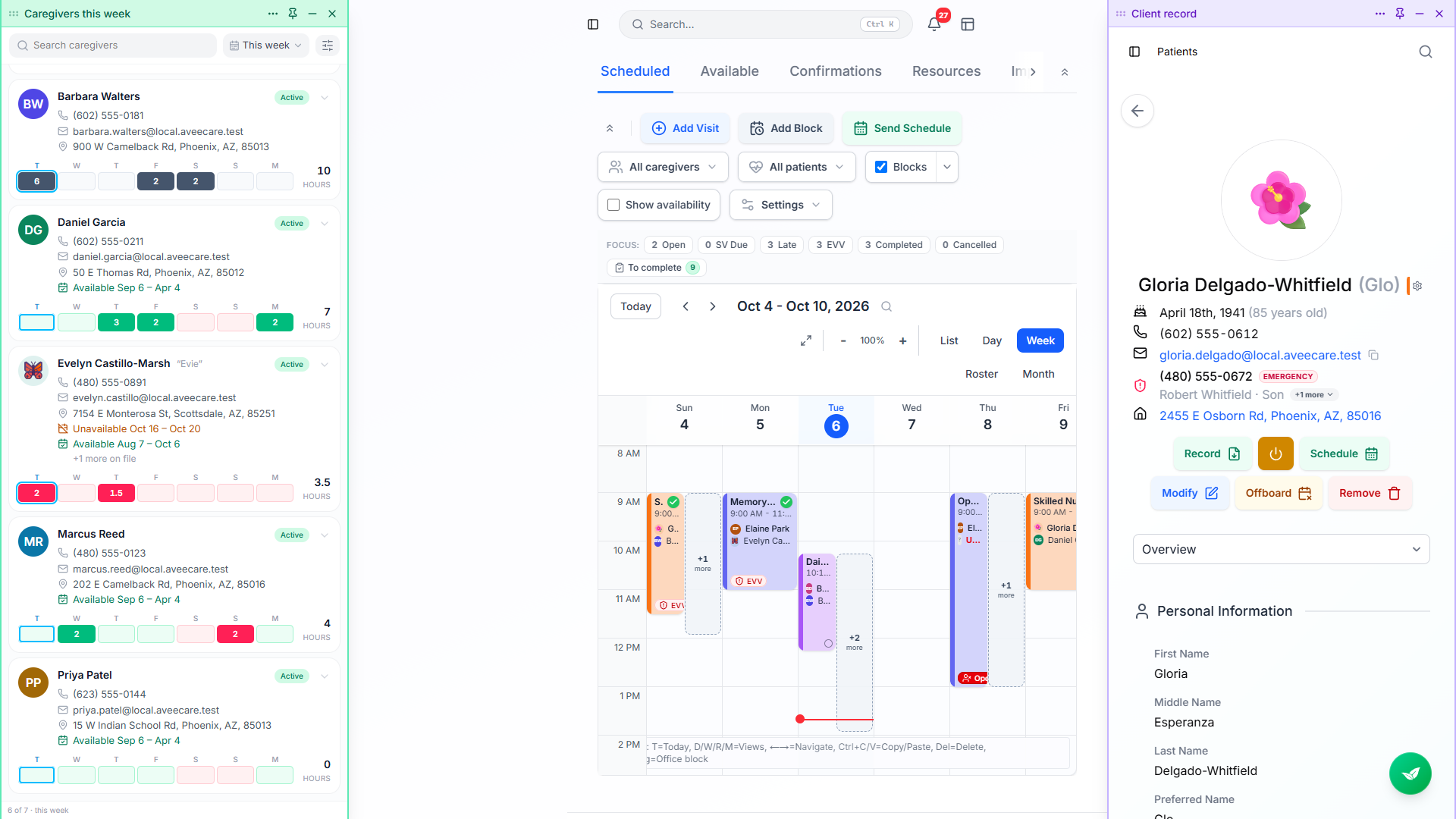
Panels
A second, fully working AveeCare in a window you can put anywhere. It keeps its place while the page behind it changes.
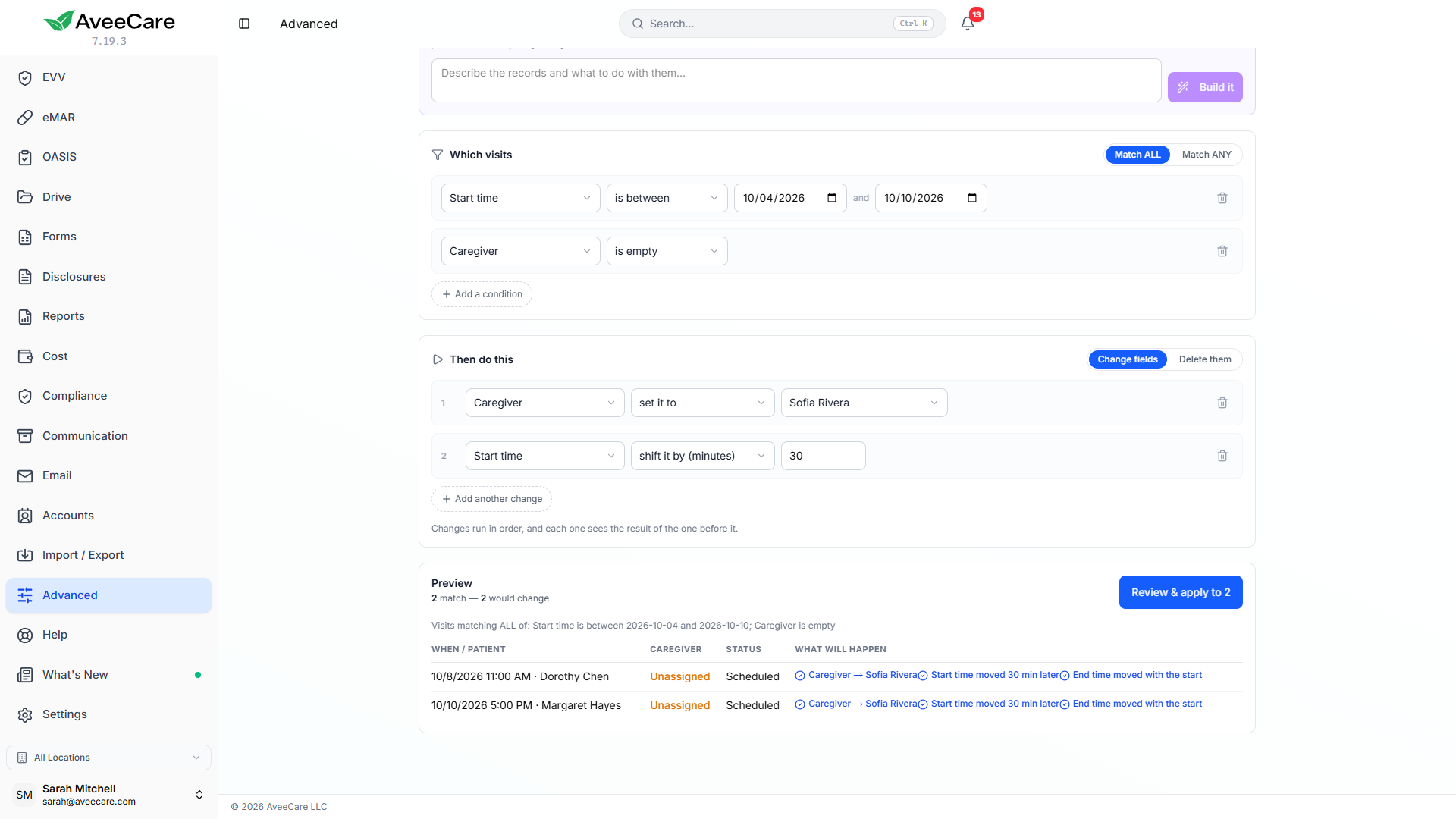
The Advanced page
Filter visits, caregivers or patients on almost any field, make several changes in one pass, preview every record first, and save the routine to run again.
Undo and recover
Undo a bulk change from the message that confirms it, restore a deleted visit from the bin within thirty days, and uncancel or reopen a visit from its right-click menu.
Dashboard and profiles
Schedulers, billers and owners do not need the same page
Hover anything on the dashboard and a cog and a grip appear. Drag the grip to move a section, or drag its corner to any width and height. Add a block lists everything the page can hold, including a second copy of something already on it, such as key numbers for today beside key numbers for this week.
Client and caregiver pages work the same way, on every tab, from the settings cog in the top right. Every tab is a panel in its own right, so the whole Schedule can sit on Overview if that is where you want it.
- A side-by-side group holds two to four sections in one row with a divider you drag between them.
- Put a whole page of AveeCare inside another, such as the calendar on your dashboard.
- Untick pages you never use from the sidebar cog. Every page still opens from a link or search.
- Nobody else in the agency sees your layout, and Reset puts a page back as it came.
Panels
Look something up without losing your place
The button beside the notification bell opens a panel: a second copy of AveeCare in a window you can drag, resize, name and colour. Look something up in the panel, then go to Payroll and then Billing behind it, and the panel does not reload or move.
Pin it, keep it above the others, minimise it to a bar, or dock it to the left or right edge so the page makes room. Save an arrangement of panels under a name and bring it back on any page with one click, on any device you sign in on.
The Advanced page
For the jobs that are every visit, not one visit
Pick visits, caregivers or patients, then filter on almost any field, with operators that fit it: contains, is empty, is between, falls on a weekday. Make several changes in one pass, in order, each seeing the result of the one before. Every value comes from your own records, so pay codes and caregivers are dropdowns, not something to spell.
Before anything runs, the preview lists which records will change, which already match and which would need you to override a rule. Nothing happens until you confirm. Save the operation under a name and anyone in your office can run it again. You can also describe what you want in plain English and Avee drafts the query for you to review.
- Refused changes name every record and the reason, grouped so identical refusals read as one line.
- Each override is recorded in the visit history against your name.
- Deleting has its own countdown before it runs.
Undo
The changes that used to be permanent can be taken back
Undo a bulk change straight from the message that confirms it. Each visit goes back where it was, and anything a colleague has touched since is left alone. Deleted visits wait in a bin for thirty days with the reason you typed, and go back with one press.
Uncancel a visit from its right-click menu, or reopen one finished by mistake. Before it reopens you are told whether the caregiver has been paid, whether it is on an invoice and whether its EVV record has gone to the state. What the caregiver actually recorded, such as clock times, signatures and ticked tasks, stays.
Software that fits the job you actually do
Every arrangement starts from the page as it ships, so nothing moves until you decide to move it.