Availability Management
Know exactly when your caregivers are available, detect conflicts before they happen, and find the right caregiver for any time slot — all from one view.
Try Scheduling in DemoCaregiver Availability Windows
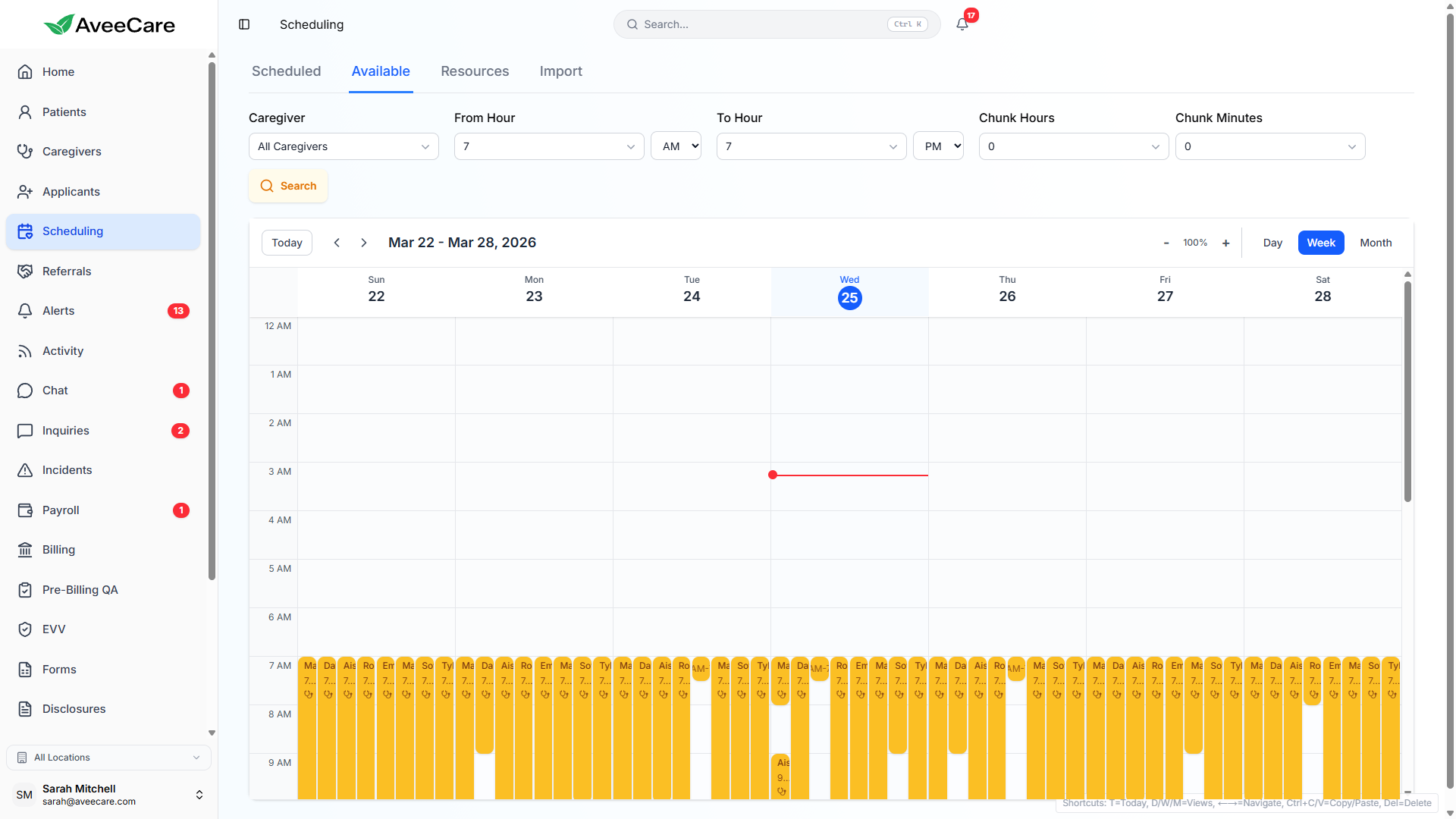
Each caregiver can set their own availability windows — the days and times they are available to work. Schedulers see this availability overlaid on the calendar, making it easy to assign visits during open hours.
How availability windows work
- Caregivers set weekly recurring availability (e.g., Mon-Fri 8AM-5PM)
- Support for split shifts (e.g., morning and evening blocks)
- Availability can be updated by caregivers or office staff
- Calendar visually highlights available vs. unavailable time slots
- Time-off requests automatically block availability for those dates
Automatic Conflict Detection
AveeCare automatically checks for scheduling conflicts every time you create or modify a visit. You'll be warned before any double-booking can happen.
Double-Booking
Detects when a caregiver is already assigned to another visit during the same time window. Prevents overlapping assignments.
Outside Availability
Warns when you try to schedule a caregiver outside their set availability hours. You can override the warning if needed.
Time-Off Overlap
Flags visits that conflict with approved time-off requests. Prevents scheduling caregivers on their approved days off.
Business Hours Configuration
Define your agency's operating hours to control when visits can be scheduled. Time slots outside business hours are visually dimmed on the calendar and trigger a warning when selected.
Configuration options
- Set start and end times for each day of the week
- Mark specific days as closed (e.g., weekends)
- Configure holiday schedules with custom hours
- Different hours for different days (e.g., shorter Fridays)
- Visits outside business hours are flagged but not blocked
Availability Finder Tool
Need to fill a time slot? The availability finder shows you which caregivers are free during a specific date and time range. Filter by skills, certifications, or geographic proximity to find the best match.
How to use the availability finder
- Select a date and time range you need to fill
- View all caregivers who are available during that window
- Filter results by skills, certifications, or distance
- See each caregiver's other visits for the day for context
- Assign the visit directly from the finder results
All scheduling features included at $6/client/month.
No add-on fees, no per-visit charges, no long-term contracts.