Documentation
Searchable visit notes, file uploads, custom intake forms, disclosure tracking, and incident reports — all centralized in the patient record. No more digging through paper files or separate systems.
Try Patients in DemoSearchable Visit Notes
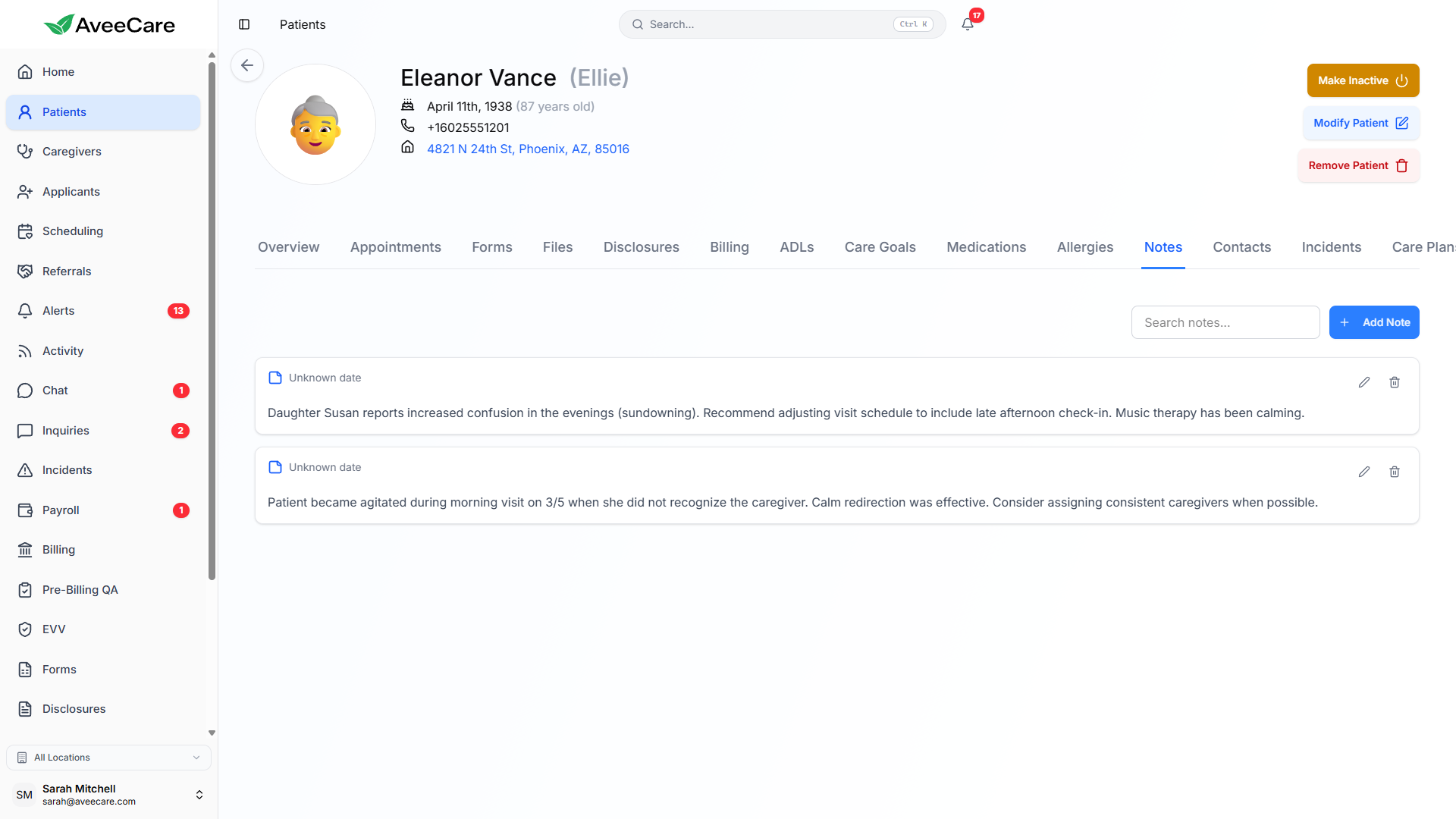
Every visit generates notes that are automatically linked to the patient record. All notes from all caregivers are collected in one searchable view, so you can quickly find what happened during any visit.
How notes work
- Caregivers write notes during or after each visit
- Notes are timestamped and tagged with the caregiver name
- Full-text search across all notes for a patient
- Filter notes by date range, caregiver, or visit type
- Notes are linked to the specific visit they belong to
- Supervisors can review and add follow-up notes
File Uploads & Document Storage
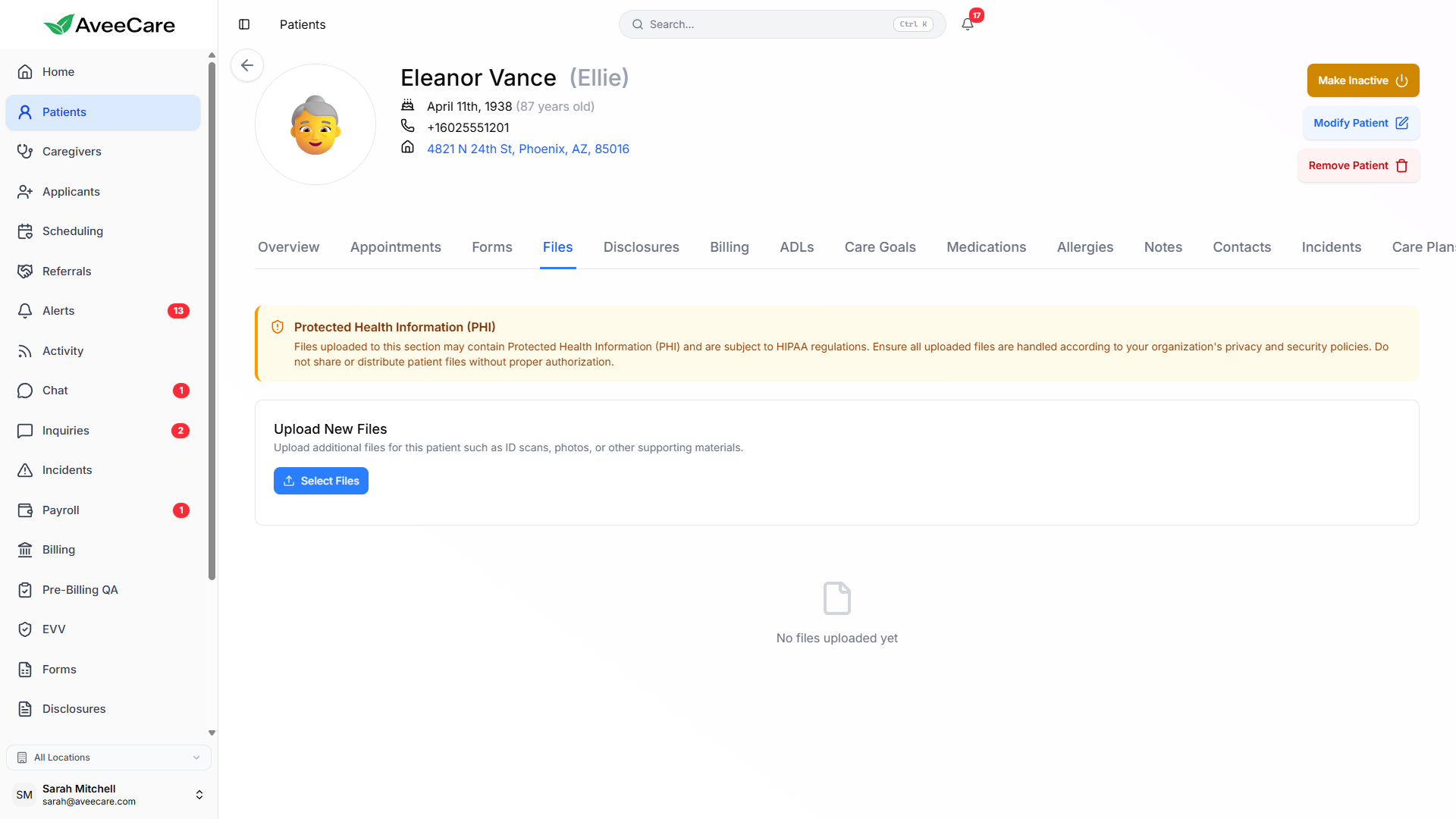
Upload and store documents, images, and other files directly in the patient record. All files are stored securely in the cloud and accessible from any device with proper permissions.
- Upload PDFs, images, Word docs, and more
- Organize files with categories and tags
- Preview files directly in the browser
- Download files individually or in bulk
- Track upload date, uploader, and file size
- HIPAA-compliant cloud storage on AWS
Custom Intake Forms
Assign custom intake forms to individual patients. Completed forms are stored directly in the patient record and can be viewed, printed, or exported at any time. Forms can be filled out by office staff or sent to patients for self-service completion.
Assign to Patients
Assign any company-wide form to specific patients. Track which forms have been completed and which are still pending.
Completed Forms
View completed form submissions with all responses, timestamps, and digital signatures in the patient's Paperwork tab.
Print & Export
Print completed forms for physical records or export them as PDFs. Useful for audits, compliance reviews, and family requests.
Disclosure Agreement Tracking
Track which disclosure agreements each patient has signed. Disclosure forms can include HIPAA notices, consent for care, financial responsibility agreements, and any other required documents your agency uses.
Features
- Assign disclosure forms to patients during intake
- Track signed vs. unsigned disclosures
- Digital signature capture with timestamps
- Version control for updated disclosure forms
- Expiration tracking for time-limited agreements
- Bulk-assign new disclosures to existing patients
Common disclosure types
HIPAA Notice of Privacy Practices
Required federal form explaining patient privacy rights.
Consent for Care
Authorization to provide personal care services.
Financial Responsibility
Agreement on billing, payment terms, and cancellation policies.
Emergency Procedures
Acknowledgment of emergency protocols and contact procedures.
Incident Reports
Incident reports filed by caregivers are automatically linked to the patient record. This creates a complete history of incidents for each patient, making it easy to identify patterns and take corrective action.
File Reports
Caregivers file incident reports from their mobile device or desktop. Reports include incident type, description, witnesses, and actions taken.
Review & Follow Up
Supervisors review incident reports, add follow-up notes, and track resolution status. All actions are timestamped for compliance.
Patient History
View all incidents for a specific patient in their Incidents tab. Spot patterns and adjust care plans to prevent future incidents.
All patient management features included at $6/client/month.
No add-on fees, no per-patient charges, no long-term contracts.