Export Formats
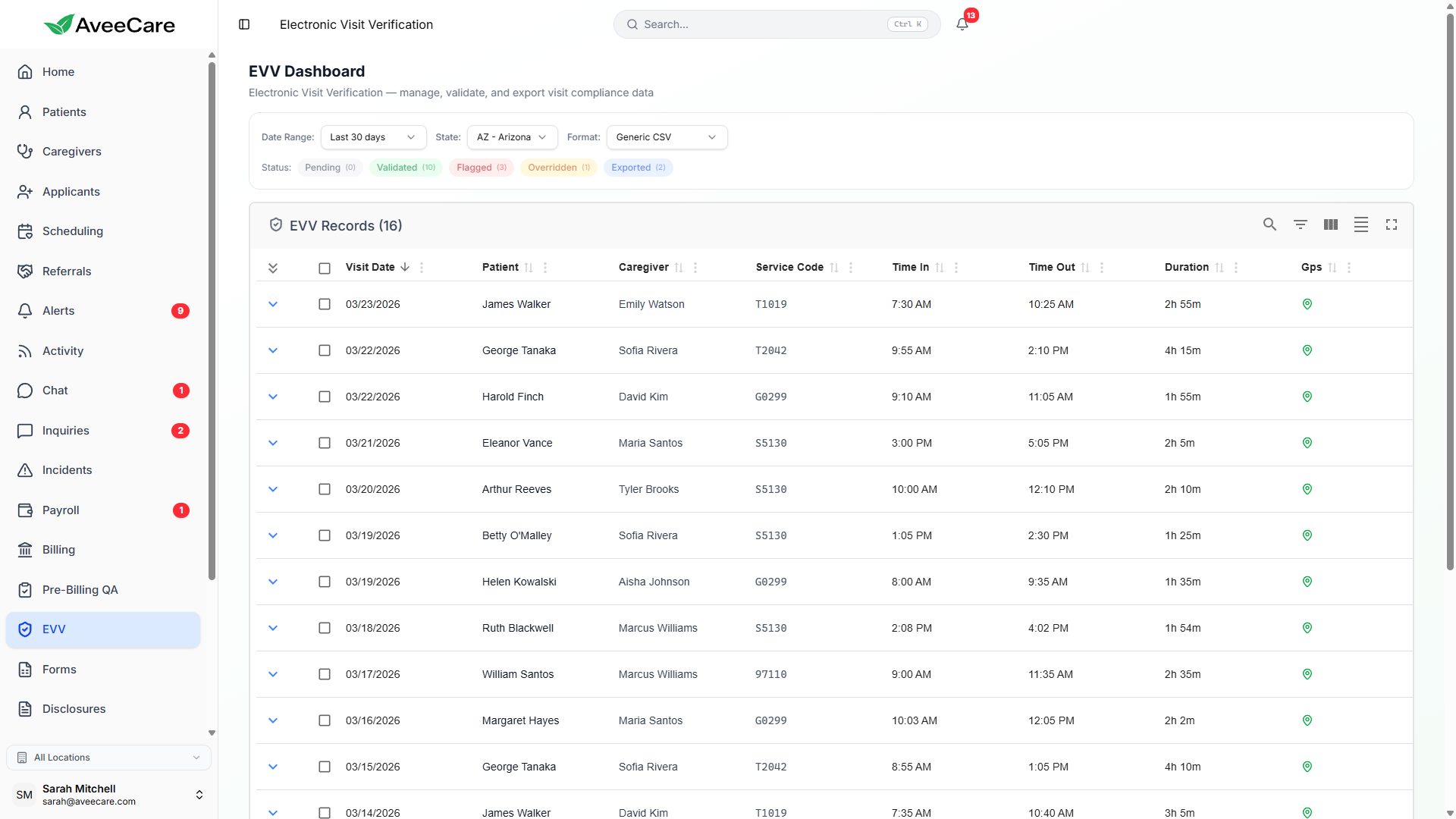
9 export formats covering every major EVV aggregator. AveeCare matches your state's required format and pre-validates data before export to prevent submission rejections.
Try EVV in Demo9 Supported Export Formats
Each format is purpose-built to match the exact specification your state aggregator expects. AveeCare handles all field mapping, date formatting, and data validation automatically.
OpenEVV JSON (Sandata)
JSONStates / Usage
Used by states contracting with Sandata as their EVV aggregator, including New York, New Jersey, Indiana, and others.
Format Details
Structured JSON with nested visit, member, and worker objects. Follows the Sandata OpenEVV specification with required fields for member demographics, service codes, and GPS coordinates.
How to Export
Select "OpenEVV JSON" from the format dropdown, choose your date range, and click Export. AveeCare maps all fields to the Sandata schema automatically.
HHAeXchange V5 CSV
CSVStates / Usage
Required by states using HHAeXchange as their EVV aggregator, including New York, Illinois, Pennsylvania, and others.
Format Details
Pipe-delimited CSV following the HHAeXchange V5 specification. Includes 40+ columns covering visit details, worker info, member info, service codes, and authorization data.
How to Export
Select "HHAeXchange V5" from the format dropdown. AveeCare pre-validates all required fields before generating the file to prevent upload rejections.
EDI 837P
EDIStates / Usage
Used for professional claims across all states. Required when EVV data accompanies Medicaid billing claims.
Format Details
ANSI X12 837P transaction set with ISA/GS envelope segments. Includes patient, provider, and service line data with EVV-specific qualifiers.
How to Export
Select "EDI 837P" to generate a standards-compliant file. Requires provider NPI and taxonomy code configuration in Settings.
AuthentiCare
ProprietaryStates / Usage
Used in states contracting with AuthentiCare (now part of HHAeXchange) for telephony-based and mobile EVV.
Format Details
Fixed-width text file with call-in and call-out records. Maps AveeCare GPS and signature data to AuthentiCare telephony fields.
How to Export
Select "AuthentiCare" from the format dropdown. AveeCare converts mobile check-in data to the telephony-compatible format AuthentiCare expects.
Netsmart
XMLStates / Usage
Used in states with Netsmart as their EVV vendor, including several Southern and Midwestern states.
Format Details
XML document with visit, worker, and client elements. Follows the Netsmart EVV data exchange specification.
How to Export
Select "Netsmart" to generate the XML file. All visit data is mapped to Netsmart-specific element names and attribute formats.
Therap
CSVStates / Usage
Used in states that contract with Therap Services for EVV aggregation, primarily for IDD and waiver programs.
Format Details
Comma-delimited CSV with Therap-specific column headers. Includes service authorization references and billing code mappings.
How to Export
Select "Therap" from the format dropdown. AveeCare generates the file with Therap-compliant column ordering and date formatting.
CareBridge
CSVStates / Usage
Used in states contracting with CareBridge for EVV data aggregation and managed care EVV compliance.
Format Details
Pipe-delimited CSV with CareBridge field specifications. Includes payer-specific identifiers and service delivery documentation.
How to Export
Select "CareBridge" to generate. AveeCare maps member Medicaid IDs and authorization numbers to CareBridge-required fields.
Generic CSV
CSVStates / Usage
Universal format for any state or aggregator not listed above. Also useful for internal reporting and data analysis.
Format Details
Standard comma-delimited CSV with clear column headers. Includes all EVV data points: timestamps, GPS, signatures, verification methods, status, and exception codes.
How to Export
Select "Generic CSV" for a comprehensive export of all visit data. Can be opened in Excel, Google Sheets, or imported into any system.
PDF Report
PDFStates / Usage
Useful for all states when a human-readable report is needed for audits, internal review, or paper-based compliance documentation.
Format Details
Formatted PDF with visit summary tables, individual visit detail pages, and compliance status indicators. Includes your agency branding.
How to Export
Select "PDF Report" to generate a printable document. Customize which columns and sections to include before generating.
Bulk Export
Export hundreds or thousands of visits at once with powerful filtering. Choose your date range, visit status, and export format — AveeCare generates the file in seconds.
Filtering options
- Date range picker (start and end dates)
- Visit status filter (Validated, Overridden, or both)
- State filter for multi-state agencies
- Caregiver or patient filter for targeted exports
- Service code filter for specific program exports
- Previously exported toggle (include/exclude)
All EVV features included at $6/client/month.
No per-visit charges, no add-on fees, no long-term contracts.