Scheduling & Availability
View caregiver schedules at a glance, manage availability windows, handle shift swaps and extensions, broadcast open shifts, and process time-off requests — all from one dashboard.
Try in DemoCaregiver Schedule Tab
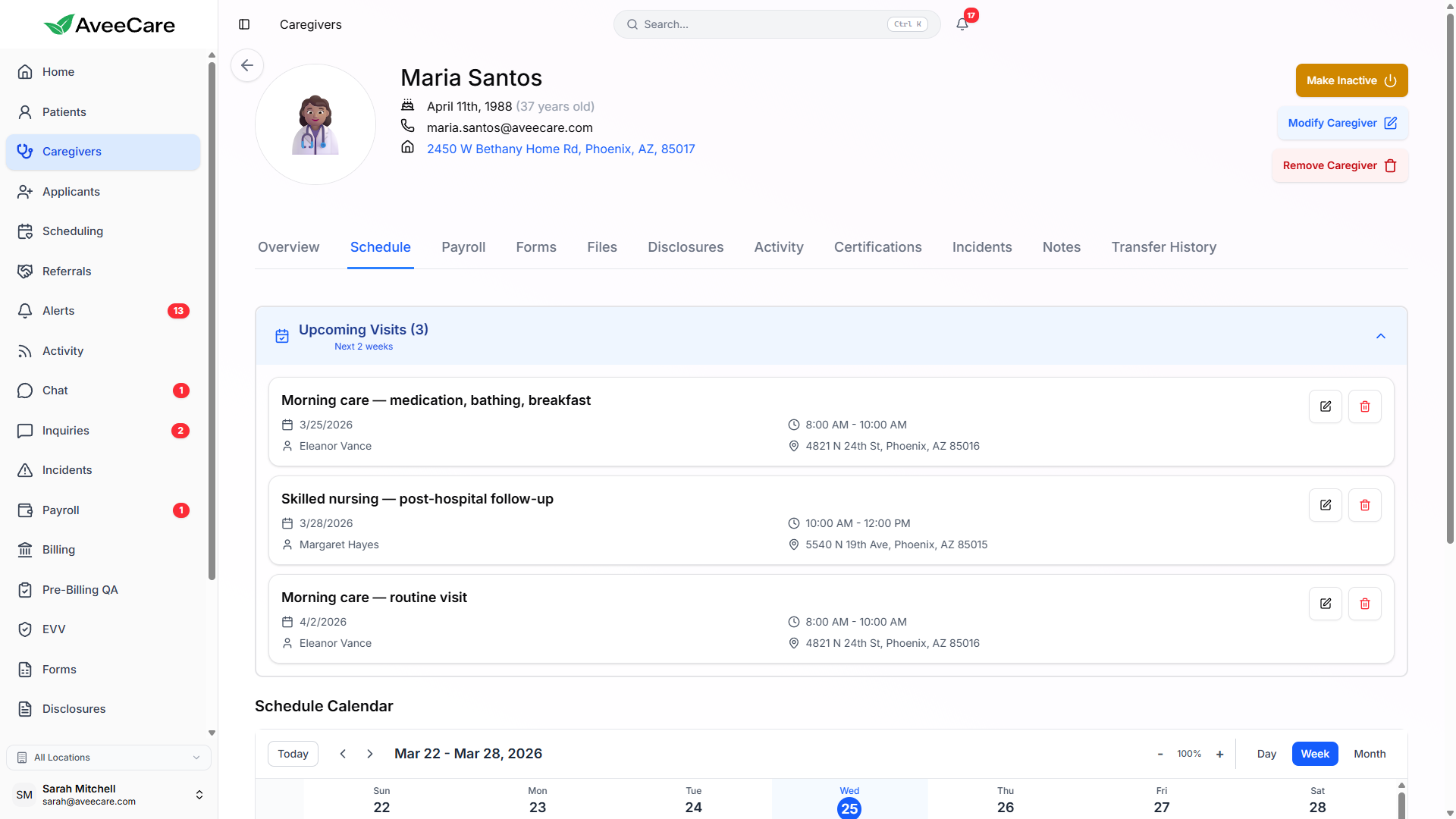
Each caregiver's profile includes a dedicated Schedule tab showing their current and upcoming shifts in a weekly view. See patient assignments, visit times, and locations at a glance.
What the schedule shows
- Weekly view of all assigned visits
- Patient name, visit type, and location for each shift
- Clock-in and clock-out times with status
- Color-coded by visit status (upcoming, in-progress, completed)
- Quick navigation between weeks
- Direct link to schedule a new visit for this caregiver
Availability & Blocked Time
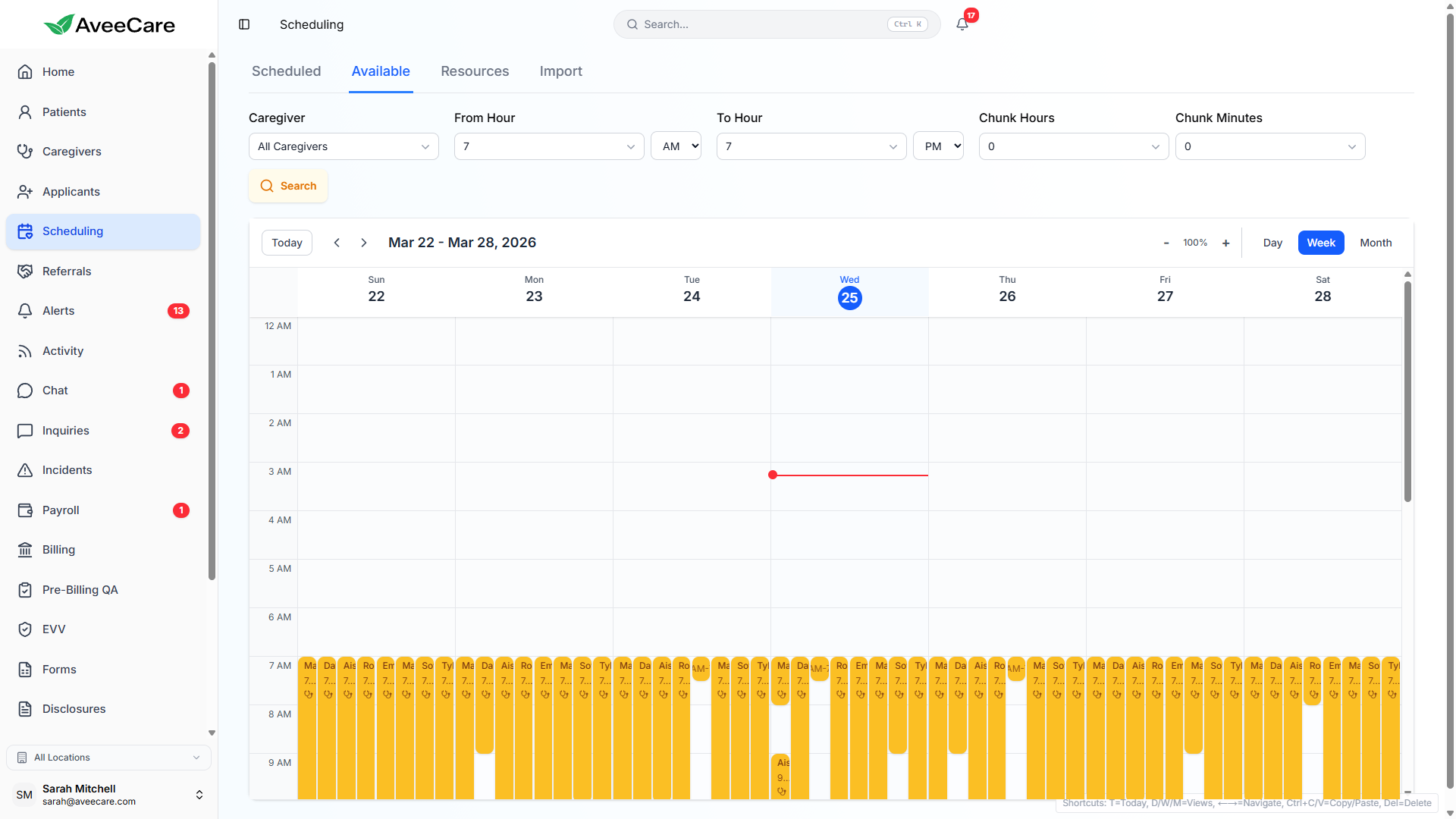
Caregivers can set their availability windows and block off time when they're unavailable. Schedulers see this in real time when assigning shifts, preventing double-booking and scheduling conflicts.
Availability Windows
- Set available hours per day
- Recurring weekly patterns
- Override for specific dates
Blocked Time
- Block full days or time ranges
- Add reason for the block
- Visible to schedulers instantly
Shift Swaps & Extensions
When caregivers need schedule changes, AveeCare handles the workflow. Shift swaps and extensions go through an approval process so management stays in control while giving caregivers flexibility.
Shift Swap Requests
- Caregiver initiates a swap request from their app
- Select another qualified caregiver to swap with
- Both caregivers must confirm the swap
- Manager receives approval request with full details
- Schedule updates automatically after approval
Shift Extension Requests
- Request additional time beyond scheduled end
- Include reason for the extension
- Manager approves or denies with one click
- Payroll automatically adjusts for approved extensions
- Patient is notified of schedule changes
Open Shift Broadcasting
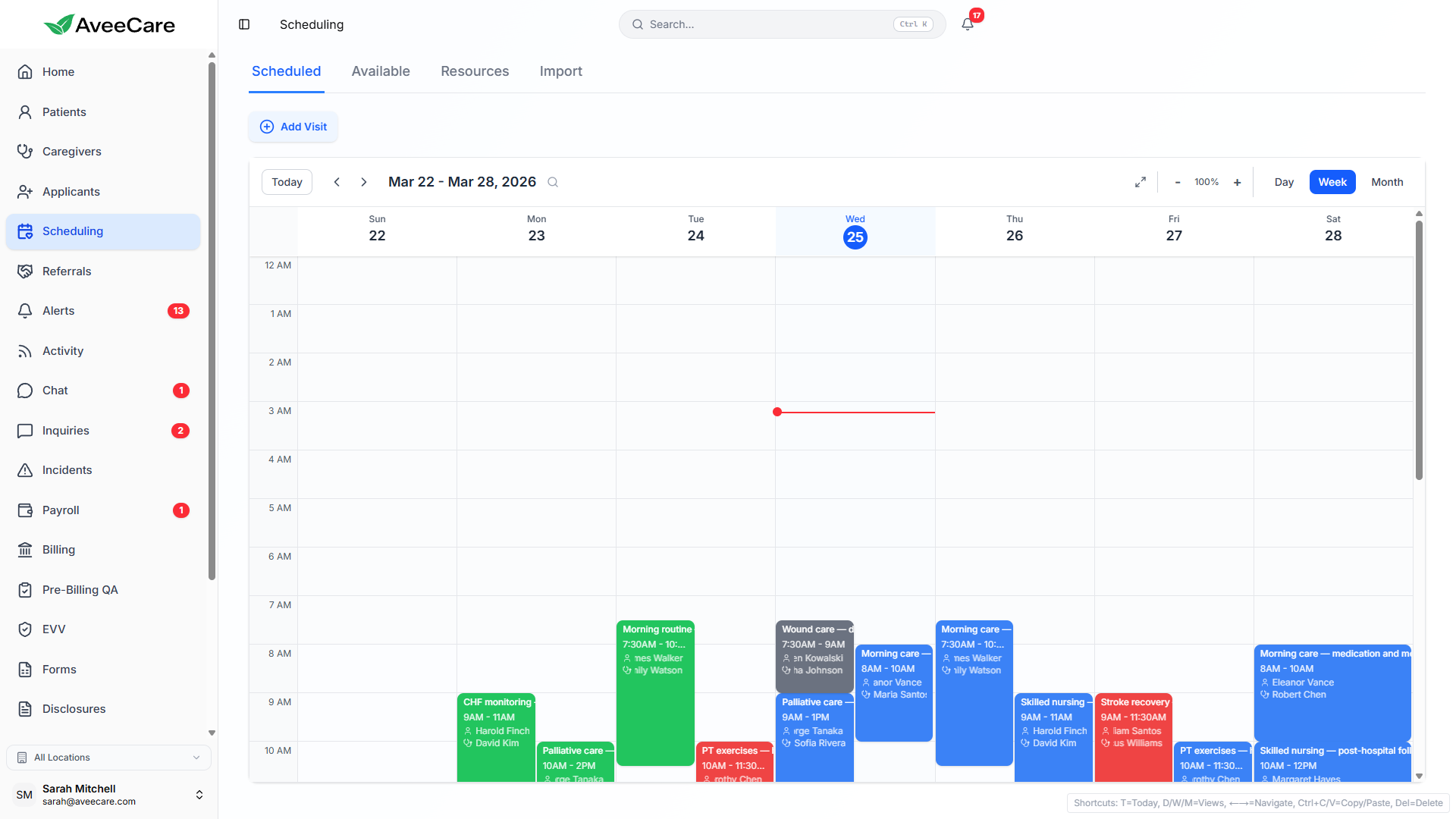
When a shift needs to be filled, broadcast it to all available caregivers. Qualified caregivers receive a notification and can claim the shift from their mobile app, eliminating the need for phone calls.
How broadcasting works
- Create an open shift with date, time, and patient details
- System automatically identifies available and qualified caregivers
- Push notification sent to all eligible caregivers
- First caregiver to accept gets the assignment
- Schedule updates and all other caregivers are notified
Time-Off Request Management
Submit Requests
Caregivers submit time-off requests from their mobile app with start/end dates and reason. No phone calls or texts needed.
Approve or Deny
Managers review requests with full schedule context — see what shifts are affected and which caregivers can cover before deciding.
Auto-Update Schedule
Approved time-off automatically blocks the caregiver's schedule and flags affected visits for reassignment.
Calendar View
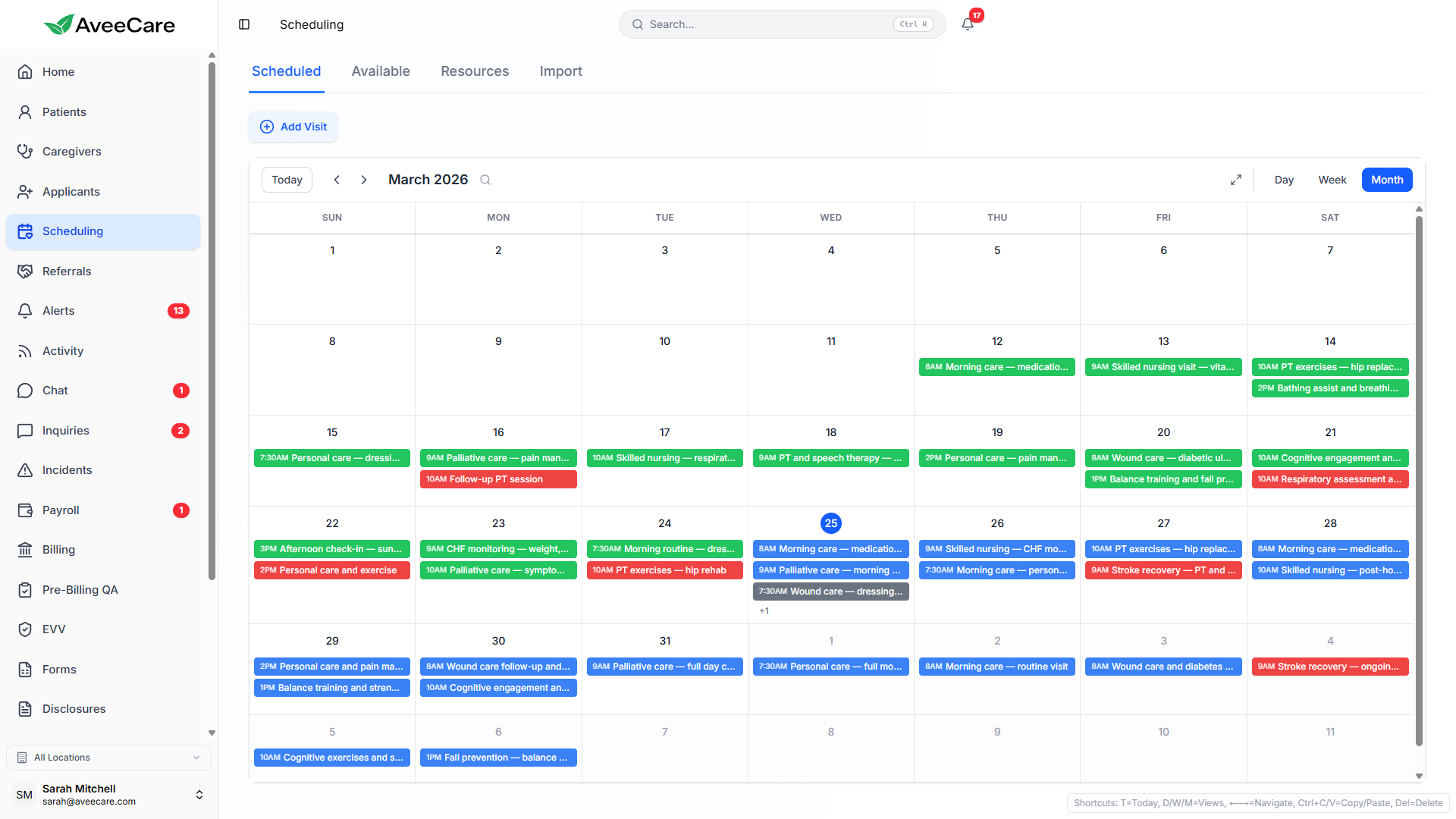
The Calendar tab on each caregiver's profile shows a monthly view of all their assignments, availability windows, blocked time, and approved time-off. Everything in one visual timeline.
- Monthly calendar with day, week, and month views
- Color-coded events: visits, availability, time-off, blocked time
- Click any event to see full details
- Drag and drop to reschedule visits (with confirmation)
- Export calendar data for external scheduling tools
All caregiver management features included at $6/client/month.
No add-on fees, no per-caregiver charges, no long-term contracts.