A husband and wife, or two siblings at one address, are two clients with one front door. A combined client groups them so you can see their care side by side and send the household one schedule, while each keeps their own record and billing.
Quick answer
On Patients, open the Combined tab and press New combined client. Name it, find each client and save. Open it to see every member’s tabs together, and use Send Schedule to send one calendar for the whole household.
1. Create a combined client
On Patients, open the Combined tab and press New combined client.
Give it a name and, if you like, a note such as “Husband and wife; call the daughter for scheduling changes”. Find each client by name or address to add them.Set the combined schedule defaults.
Choose where combined schedules go (leave it empty to use each client’s own email address), what colours each visit, and whether the calendar shows the visit type. Save.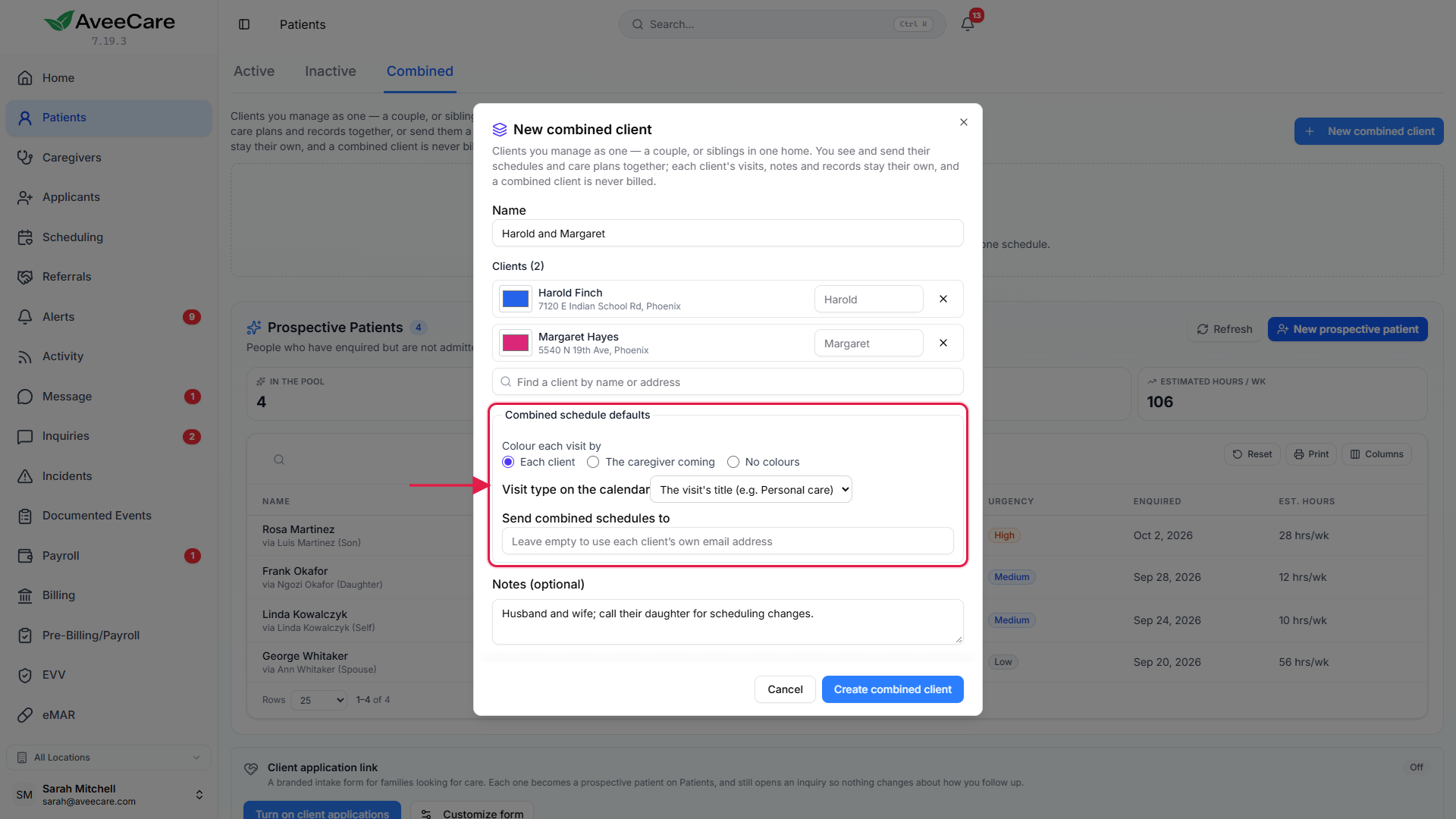
2. Work from the combined profile
Open the combined client from the Combined tab.
Every tab you know from a client’s profile is there, with each member’s section one after the other. The Schedule tab is one list for the household, each visit marked and coloured for the client it is for. Filter to one person, or open each client’s own calendar.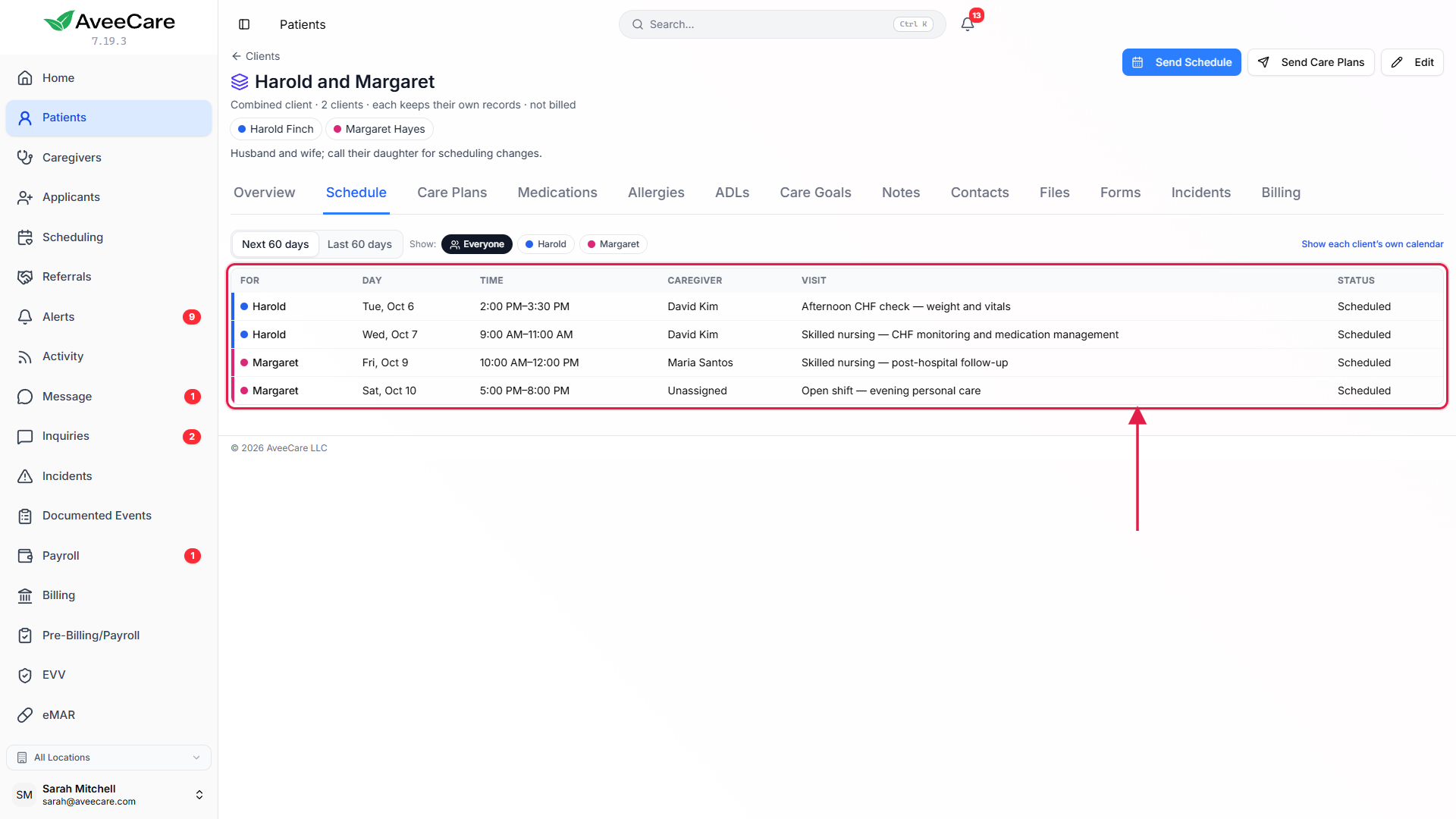
3. Send one schedule or every care plan
Press Send Schedule on the combined client.
The household gets one calendar with every member’s visits, each labelled and coloured, and the caregivers who are coming. On Patients, picking a combined client in Send Schedule chooses its members and combines their schedule for you.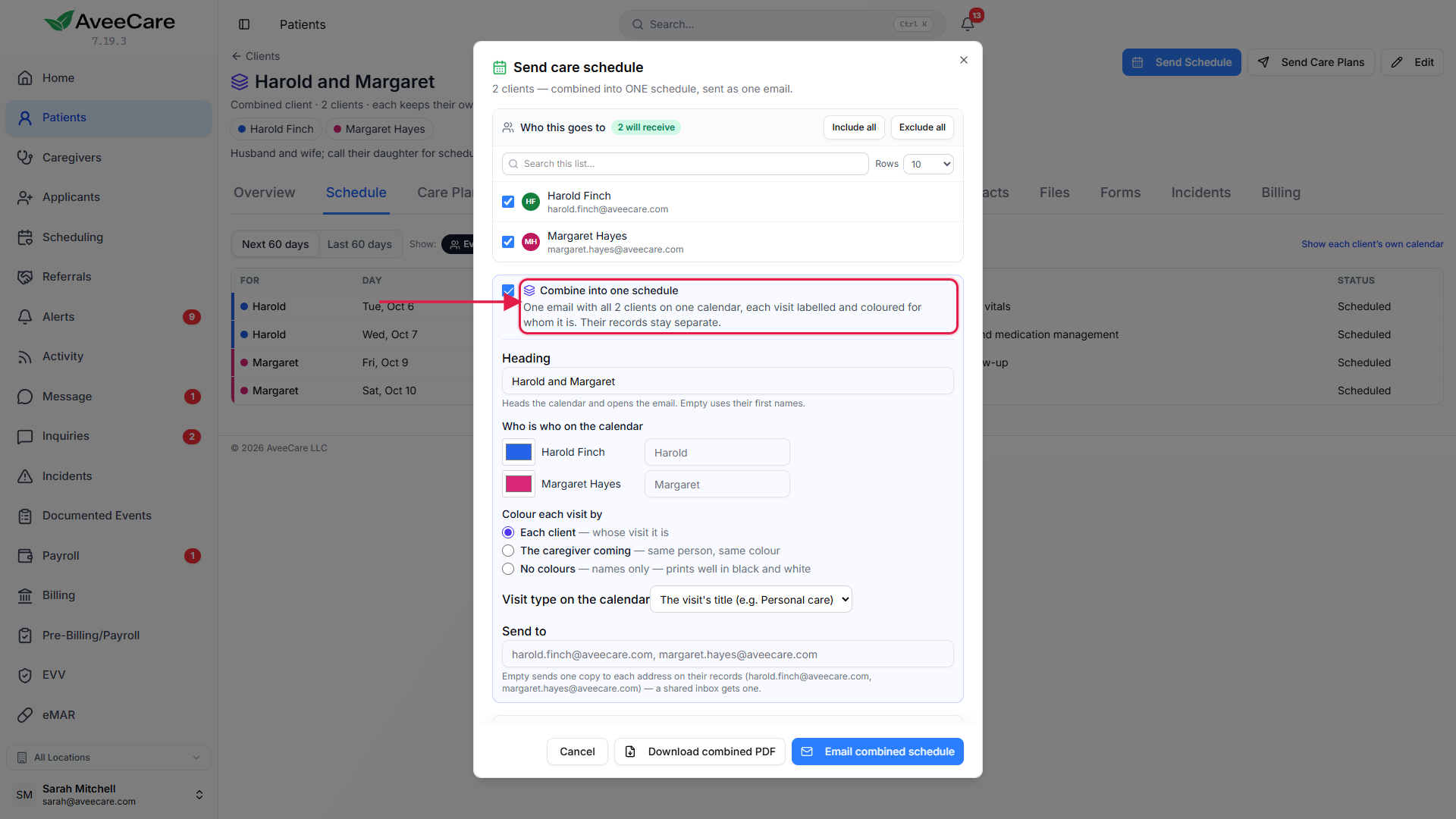
Press Send Care Plans to send every member’s care plan in one email.
A copy going to each member’s own address leaves out the other members’ care plans and pay.
Common pitfalls
- Expecting one invoice for the household. A combined client is never billed; each member is.
- Asking a combined schedule to be confirmed. One email about several people has nobody to confirm it. Send caregivers their own schedules to ask for confirmation.
Related
Frequently asked questions
No. Each client keeps their own visits, notes and records. The combined client only groups them so you can see and send things together.
No. A combined client is never billed. Each member is billed as before.
Only the grouping goes. Its clients are unchanged.
A copy sent to each member’s own address leaves out the other members’ care plans and pay.