Caregiver Profiles
Every detail about every caregiver in one place. 13 dedicated tabs covering demographics, schedules, certifications, payroll, documents, and complete activity history.
Try in Demo13-Tab Profile System
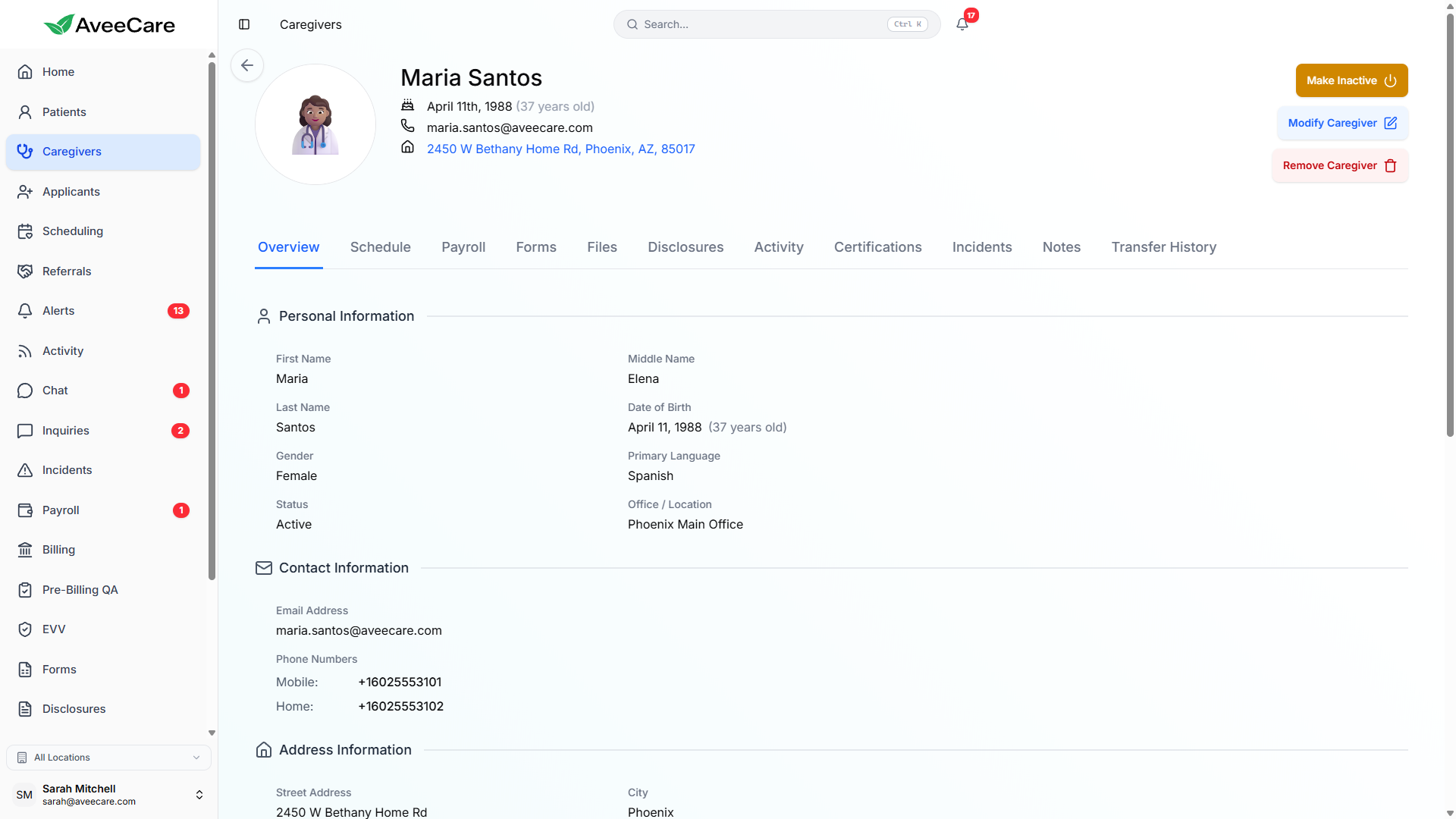
Each caregiver profile is organized into 13 tabs, giving you instant access to every piece of information without navigating away. Click any tab to see exactly what it contains.
Overview
Demographics, contact info, employment status, certification level, and profile picture.
Schedule
Current and upcoming shift assignments with visit details and patient info.
Calendar
Monthly calendar view of all scheduled visits, time-off, and availability windows.
Certificates
CPR, CNA, nursing licenses, and custom certifications with expiration tracking.
Files
Upload and manage documents like W-4s, direct deposit forms, and signed agreements.
Forms
Completed intake forms, evaluations, and custom forms assigned to the caregiver.
Notes
Searchable internal notes and observations about the caregiver.
Incidents
Incident reports linked to this caregiver with dates, details, and resolution status.
Activity
Complete activity log showing login history, profile changes, and system actions.
Payroll
Pay rates, direct deposit info, tax withholding, and payroll provider linking.
Disclosures
Signed disclosure agreements and compliance documents with timestamps.
Transfer History
Record of all patient transfers and reassignments involving this caregiver.
Custom Fields
Agency-defined custom fields for tracking additional caregiver-specific data.
Status Management
Every caregiver has one of three statuses that controls their visibility in scheduling, reporting, and team communications. Status changes are logged in the activity history.
Currently employed and available for scheduling.
No longer employed or temporarily removed from active roster.
Temporarily unavailable due to approved leave of absence.
Adding New Caregivers
Adding a new caregiver takes just a few clicks. Fill in the basics and AveeCare creates the full 13-tab profile automatically. You can fill in the rest as you go.
Required to get started
- First name and last name
- Email address or phone number
- Employment status (full-time, part-time, PRN)
- Certification level (CNA, HHA, companion, etc.)
Optional during onboarding
- Address and emergency contact information
- Certifications and expiration dates
- Pay rate and direct deposit details
- Profile picture upload
- Custom intake forms and disclosures
Profile Pictures
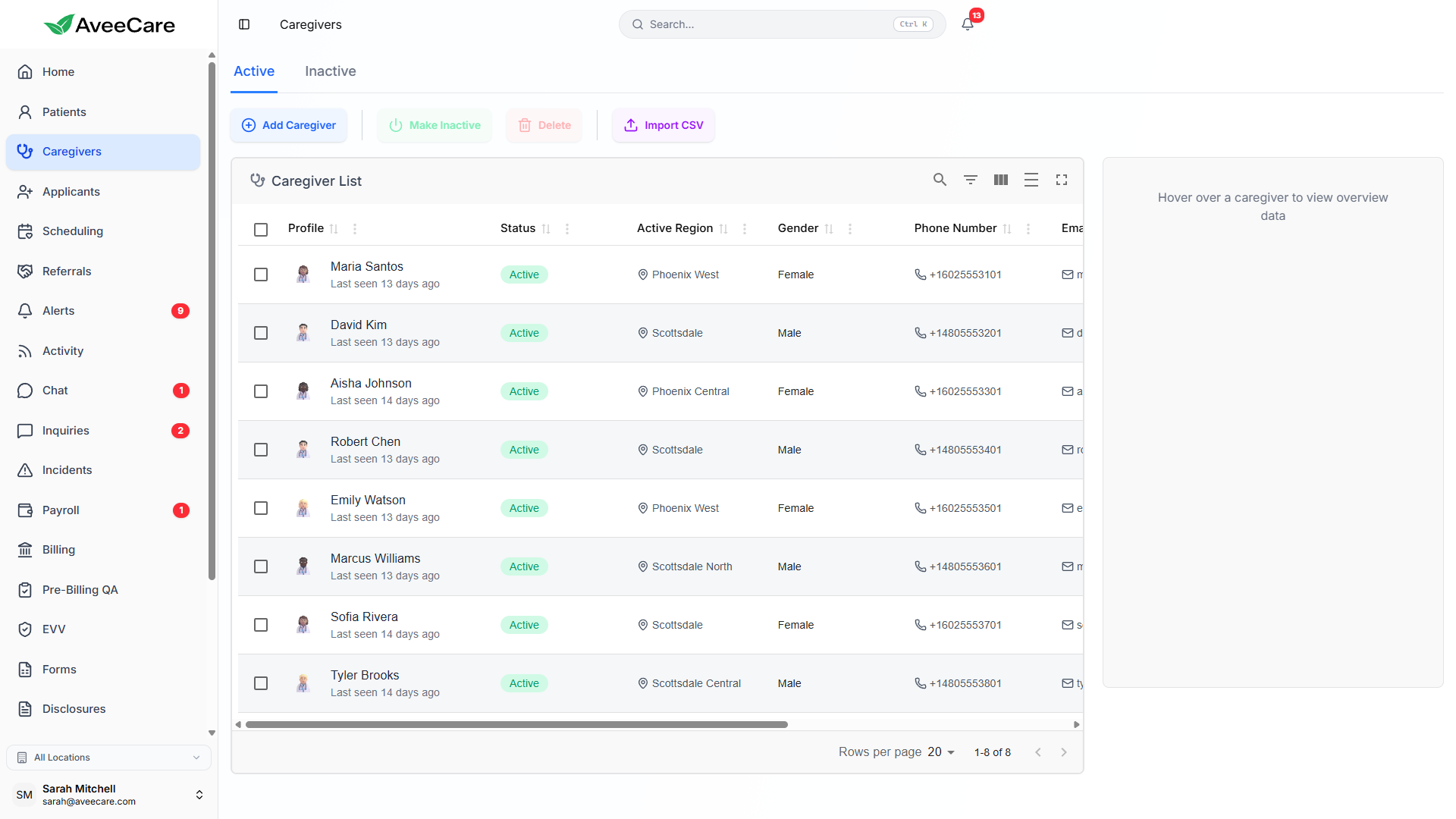
Upload profile pictures for each caregiver to make identification easier across the platform. Photos appear in the caregiver list, scheduling views, and patient visit details.
- Upload from the caregiver's Overview tab
- Supports JPEG, PNG, and WebP formats
- Photos display in caregiver lists and scheduling views
- Helps patients identify their assigned caregivers
- Optional — profiles work without a photo
All caregiver management features included at $6/client/month.
No add-on fees, no per-caregiver charges, no long-term contracts.