Claims that go straight to Availity.
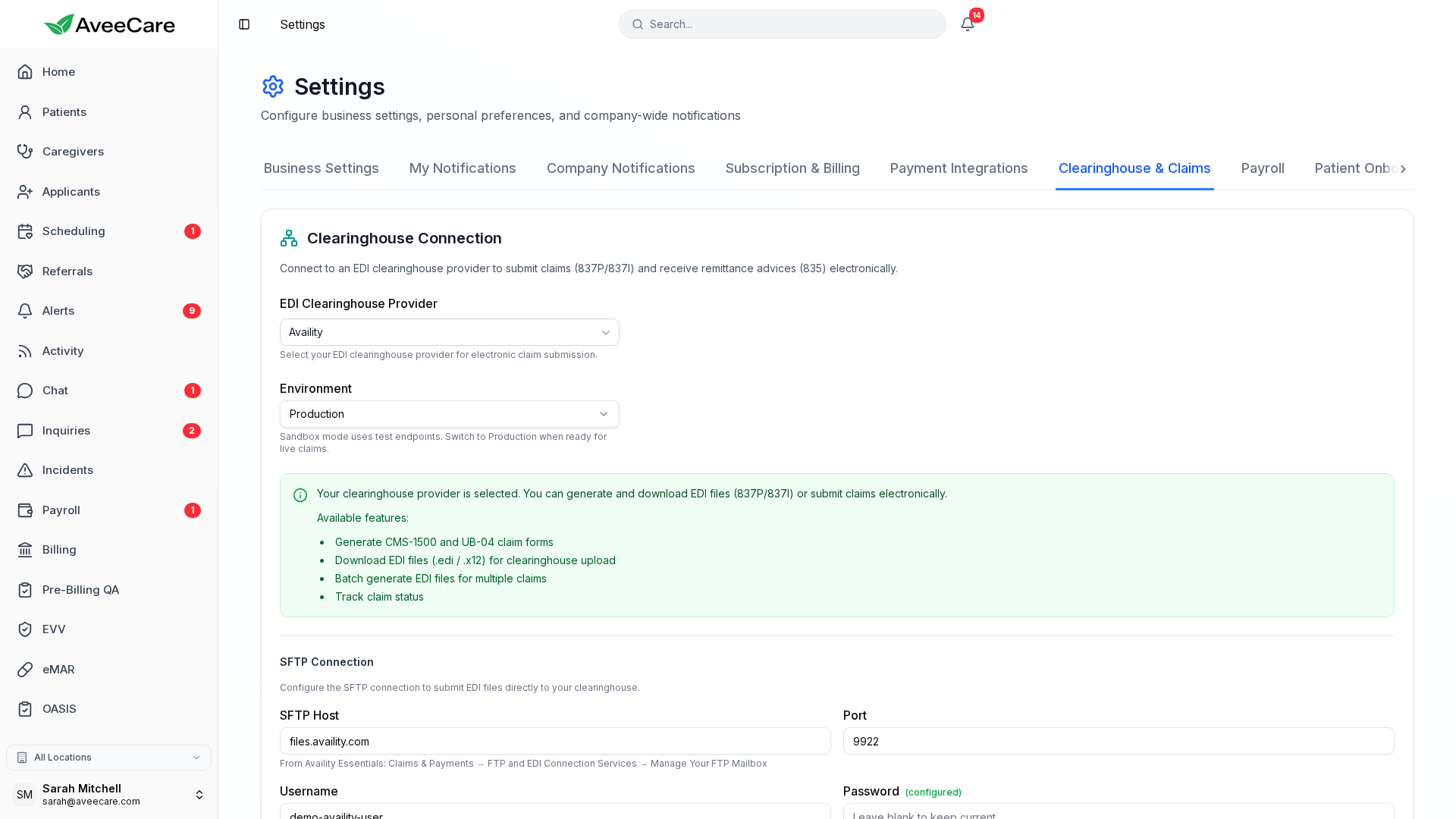
Connect your Availity Essentials mailbox once and AveeCare sends 837P claims over SFTP, then pulls the acknowledgements and remittances back and matches them to the claims they answer. No portal uploads, no guessing what happened.
You bring your own Availity account.
Availity Essentials is free for most providers, and the EDI mailbox is yours. AveeCare connects to it with the credentials you already have — we are not reselling clearinghouse access and we do not sit between you and your payer relationships.
Visit to remittance
How a claim actually travels
Connect once
Enter the SFTP details from your Availity Essentials mailbox. AveeCare tests the connection and tells you plainly if the host, port, or credentials are wrong.
Build the claim
A completed visit becomes a CMS-1500 through a three-step wizard, or the full form if you need every box. That produces a real claim record you can track.
Send a batch
Selected claims are assembled into an 837P interchange and uploaded. Only the claims that actually made it into the file are marked as sent.
Pull the responses
Check for responses and AveeCare retrieves the intake receipt, the 999, the 277CA, and the 835, then matches each one back to the claim it belongs to.
What comes back
Four answers, and what each one means
EDI responses are famously opaque. AveeCare reads all four and turns them into claim status you can act on.
Availity confirms it accepted or rejected the uploaded file, usually within minutes.
This is the first signal. A file rejected at intake produces a receipt and nothing else, so waiting on a 999 that will never arrive is the trap it saves you from.
A functional acknowledgement saying whether the interchange was syntactically valid.
AveeCare reads the per-transaction detail, not just the summary, so you learn which claim failed rather than only that something did.
Claim-level status from the payer’s front end: accepted for adjudication, or rejected with a reason.
A claim can pass the 999 and still be rejected here. This is where most silent failures actually live.
The electronic remittance advice — what was paid, what was adjusted, and why.
Posted against the claim so your outstanding balances reflect reality instead of what you hoped would be paid.
Test mode that actually stays test mode
Sandbox and production are a single explicit setting, and the flag it controls is the one written into every interchange. When the screen says sandbox, the files going out are marked as test and are not adjudicated.
This matters more than it sounds. A system that displays production while sending test files lets an agency bill for weeks and chase payments that were never coming.
What you get
File electronically, and know it landed
Connect your Availity mailbox and stop wondering whether a claim made it out the door.